A power bank will only charge your USB radio if its output, cable and actual charging input are compatible, so check your radio model’s manual first. Choose a capacity that suits how long you’ll be waiting and how much weight you’re happy to carry. Where possible, look for measured energy delivered: the Consumentenbond measures this separately from the manufacturer’s stated capacity. If you’re travelling on by plane, check your airline’s rules for carrying and using a power bank. Being allowed to take one on board doesn’t automatically mean you can use it during the flight.
Who is this buying guide for?
Traveller with a USB radio
You want to charge your radio while you wait. Check that its socket is actually a charging input and that the cable fits. For example, Sony lists a USB-rechargeable battery for the XDR-P1DBP; the required connection varies by radio model.
Traveller with a long layover
You want to use your radio for longer or charge a second device as well. Compare the stated capacity with the size and weight you’re willing to carry. A capacity rating doesn’t tell you directly how many times you can charge your radio.
Air traveller
You want to take the power bank with you when you continue your journey. Check your airline’s hand luggage conditions and rules for using it on board.
What should you look for when buying?
First, check that your radio, cable and power bank output are compatible. Then work out how much runtime you need, and check your airline’s rules if you’re flying.
| What to consider |
What should you check? |
Who is this important for? |
| Connection and charging |
Check your radio’s charging input and power requirements. Compare these with an output on the power bank, and bring a suitable cable. |
If I want to charge my radio while I wait, the cable needs to fit its actual charging input. Around 36% of consumers say this connection is their top priority. |
| Runtime and portability |
Compare how long you expect to wait and any other devices you might need to charge with the stated capacity, weight and available measurements of energy delivered. |
If I have a long wait or want to charge another device, runtime matters to me alongside how much weight I need to carry. Around 29% of consumers prioritise having enough runtime. |
| Taking it on a flight |
Check the stated Wh rating and your airline’s conditions for carrying and using the power bank. KLM says power banks must not be used on board. |
If I want to take the power bank on a flight, I check my airline’s conditions in advance. Around 21% of consumers say the rules for air travel are their top priority. |
| Charging devices that draw little power |
If charging stops prematurely, check whether the manufacturer confirms a low-current mode for the exact power bank model. |
If my radio draws little power and might interrupt charging, I look for confirmation that the feature works with the specific power bank model. Around 14% of consumers say this charging behaviour is their top priority. |
Common mistakes
-
Focusing only on the highest mAh or wattage rating
A high rating doesn’t prove that the connection is right for your radio or tell you how much energy your radio will actually receive. The Consumentenbond measures energy delivered separately from manufacturers’ stated figures.
Check your radio’s connection first, then compare capacity, weight and any available measurements.
-
Confusing taking it on board with using it during the flight
The rules for carrying a power bank and using it on board are not the same. KLM says power banks are not permitted to be used on board.
Before you leave, check both the conditions for carrying it and the rules for using it with your airline.
-
Assuming every USB socket is a charging input
A USB socket on a radio isn’t necessarily designed to charge it. Its function and the cable you need depend on the specific model.
Check the manual or the radio itself for the labelled charging input and the required power supply.
Brands to compare
Belkin
The BoostCharge BPB011btBK is worth considering if you’re looking for USB-A outputs and an included USB-A to USB-C cable.
- Belkin lists two USB-A outputs and one USB-C output.
- Belkin says the total output is up to 15 W when three ports are used at the same time. Check that the included cable fits your radio’s charging input.
Xtorm
According to Xtorm, the Fuel Series 5 FS5100 has USB-A and USB-C outputs for use with different cables or devices.
- Xtorm lists a capacity of 10,000 mAh and 20 W USB-C PD for the FS5100.
- Xtorm’s claim that the model is suitable for air travel doesn’t replace your airline’s conditions.
Anker
A low-current mode may be useful if charging a device that draws little power stops prematurely.
- Anker describes a low-current mode for certain power banks.
- Anker says you need to check support for the exact power bank model. The feature doesn’t automatically confirm compatibility with your radio.
Power banks at Joybuy
This Joybuy selection includes power banks with USB-C outputs, USB-A outputs or a built-in USB-C cable. Before buying, check that the connection matches your radio’s charging input.
 No image available
Samsung Power Bank Fast Charge 45W, 20,000 mAh, beige
Worth considering if your radio has a USB-C charging input and you want to connect several devices.
The product name lists 20,000 mAh, 45 W and three USB-C ports. The description says it can charge three devices at once, and includes a USB-C cable. Weight: 402 g.
View at Joybuy
 No image available
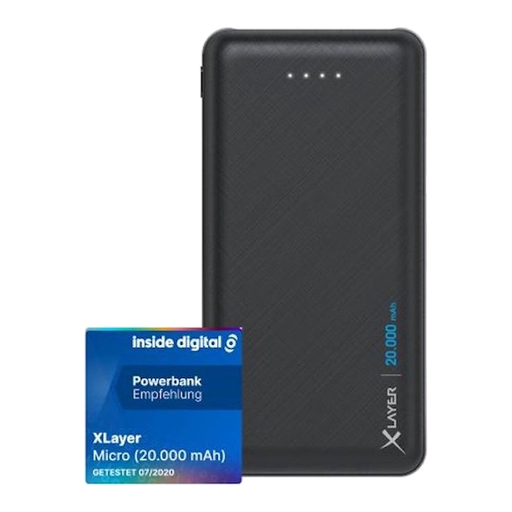
Xlayer Power Bank Micro Black Edition, 20,000 mAh, black
Worth considering if your radio has a USB-A charging input and you’re looking for a power bank with several outputs.
The description lists two USB-A outputs, a USB-C input, 74 Wh and a weight of 420 g.
View at Joybuy
 No image available
Samsung Fast Charge Duo Power Bank, 25 W, 10,000 mAh, beige
Worth considering if your radio has a USB-C charging input and a second USB-C output would come in handy.
The product name lists 10,000 mAh and 25 W. The description lists two USB-C ports, the ability to charge two devices at once and a weight of 210 g.
View at Joybuy
 No image available
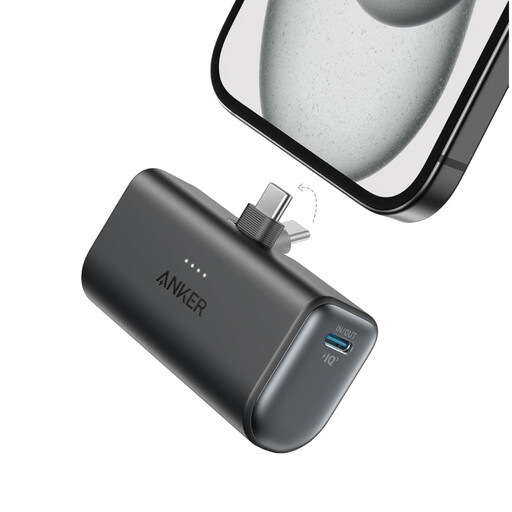
Anker Nano Power Bank, 5,000 mAh, black
Worth considering if your radio has a USB-C charging input and you want a compact option for travelling.
The description lists 5,000 mAh, 22.5 W, one USB-C port and a weight of 100 g.
View at Joybuy
 No image available
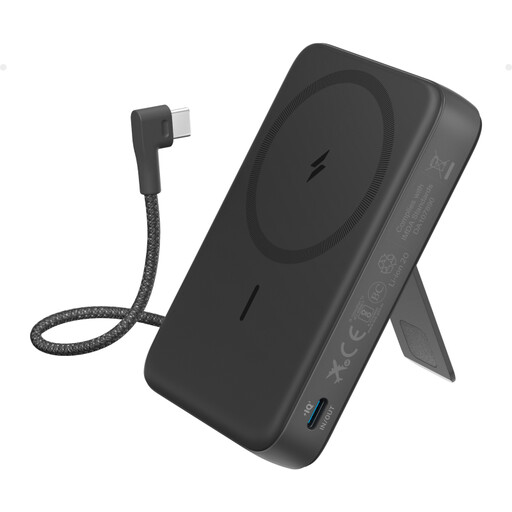
Anker 10K Magnetic Power Bank with built-in USB-C cable, black
Worth considering if your radio has a USB-C charging input and you can use the built-in cable.
The description lists 10,000 mAh and up to 30 W wired charging. It also mentions wireless charging.
View at Joybuy
Frequently asked questions
Can I charge any radio with a USB socket using a power bank?
No. First check whether the socket is a charging input and what power supply your radio needs. Sony lists a USB-rechargeable battery and a micro-USB-B input for the XDR-P1DBP; this doesn’t tell you which connection your radio has.
Do I need to pack a power bank in my hand luggage when flying from Schiphol?
Yes. Schiphol says power banks must be carried in hand luggage. Also check your airline’s conditions, including the stated Wh rating.
Can I charge my radio with a power bank during the flight?
Don’t assume you can just because you’re allowed to bring the power bank on board. KLM says it can’t be used on board; check the conditions set by the airline you’re travelling with.
What can I do if charging stops after a short time?
First, check the cable and charging input. If your radio draws little power, see whether the manufacturer confirms a low-current mode for your exact power bank model, and follow the manual.
Should I buy a power bank for a single wait at Schiphol?
Not necessarily: Schiphol describes a loan service at Pier B, with four hours’ use free of charge. Check whether it’s on your route; this information doesn’t automatically apply to other piers or airports.


