
Occasional chargers
You want to charge your radio on the kitchen counter using a suitable cable, and don’t need features such as wireless charging.


Choose a power bank with an output and cable that match your radio’s charging port. Then work out the capacity you need based on the radio’s power consumption and how long you want to listen. If you want to keep listening while it charges, or charge the power bank at the same time, check that both exact models support these features. Place the power bank somewhere dry and well ventilated.
You want to charge your radio on the kitchen counter using a suitable cable, and don’t need features such as wireless charging.
You want to work out whether the available energy will last through longer listening sessions. The energy actually delivered matters more than the capacity printed on the label alone.
You want to avoid interruptions or recharge the power bank while using it. Check what both the radio and the exact power bank model can do.
First check the port and cable, then work out how much reserve capacity you need. Finally, see whether you need a specific feature for uninterrupted use. The Consumers’ Association compares stated capacity with the amount of energy actually delivered; without information about your radio, this won’t tell you how long it will play.
| Buying concern | What should you look for? | Who is this important for? |
|---|---|---|
| Port and cable | Check your radio’s charging port, the power bank’s output and which cable you need. | If I want to charge my radio occasionally, the cable needs to fit its port; the connection is the main buying consideration for around 31% of consumers. |
| Energy reserve and listening time | Look up your radio’s power consumption and, where possible, compare it with the capacity actually delivered. | For longer listening sessions, I want to know whether the reserve is enough without trying to work out listening hours from mAh alone; around 25% of consumers prioritise battery life. |
| Keep charging or listening | Check whether the radio can play while charging, and whether the exact power bank model supports passthrough charging or a suitable low-current mode. | If I want to keep listening or recharge the power bank at the same time, I need to check these features separately; uninterrupted use is the main concern for around 19% of consumers. |
| A safe spot on the kitchen counter | Choose a dry spot away from water and heat, and leave the power bank unobstructed so heat can escape. Check for warnings relating to the model and batch number. | On a kitchen counter, I want to avoid moisture and heat and be able to identify the model I’m using; safe placement is the main concern for around 25% of consumers. |
The mAh figure on the label doesn’t tell you how much energy your radio will actually receive. That also depends on the radio’s power consumption and the capacity actually delivered.
Check your radio’s specifications and, where possible, compare them with measurements of the capacity delivered. Don’t treat a claimed phone battery life as the listening time for your radio.
A USB-C plug or built-in cable won’t necessarily work with a radio that has a different charging port.
Compare your radio’s port with the power bank’s output and cable before choosing a model.
Passthrough charging, where the power bank charges while powering a device, isn’t available on every model. What’s more, powering and charging at the same time doesn’t automatically mean the radio can keep playing while it charges.
Check the instructions for the exact models. Keep the set-up dry and make sure heat can escape.
A warning may apply to specific models or batches, and won’t necessarily apply to every product from the same brand.
Compare your product’s model, item and batch numbers with the warning. Don’t use it if it’s affected.
The Primo 24678 and 24677 models offer wired connections; their stated capacities differ.
The BoostCharge BPB011 has separate USB-A and USB-C outputs; the BPB021 has a built-in USB-C cable.
The Fuel Series 5 FS5100 has two USB-C ports and one USB-A port.
Worth considering if a radio with low power consumption may need a model-specific low-current mode.
Joybuy power bank options that may connect to a USB radio for charging; check that the port and cable are compatible with your radio for each model.
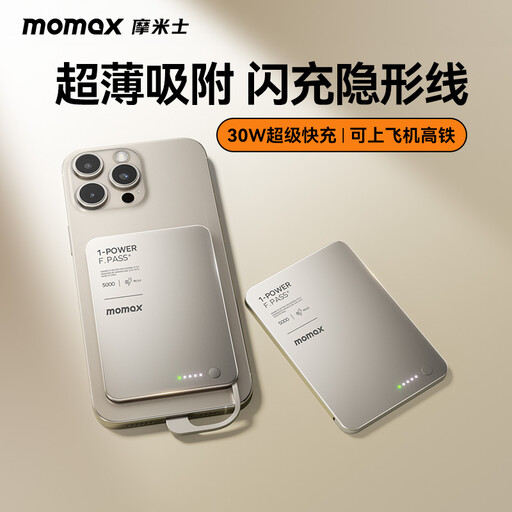 No image available
The built-in USB-C cable may fit if your radio is powered via USB-C; check your radio’s port before choosing.
Stated capacity: 5000mAh. This doesn’t tell you how long a radio will play for.
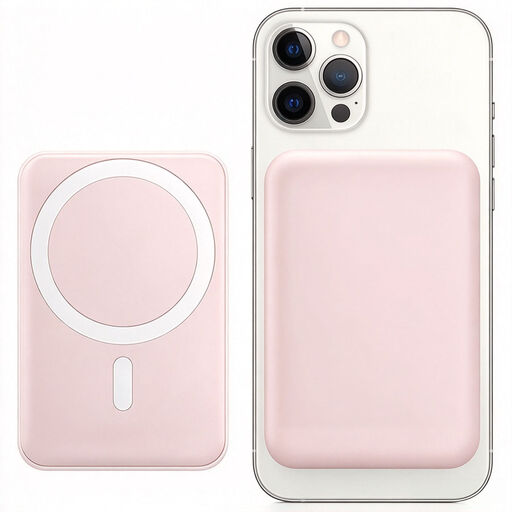 No image available
Check whether your radio has a wired input that fits this model; the product name also mentions a magnetic phone stand and wireless charging.
Stated capacity: 10000 mAh. Stated output: 15 W.
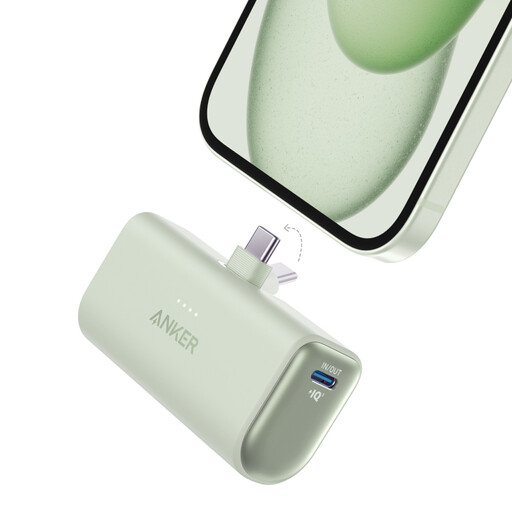 No image available
The built-in USB-C connector may be suitable if your radio is powered via USB-C; check your radio’s port.
Stated capacity: 5.002 mAh. According to the instructions, this model is designed for dry indoor spaces; keep it away from moisture and heat.
You can’t reliably work this out from the stated mAh alone. Check the exact radio model and its power consumption, and where possible compare these with the power bank’s capacity actually delivered; charging time and listening time are two different things.
Only if the exact power bank model supports passthrough charging and the radio can be used in this way. Belkin lists this feature for the BPB021; don’t assume that other models support it too.
Put it somewhere dry where heat can escape, away from the sink and heat sources. The Netherlands Fire Service advises placing chargers in an unobstructed spot so heat can escape, and warns against damaged cables and moisture.
No. According to the European Union, when applicable product rules require the mark, CE is a declaration by the manufacturer, not a centrally issued testing certificate. Also check the product information and any warnings for the exact model.
Take an old battery to a suitable collection point separately, such as a battery collection bin. Milieu Centraal advises against putting batteries in your general waste.