
USB radio traveller
Wants to check before buying that the output and cable are compatible with their radio. The Philips TAR1659/00 uses USB-C as its charging input, while USB-A is an output for charging other devices.


First, check your radio’s manual for the charging input, cable and electrical input requirements, then choose a power bank with a compatible output. Match the capacity to how long you’ll be travelling without access to a mains socket: the stated mAh rating doesn’t guarantee a particular number of hours of playback, and the Consumentenbond’s testing shows that the energy actually delivered can vary. When charging, place the power bank in a clear space, out of direct sunlight, and follow the instructions for use.
Wants to check before buying that the output and cable are compatible with their radio. The Philips TAR1659/00 uses USB-C as its charging input, while USB-A is an output for charging other devices.
Wants to top up their radio for longer without access to a mains socket, and weighs up the extra power reserve against size and weight. The Consumentenbond compares power banks on factors including capacity and the energy they actually deliver.
Wants to charge a phone as well as their radio, for example, so checks both the number of outputs and their combined power. Trust describes the Avala as having outputs for multiple devices; the available capacity and connections depend on the model you choose.
Start with your radio’s manual: the required input and cable determine which power banks are suitable. Then work out how much power reserve you’ll need for your trip, and whether you want to charge other devices at the same time.
| What to consider | What should you check? | Who is this important for? |
|---|---|---|
| Connection and compatibility | Compare your radio’s charging input and requirements with the power bank’s output and cable. | If I don’t want to bring an adapter, I first check which connection my radio uses. Around 28% of consumers put compatibility first. |
| Power reserve for your trip | Match the stated capacity to the time you’ll be without a charging point; don’t treat mAh as a promise of playback hours. | For a long journey without access to a mains socket, I want extra reserve, but I also consider the size. Around 22% of consumers prioritise journey length most. |
| Charging multiple devices at once | Check that there are enough compatible outputs and find out the combined power available when multiple devices are connected. | If I want to charge my radio and phone at the same time, I check both connections and the shared power. Around 17% of consumers prioritise simultaneous charging. |
| Size and portability | Check the weight and dimensions of the exact version, and make sure a built-in cable is compatible with your radio. | If I’m also carrying the power bank outside the car, I want a size that fits comfortably in my bag. Around 11% of consumers put portability first. |
| Safe charging and storage | Don’t use a damaged cable or battery, and choose a clear spot out of direct sunlight when charging. | If my car is parked in the sun, I want to place the power bank somewhere that allows heat to dissipate and keeps it out of direct sunlight. Around 22% of consumers prioritise safe use most. |
The stated capacity doesn’t tell you directly how long your radio will play for. The energy actually delivered and how you use the radio also matter; the Consumentenbond tests the energy delivered by power banks.
Use capacity to compare models, not as a promise of playback time. Check independent test results if available, and try your own setup before you set off.
A built-in cable is only useful if it matches your radio’s input. Trust says the Fiera has a built-in USB-C cable, but that doesn’t mean it will work with every radio.
First check your radio’s manual, then compare the connections on the exact version of the power bank.
You may need a separate compatible cable if the power bank also has a suitable output.
The Netherlands Fire Service recommends placing chargers in a clear space so heat can dissipate, not charging them under a cushion or duvet, and avoiding damaged cables. Heat in a car parked in the sun makes it especially important to choose a suitable place to charge.
Follow the instructions for use, keep the power bank out of direct sunlight and don’t use any damaged parts.
The APB-112R documentation describes a 10,000 mAh power bank with USB-C and two USB-A outputs.
Trust describes the Fiera as a 10,000 mAh power bank with a built-in USB-C cable, and the Avala as a 20,000 mAh model with one USB-C output and two USB-A outputs.
Belkin says the 10,000 mAh BoostCharge BPB011btRG has two USB-A outputs and one USB-C output.
The Zolo version described has a capacity of 20,000 mAh, an output of 22.5 W and a built-in USB-C cable.
These Joybuy products are power banks designed for travel, with a range of capacities and connections. Before buying, check that the output, cable and input requirements are compatible with your radio.
 No image available
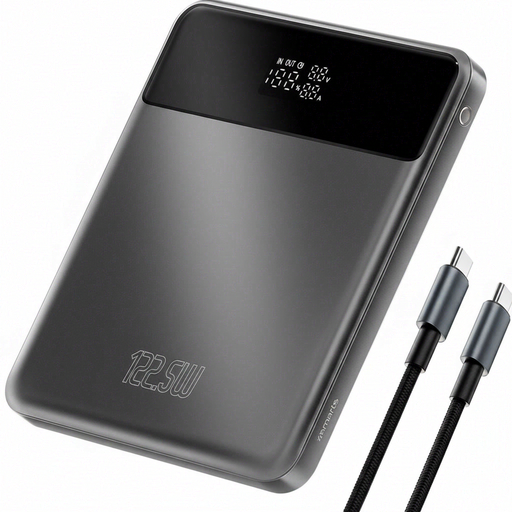
The stated capacity of 20,000 mAh may suit anyone looking for extra power reserve on the go, but it doesn’t tell you how long a radio will play for.
The product description lists an LCD display, pass-through charging and overheating protection. Check your radio’s connections and input requirements before buying.
 No image available
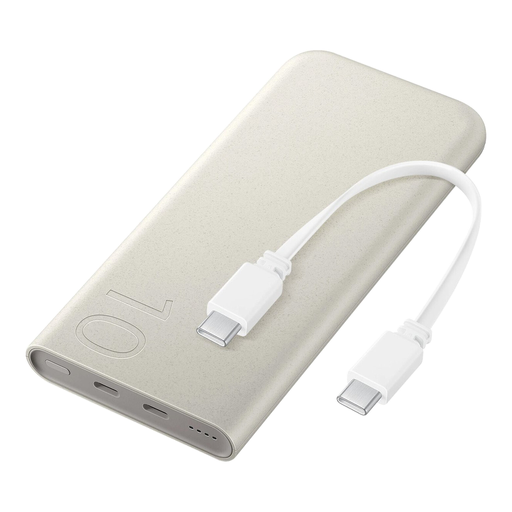
The built-in USB-C cable may be useful if your radio charges through a compatible USB-C connection; check the manual to make sure.
The stated capacity is 10,000 mAh. The product description lists wired charging at up to 25 W, wireless charging at up to 7.5 W and a weight of 210 grams.
 No image available
The 20,000 mAh capacity is worth considering if you want more power reserve; that figure alone won’t tell you how many hours your radio will play for.
The title lists three USB-C ports, and the product description says you can charge up to three devices at once. Check that your radio’s USB-C connection can be used as a charging input.
 No image available
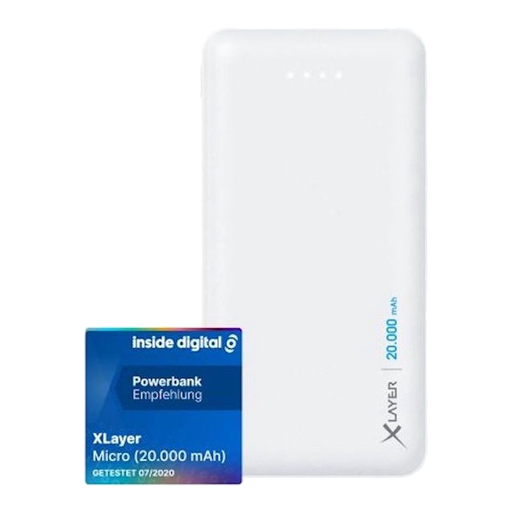
The two USB-A outputs may suit a radio with a compatible USB-A charging cable. Check your radio’s manual before choosing this model.
The stated capacity is 20,000 mAh. The product description lists USB-A outputs of 5 V/2.1 A and 5 V/1.0 A; USB-C is listed as an input, not an output for charging devices.
 No image available
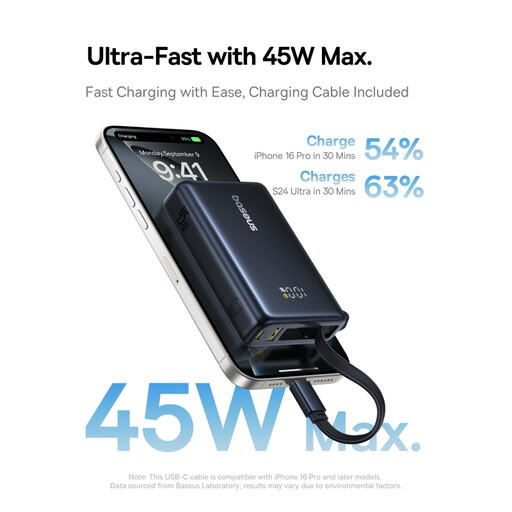
The stated capacity of 10,000 mAh offers less reserve than 20,000 mAh models; neither figure on its own predicts how long your radio will play for.
The product description lists a USB-A output and up to 45 W via USB-C. Check whether your radio can be connected to either output and what input requirements apply.
No. First, check your radio’s charging input and electrical input requirements in the manual. Compare these with the power bank’s output and cable. The Philips TAR1659/00 uses USB-C as its charging input; the USB-A port is an output for charging other devices.
Follow the instructions for use and place the power bank in a clear space so heat can dissipate, out of direct sunlight. The Netherlands Fire Service advises against using damaged cables; don’t use a damaged battery either.
It depends on your radio’s connection, the cable supplied and the outputs on the power bank you choose. Belkin lists a USB-A/USB-C cable and three outputs for the BoostCharge BPB011btRG, with a combined maximum of 15 W when all three are used. Check that the cable is compatible and that the combined power suits your needs.
The NVWA refers to the relevant product safety rules for electrical products, including the EU General Product Safety Regulation for products not covered by specific legislation. The CE marking discussed by the NVWA in connection with the Commodities Act Decree on Electrical Equipment relates to certain voltage ranges and doesn’t automatically apply to every USB power bank. Also check the warnings for the exact model.
No. The European Commission gives 14 December 2028 as the start date for the new requirements described. These future rules are therefore not a current selection criterion for this purchase.