Who is this choice relevant to?

People with few available sockets

You want to use your USB desk lamp without taking up another socket while you work. Check that the power bank’s output matches the lamp cable, and recharge the power bank later. The Dutch Consumers’ Association discusses portability and capacity as factors to consider when choosing a power bank.

People who need light for longer

You want enough power for several work or reading sessions, so you’re considering the usable energy and how much desk space the power bank takes up. A higher stated capacity doesn’t tell you directly how much energy is available via USB; Anker Support explains the difference.

People with a low-power lamp

Your lamp may switch off if a power bank turns off its output when the power draw is low. Anker Support recommends checking whether the exact model supports a low-power mode.

What should you look for?

What to consider What should you check? Who is this important for?
Compatible connection and output Check the lamp’s required input and compare it with the power bank’s port type and output specifications. Don’t assume it has a USB-C output just because the power bank has a USB-C port. I want to connect my lamp using its existing cable without using another socket; around 36% of consumers prioritise a compatible connection and power supply.
Runtime Compare the lamp’s power consumption and the number of hours you want it to run with the available output energy. The Dutch Consumers’ Association and Anker Support explain that a battery’s rated capacity is not the same as the capacity available from the USB output. If I want to get through several work or reading sessions, I focus on the energy my lamp can actually use; around 29% of consumers prioritise runtime.
Output that stays active Check how the exact model behaves when switching off, and whether any low-power mode stays active for long enough. Anker Support describes such a mode for supported models, subject to model-specific conditions. My lamp uses little power, and I want to avoid the supply cutting out while I’m working; around 21% of consumers prioritise uninterrupted operation.
Size on your desk Compare the dimensions and weight with the space available and the runtime you need. The Dutch Consumers’ Association notes that smaller, lighter power banks generally offer fewer recharges than larger models. On a crowded desk, I want a practical power bank that doesn’t take up unnecessary space; around 14% of consumers prioritise compactness.

Pitfalls to avoid

  • Assuming the rated mAh equals the energy available for your lamp

    The mAh rating describes the capacity of the internal battery cells. The energy available via USB has a different output voltage, and some energy is lost during conversion.

    Before estimating runtime, compare the available output energy with your lamp’s power consumption. Anker Support explains the difference between cell capacity and the capacity available at the output.

    If your estimate is inaccurate, you may need to recharge the power bank sooner than expected.

  • Choosing based only on high charging power or large capacity

    A low-power lamp may switch off if the power bank automatically turns off its output. A high W or mAh rating doesn’t confirm that the power supply will stay active.

    Check whether the exact model has a suitable low-power mode and how long it stays active. Anker Support lists conditions for the mode described, which you’ll need to check for each model.

  • Not checking that the output is compatible with your lamp

    Power banks can have different USB-A and USB-C outputs. The number of ports alone doesn’t tell you whether your lamp’s cable will fit.

    Compare the lamp’s input with the output specifications of the exact model and check that you have the right cable.

    If the connection isn’t compatible, you may need a suitable cable or a different power bank.

  • Applying a warning about specific models to an entire brand

    On 15 July 2025, the Netherlands Food and Consumer Product Safety Authority (NVWA) issued a warning about four specific models: Anker Power Bank A1257 and A1647, and Anker Zolo Power Bank A1681 and A1689. The warning does not automatically apply to all Anker power banks.

    Check the full model number. Do not buy or use any of the four models listed.

Relevant brands

Belkin

According to Belkin, the BoostCharge BPB011btBK has two USB-A outputs and a USB-C port.

  • Belkin specifies 12 W per USB-A port and a maximum total of 15 W when all three ports are used at the same time.
  • These manufacturer specifications don’t confirm how the power bank will work with a particular low-power desk lamp.

Xtorm

According to Xtorm, the Fuel Series 5 FS5100U has a capacity of 10,000 mAh, two USB-C ports and one USB-A port.

  • The range of ports may suit different cable types, provided the lamp is compatible with the output you choose.
  • The stated 20 W is a USB-C PD specification for this model; it doesn’t indicate how long it will run a desk lamp.

Fresh ’n Rebel

According to the manufacturer, the Powerbank 12000 mAh Storm Grey has a USB-C port and an additional USB port.

  • The manufacturer lists a battery indicator and the ability to use two devices at once.
  • Check the exact port type, your lamp’s requirements and how the power bank switches off. Information about phones doesn’t automatically apply to desk lamps.

Anker

Anker describes a low-power mode for certain power banks. Check whether the exact model supports it.

  • This model-specific feature may be useful if a lamp switches off when connected to a standard power bank.
  • According to Anker Support, the mode described may stop automatically in certain circumstances. On 15 July 2025, the NVWA issued a warning about models A1257, A1647, A1681 and A1689; the warning doesn’t apply to the entire brand.

Power banks on Joybuy

These options differ in their connections and charging methods. Check that your desk lamp’s input is compatible with the output of the model you choose; wireless charging will only work if your lamp supports it.
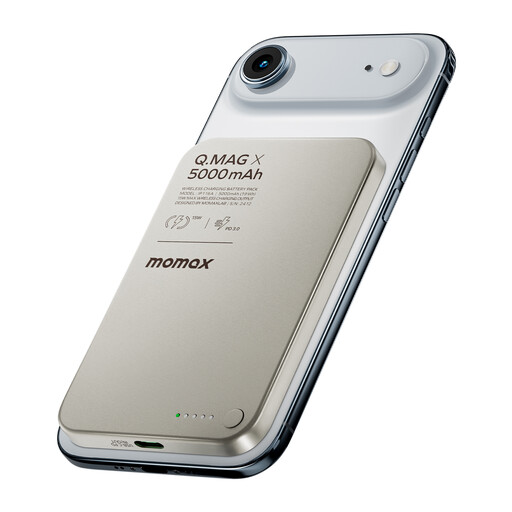
MOMAX Q.MAG ultra-slim magnetic wireless power bank, 5,000 mAh

MOMAX Q.MAG ultra-slim magnetic wireless power bank, 5,000 mAh

This wireless model is only suitable if your lamp supports magnetic wireless charging; it can’t be connected to a lamp with a wired USB input only.

Stated capacity: 5,000 mAh.

View on Joybuy
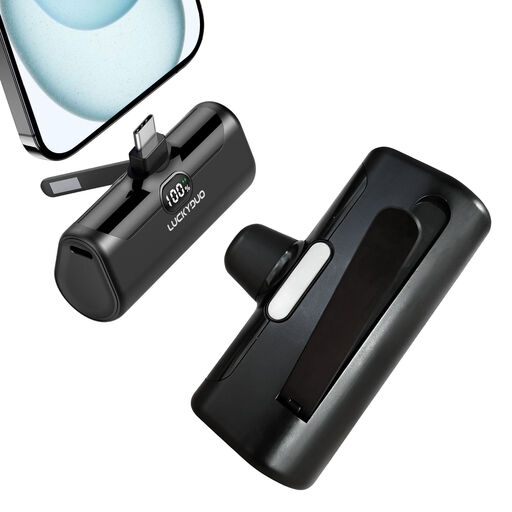
USB-C power bank, 5,000 mAh, 15 W PD, compact model

USB-C power bank, 5,000 mAh, 15 W PD

Worth considering if your desk lamp accepts USB-C power; compare the lamp’s requirements with this model’s output.

The product information lists 5,000 mAh and a USB-C output with 15 W PD.

View on Joybuy
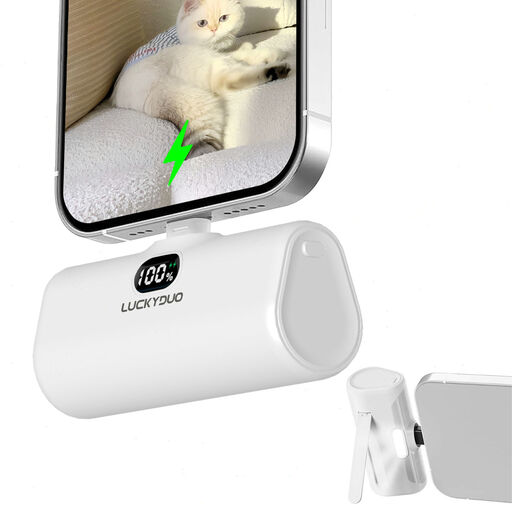
Power bank, 5,000 mAh, with built-in Lightning output cable, white

5,000 mAh power bank with Lightning output cable, white

This version is only suitable if your lamp has a compatible Lightning connection; check the input before choosing.

The product information lists 5,000 mAh and a built-in Lightning output cable.

View on Joybuy
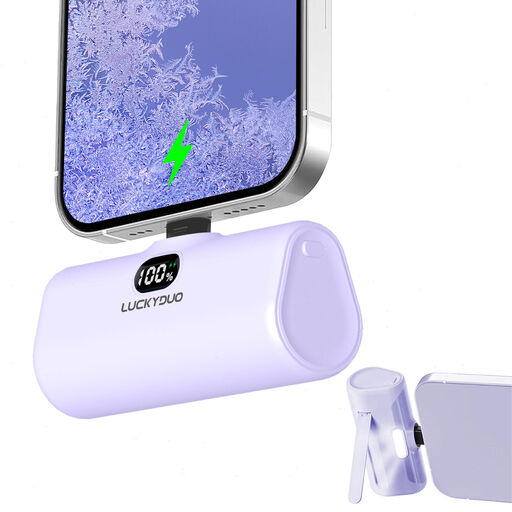
Power bank, 5,000 mAh, Lightning version, purple

5,000 mAh power bank, Lightning version, purple

Check your lamp’s connection: the product information lists Lightning as the input for charging this power bank, not as an output for the lamp.

Stated capacity: 5,000 mAh.

View on Joybuy
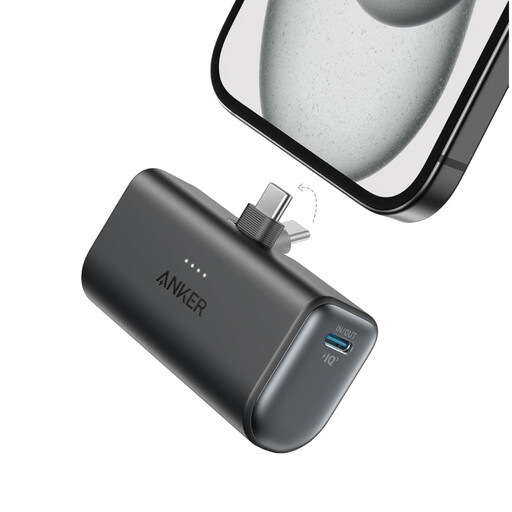
Anker Nano power bank, 5,000 mAh, black

Anker Nano power bank, 5,000 mAh, black

Before buying, check the full model number against the NVWA warning. Don’t buy or use this product if the model is A1257, A1647, A1681 or A1689.

The product information lists one USB-C port and a total output of 22,5 W. Check that the connection and power supply are suitable for your lamp.

View on Joybuy

Frequently asked questions

Can you calculate the runtime from the 10,000 mAh rating alone?

No. That rating refers to the internal battery cells and isn’t the same as the energy available via USB. Compare the available output energy with your lamp’s actual power consumption. Without knowing its power consumption, you can’t reliably calculate the runtime in hours.

What should you check if your lamp switches off shortly after you connect it?

First, check the cable, output and power requirements of the lamp. If it uses little power, automatic shut-off may be the cause. Check whether the exact power bank model has a low-power mode and how long it stays active.

Can you use the lamp while charging the power bank?

Don’t assume that a power bank can charge and supply power at the same time. The Dutch Consumers’ Association treats this as a separate feature that depends on the model, so check the manual. Even if the power bank supports it, you’ll still need a socket while it’s charging.

How should you use and store a power bank safely?

Follow the instructions and don’t use a battery that is damaged or has got wet. The Netherlands Fire Service warns that incorrect charging, short circuits, damage and moisture can cause a fire risk.

Which Anker power banks are covered by the NVWA warning?

The NVWA warning issued on 15 July 2025 names Anker Power Bank models A1257 and A1647, and Anker Zolo Power Bank models A1681 and A1689. Check the full model number and don’t buy or use any of these four models; the warning doesn’t automatically apply to all Anker power banks.
