
Student whose lamp keeps switching off
Your main priority is keeping a low-power USB lamp on, and you want to know whether it might switch off automatically or has a low-power mode.


First, check that the power bank’s output and cable are compatible with your lamp, and that it can keep supplying power when the lamp draws very little. Then compare the usable output capacity with the lamp’s power consumption, and weigh your desired runtime against size and weight. Not every model has a low-power mode, and those that do may impose a time limit.
Your main priority is keeping a low-power USB lamp on, and you want to know whether it might switch off automatically or has a low-power mode.
You want to know how long you can study on a single charge, and how to compare the power bank’s capacity with your lamp’s power consumption.
You may also use the same power bank away from your room, so you’re weighing up the connection, size and extra capacity.
First, check that your lamp can connect and stay on. Then estimate the runtime and work out how much capacity and portability you really need.
| What to consider | What to look for | Who is this important for? |
|---|---|---|
| Will the lamp stay on? | Check whether the documentation for the exact model mentions a low-power mode and whether it has a time limit. Test the power bank with your lamp during a typical study session. | If you need your lamp to stay on throughout your study session, keeping it lit is your top priority. Around 36% of consumers put continuous lighting first. |
| Runtime per charge | Check your lamp’s power consumption in watts and the power bank’s output capacity in Wh on a comparable basis. Don’t assume that the battery capacity in mAh is the same as the available USB output capacity. | If you want to get through a full study session without recharging, compare your lamp’s specifications with the output capacity. Around 29% of consumers prioritise runtime above all else. |
| Connection and cable | Check the connector type, output function and electrical requirements of your lamp. Also check whether a compatible cable is included. | If you need to find a compatible connection first, check that the output and cable will actually work with your lamp. Around 21% of consumers make this their main buying consideration. |
| Size and cost | Compare the size and weight of the exact model. If you’re connecting several devices, also check which outputs can be used at the same time. | If you’ll be carrying the power bank and mainly need a suitable solution for your lamp, weigh the extra capacity and ports against what you’ll actually use. Around 14% of consumers prioritise portability and value for money. |
You can make a simple runtime estimate by dividing the usable energy in Wh by the lamp’s power consumption in W. The result will still depend on the specific lamp and power bank. The stated battery capacity and the capacity at the USB output aren’t always given on the same voltage basis.
The battery capacity and the rated capacity at a USB output may be based on different voltages. This could lead you to misjudge the runtime.
Compare values on the same basis and use your own lamp’s power consumption to make an estimate.
Anker says that the relevant low-power mode automatically switches off after two hours without interaction. You’ll need to check support and how it works for each model.
Read the manual for the exact model and test whether your lamp stays on for the length of your intended study session.
A USB-A or USB-C connection and a high maximum output don’t, on their own, confirm that the output is suitable for your lamp or that the lamp will stay on.
Check your lamp’s specifications, the output function and which cable you need.
If the right cable isn’t included with the lamp or power bank, you may need to buy one separately.
A 2025 warning from the NVWA concerned Anker models A1257, A1647, A1681 and A1689. A similar brand name or design isn’t a reliable way to identify a model.
Check the full model number and current warnings when buying and using the product.
According to Anker, the Anker 525 Power Bank (PowerCore 20K) has a low-power mode for devices with low power consumption.
Primo models offer combinations of USB-A and USB-C outputs. Check the specifications of the variant you’re considering.
The Dutch specifications for the Mi Power Bank 3 Ultra Compact PB1022ZM give both the battery energy and the rated output capacity.
The BoostCharge BPB012btBK has several wired outputs. Check the stated power when connecting multiple devices.
These power banks are options if you want to connect a USB desk lamp to a power bank. Check which output and cable your lamp needs; the stated capacity alone won’t determine the runtime.
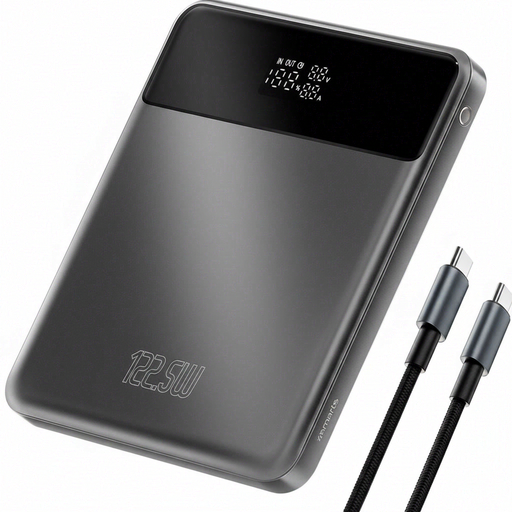 No image available
An option if you’re looking for a higher stated capacity and want to take the power bank with you. Check that its output and cable are compatible with your lamp.
Stated capacity: 20,000 mAh. The product also lists 122.5 W; that figure alone won’t tell you how long your lamp will stay on.
 No image available
An option if your lamp is compatible with a built-in USB-C cable or USB-A output. Check the connection and cable you need before choosing.
Stated capacity: 10,000 mAh. The product name mentions a built-in cable.
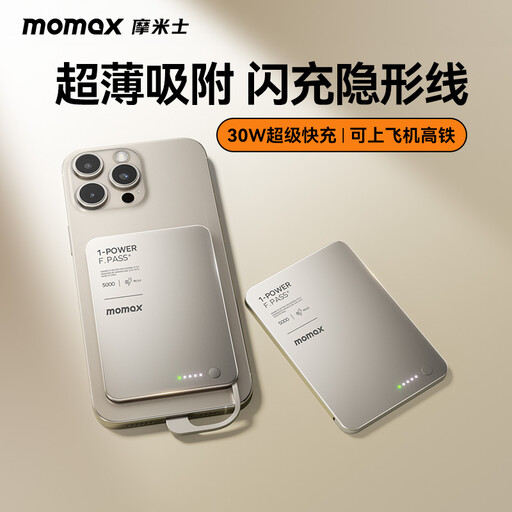 No image available
A compact option to take with you. Check that the built-in USB-C cable is compatible with your lamp’s connection.
Stated capacity: 5,000 mAh. The product name mentions a built-in cable.
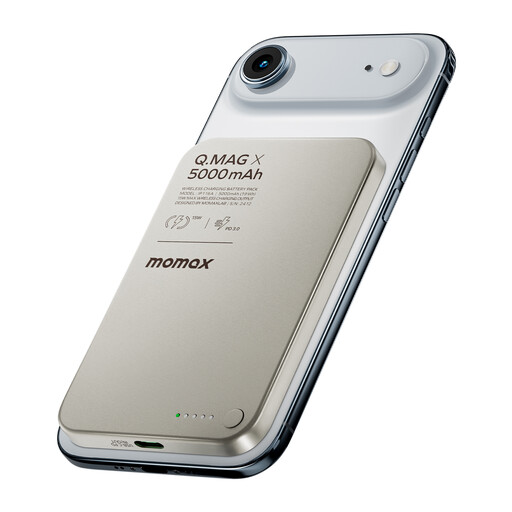 No image available
A compact option to take with you. The product name mentions wireless charging; check separately whether a connection is suitable for your USB lamp.
Stated capacity: 5,000 mAh.
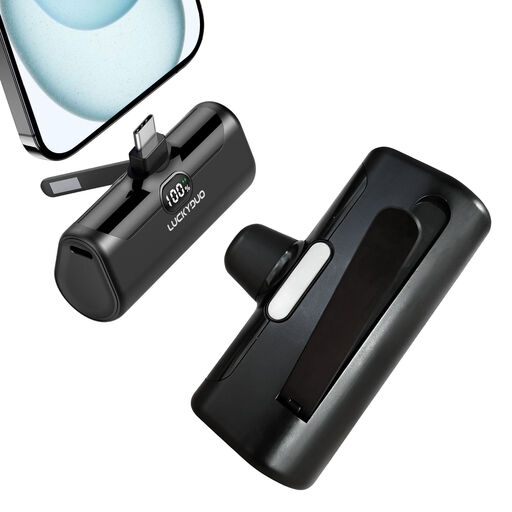 No image available
A compact option if your lamp is compatible with the USB-C connection. Check the output function and the cable you need.
Stated capacity: 5,000 mAh. The product name also lists PD 15W.
No. You also need your lamp’s power consumption and the usable output capacity. For example, Xiaomi lists 37 Wh of battery energy for the Mi Power Bank 3 Ultra Compact, as well as a rated output capacity of 5,500 mAh at 5 V/3 A. These are different measurements. Without information about your lamp, they won’t give you a reliable runtime estimate.
First, check the cable and connection, then consult your power bank’s manual for information about automatic shut-off or a low-power mode. Anker advises checking support for each model. The mode described by Anker switches off automatically after two hours without interaction.
Follow the instructions and place the charger and power bank in an open area where heat can escape. The fire service advises against charging them under a pillow or duvet, and recommends not using damaged cables.
According to ACM ConsuWijzer, when you buy a product online you generally have a statutory 14-day cancellation period after delivery, with some exceptions. Check the terms that apply to the product you’re buying.
Don’t put an old power bank in your general household waste. You can use Wecycle to find a collection point for small electrical appliances. The Dutch government lists shops and local authority collection points among the places that accept used batteries and rechargeable batteries.