
Home worker with a USB lamp
You want to use your lamp elsewhere on your desk, so first check that its plug and power requirements match the power bank’s output.


Choose a power bank with an output and cable that match your lamp’s power requirements, then make sure its usable energy will last as long as you need. The stated mAh capacity doesn’t tell you how much energy the USB output will deliver; Anker Support explains the difference. If your lamp uses very little power, it’s also important to check whether the exact power bank model will keep supplying power or switch off automatically.
You want to use your lamp elsewhere on your desk, so first check that its plug and power requirements match the power bank’s output.
You want to know whether the lamp will stay on for your work session, so compare its energy needs with the usable energy available from the USB output.
You want to avoid the power bank switching off while the lamp still needs power. Check how the exact model performs when supplying a low current.
First, check the lamp’s connection and power requirements. Then work out how much energy you’ll need for your session and check that the power bank will keep supplying power when the lamp uses very little.
| What to consider | What should you check? | Who is this important for? |
|---|---|---|
| Connection and compatibility | Compare the lamp’s plug, voltage and current or power with the output of the port you plan to use. Also check that you have a suitable cable. | If I want to connect my existing lamp, I need to know in advance whether the plug and power supply are compatible; around 36% of consumers put compatibility first. |
| How long it will stay on | Calculate the energy needed using the lamp’s power in W and the number of hours you want it to run. Compare this with the available output energy in Wh, allowing for conversion losses. | For a long work session without a mains socket, I want to estimate whether the lamp will stay on; around 29% of consumers prioritise expected run time. |
| Power at low consumption | Check the manual for the exact model for automatic shut-off, a low-power mode and any time limits. If possible, test it with your own lamp. | If I need my low-power lamp to stay connected, I want to avoid the power bank switching off by itself; around 21% of consumers prioritise continuous power at low consumption. |
| Two devices at once | Check that there are enough suitable outputs and read the specifications for simultaneous use. See whether the lamp stays on when you connect a second device. | If I want to connect another device as well as the lamp, I look at the available ports and combined power output; around 14% of consumers prioritise simultaneous use. |
Anker Support distinguishes between the capacity of the internal battery cells and the capacity available from the USB output. The Dutch Consumers’ Association explains that power banks are tested for power delivered under different conditions. So don’t treat the mAh figure as a guarantee of a particular number of hours of run time.
The stated mAh refers to the internal cells. The energy available from the USB output is affected by factors including the output voltage and conversion losses, so this figure doesn’t tell you directly how long your lamp will stay on.
Compare the energy your lamp needs with the available output energy on a like-for-like basis, preferably in Wh. You can’t establish the run time in hours without your lamp’s specifications.
A power bank may switch off automatically if a small device draws very little power. Anker Support describes a low-current mode for small devices, but whether this feature is available and how it works varies by model.
Check the manual for the exact model and see whether any low-power mode stays active for your whole work session. If possible, test the combination with your own lamp.
A USB-C connection or a high stated charging output doesn’t, by itself, prove that the connection is right for your lamp or that the lamp will stay on for longer.
Compare the lamp’s plug and power requirements with the output of the exact model. Choose extra charging power only if you also want to connect a compatible device.
Recalls may apply to specific models and individual units. The Netherlands Food and Consumer Product Safety Authority and Anker have published safety information about certain power banks.
If there’s a warning, check the exact model and, where requested, the individual unit using the official recall information. Don’t use a unit identified as affected.
The Belkin BOOST↑CHARGE BPB011 is one model to consider if you want to compare USB-A and USB-C outputs.
The Fuel Series 5 FS5100 has several wired ports, making it a model to compare if you want to connect another device as well as your lamp.
The Nexode Pro PB727 is one example with an integrated USB-C cable and additional ports.
Anker Support describes a low-current mode for small devices. This feature may be useful when a lamp draws very little power.
This selection of Joybuy products includes compact power banks and a portable power station. For each model, check that the output and cable match your lamp’s connection and power requirements.
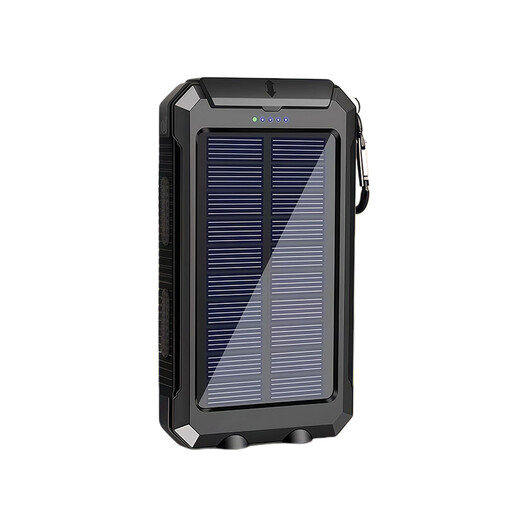 Image unavailable
This option is only suitable if the output and cable match your lamp; estimate the run time based on the lamp’s power needs and the usable output energy.
Stated capacity: 10,000 mAh. The product title also mentions a solar function.
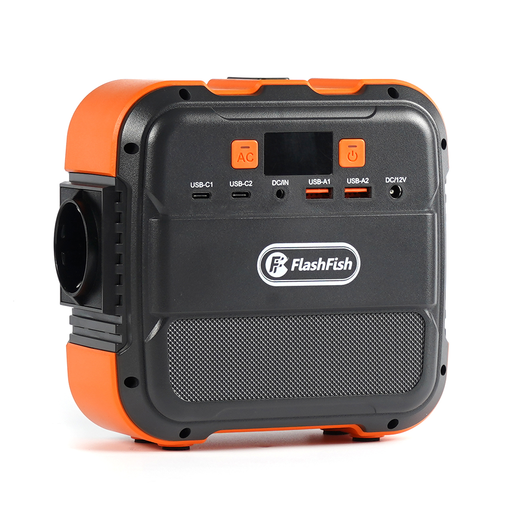 Image unavailable
This portable power station may be useful if you want to power other devices as well as your lamp; check first that it has a suitable USB output for your lamp.
The product title lists 120 W output, 26,400 mAh and power for up to six devices at once.
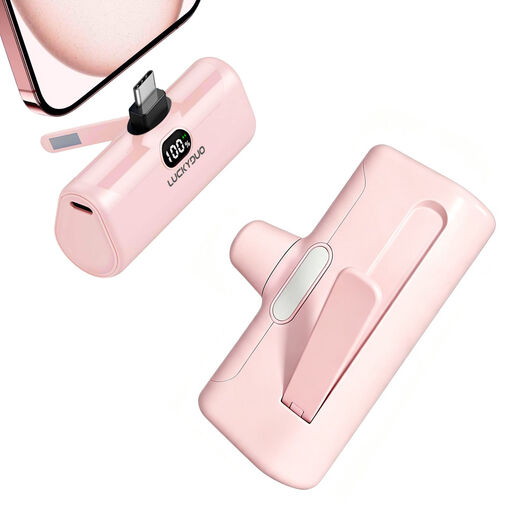 Image unavailable
This compact power bank will only suit your lamp if the USB-C output matches its power requirements. Check the expected run time before choosing based on capacity.
The product title lists 5,000 mAh, PD 15 W, an LCD screen, an LED light and a foldable phone stand.
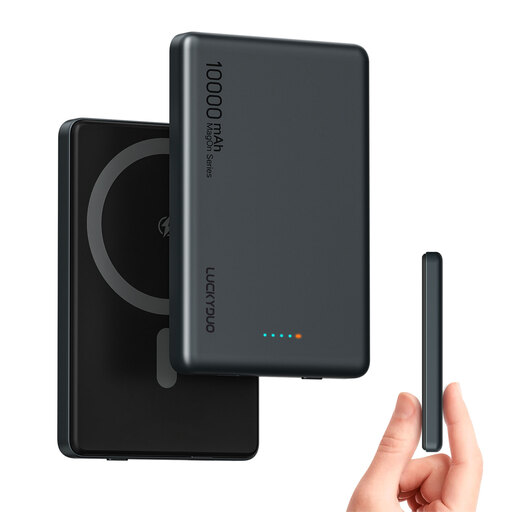 Image unavailable
This option may suit your lamp if the USB-C output is compatible; also check the connection and specifications if you want to power a second device at the same time.
The product title lists 10,000 mAh, two USB-C connections and PD 20 W. The product description mentions wired charging via USB-C.
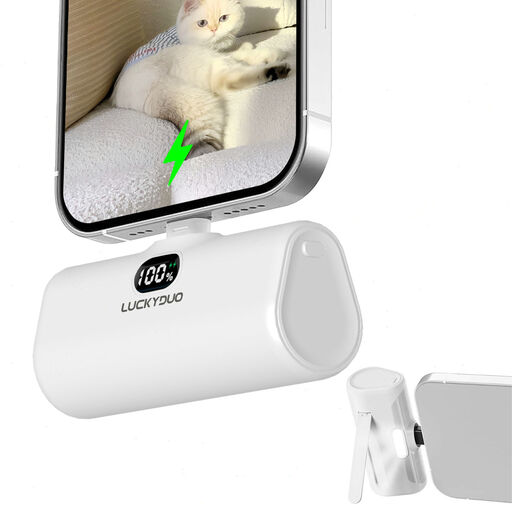 Image unavailable
Before buying, check that the stated Lightning connection will work with your lamp and that its power requirements match; don’t choose based on capacity alone.
The product title lists a capacity of 5,000 mAh.
Not by itself: the stated mAh refers to the internal battery cells and isn’t the same as the energy available from the USB output. Find your lamp’s power rating and compare the energy it needs for the number of hours you want with the output energy. Without your lamp’s specifications, you can’t calculate a guaranteed run time.
First, check the cable, connection and power requirements. If the lamp draws very little power, check the manual for the exact power bank model to see whether it has a low-power mode and how long it stays active. Anker Support describes a feature designed to prevent small devices from triggering automatic shut-off.
Don’t use a damaged battery and follow the instructions for the exact model. The Netherlands Fire Service warns that damage, moisture and short circuits can cause fires. If there’s a recall notice, check the exact model and, where requested, the individual unit.
With normal use, you may be entitled to statutory protection if the product doesn’t do what you could reasonably expect. ACM ConsuWijzer advises contacting the seller to find a solution; there isn’t one fixed statutory warranty period for all power banks.
Dispose of an empty power bank as battery waste rather than putting it in your general rubbish. The Dutch Government lists shops and supermarkets that sell batteries as collection points. If the battery is damaged, ask which collection point can accept it safely.