Choose a power bank with an output that matches your lamp’s cable and power requirements, and check that the output stays on when the lamp draws very little power. To estimate how long it will run, compare the lamp’s energy use with the power bank’s usable energy; the mAh rating alone won’t tell you how long the lamp will stay lit. Ideally, charge the power bank during the day on a stable, non-flammable surface, and keep it away from bedding.
Who is this relevant for?
Users of an energy-efficient USB lamp
If you use a lamp that draws very little power, you’ll want to avoid the power bank’s output switching off automatically. Test it with your own lamp and check whether the specific model has a low-current mode. Anker describes this feature for the Anker 313 Power Bank (PowerCore 10K), but that doesn’t guarantee it will work with every USB lamp.
If you use a lamp by your bed
A lamp by the bed calls for a spot for the power bank that’s clear of bedding. The Fire Service recommends charging a power bank during the day, where possible, on a stable, non-flammable surface.
If there isn’t a socket nearby
If the lamp needs to run for a long time without a socket, compare its power consumption with the power bank’s usable output energy. The Consumers’ Association explains that the power actually delivered can differ from what a manufacturer claims; a stated internal capacity in mAh doesn’t, on its own, tell you how long it will run.
What should you look for when buying?
First check the connection and that the power supply is stable. Then work out how much energy you’ll need for your preferred running time, and choose a safe place to charge the power bank.
| What to consider |
What should you check? |
Who is this important for? |
| Connection and stable power supply |
Check your lamp’s cable and power requirements, which port is an output, and whether the lamp stays on when connected to it. |
I want my energy-efficient lamp to stay on without switching off unexpectedly. Around 29% of consumers are primarily looking for a stable power supply. |
| A safe spot by the bed |
Consider where you can keep the power bank clear of bedding and where you can charge it during the day. |
I want to use the power bank nearby, but be able to put it down and charge it safely. Around 29% of consumers are primarily looking to set up a safe spot by the bed. |
| Running time |
Compare the lamp’s power consumption in watts with the power bank’s usable output energy, allowing for energy lost during conversion. |
I want to know whether my lamp can run long enough without a socket. Around 24% of consumers primarily need a longer running time. |
| Ports and cable |
Check what each port does, which connections can be used at the same time, and whether a suitable cable is included. |
I want to use the lamp without needing extra connections or cables. Around 18% of consumers are primarily looking for a simple connection. |
Common pitfalls
-
Assuming the full mAh rating is available to the lamp
The mAh rating of the internal battery isn’t the same as the energy available at the USB output after the voltage has been converted.
Where possible, compare watt-hours or measured output capacity with the lamp’s power consumption before estimating its running time. The Consumers’ Association explains why real-world performance matters; Anker explains why capacity can be lower at a different output voltage.
-
Assuming every USB-C port supplies power
A USB-C port may be an input rather than an output. The manufacturers describe the USB-C ports on the Anker 313 and Belkin BPB003 as inputs.
Check which port is labelled as an output on the exact model, and whether your lamp’s cable fits it.
-
Confusing fast-charging power with a stable supply for your lamp
A stated maximum charging power doesn’t tell you whether the power bank’s output will stay on when connected to a lamp that draws very little power.
Check whether the exact model has a suitable low-current mode, and test it with your own lamp. Anker describes this mode for small electronics, but doesn’t confirm that it will work with every USB lamp.
-
Charging the power bank under bedding while you sleep
A power bank needs room to release heat. The Fire Service recommends charging it during the day, where possible, on a stable, non-flammable surface.
Set up a clear charging spot and keep charging the power bank separate from the bed.
Brands to consider
Anker
The Anker 313 Power Bank (PowerCore 10K, A1229) may be worth considering if your lamp might need a low-current mode.
- Anker says this model has a switchable mode for devices that draw very little power.
- Anker says the USB-C port is an input only and that no USB-C cable is included. Check that the output and cable suit your lamp; the mode doesn’t prove that it will work with every lamp.
Xtorm
According to Xtorm, the Fuel Series 5 FS5100 has two USB-C ports and one USB-A port for different cable types.
- Xtorm lists a capacity of 10,000 mAh and a 20 W USB-C PD output.
- These port and power specifications don’t show whether the output will stay on when connected to a specific lamp that draws very little power.
Belkin
According to Belkin, the BPB011 and BPB003 offer different capacities and port layouts, so you can compare them for connection type and stated capacity.
- Belkin lists the BPB011 as having a capacity of 10,000 mAh, one USB-C port and two USB-A ports. For the BPB003, Belkin lists a capacity of 20,000 mAh and two USB-A outputs.
- Belkin says the USB-C port on the BPB003 is an input only. Check the port functions on the model you choose before connecting your lamp.
Samsung
The Galaxy 25W Battery Pack 10,000 mAh, EB-P3400XUEGEU, may be worth considering if you want to connect another device via USB-C as well as your lamp.
- Samsung lists two connections. For one connected device, Samsung states a maximum of 25 W under certain conditions; for two devices, it states a maximum of 9 W per device.
- These charging specifications for phones don’t confirm that the power bank is suitable for every USB lamp. Check the lamp’s connection and test the combination.
Power banks on Joybuy
This selection on Joybuy includes power banks with a range of stated capacities and connection options. For each model, check that the output and cable suit your lamp and that the lamp stays on.
 No image available
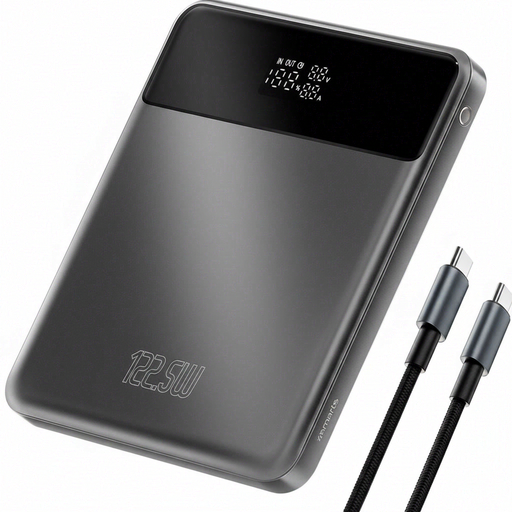
4smarts Enterprise Compact Power Bank, 20,000 mAh, 122.5 W, Space Grey
If you want to compare stated capacities for use without a socket, also look at the energy available at the output.
Stated capacity: 20,000 mAh. Stated power: 122.5 W. Check which output and cable suit your lamp; the stated capacity and power alone don’t confirm compatibility or running time.
View on Joybuy
 No image available
MOMAX 1-Power F.Pass+ Ultra-Slim Power Bank, 10,000 mAh
This power bank may suit a lamp that connects to one of the built-in cables listed; check your lamp’s connection first.
The product information lists built-in USB-C and Lightning cables, a USB-C port and a USB-A output. These connections don’t prove that the output will stay on when the lamp draws very little power.
View on Joybuy
 No image available
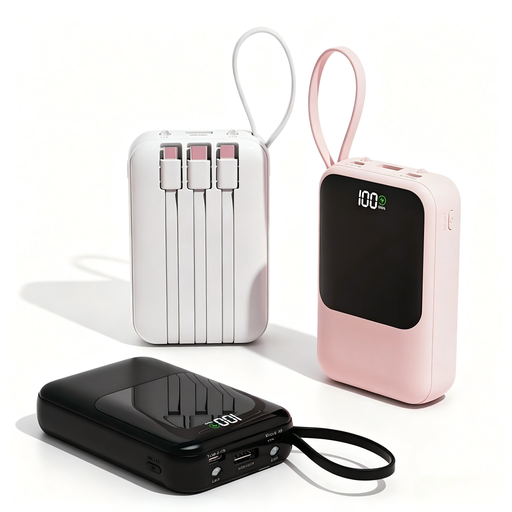
XBJ Power Bank, 10,000 mAh, 22.5W, Integrated Cables, Black
Check whether one of this power bank’s connections suits your lamp before choosing this model.
The product title lists 10,000 mAh and 22.5W; the product information lists built-in USB-C and Lightning cables. These details don’t confirm which connection your lamp needs or how long it will run.
View on Joybuy
 No image available
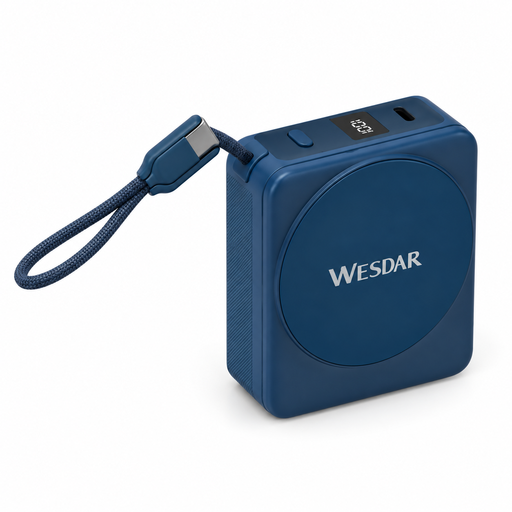
Magnetic Power Bank, 10,000 mAh, built-in USB-C cable, Dark Blue
This model is only worth considering if your lamp can connect to the built-in USB-C cable.
The title lists 10,000 mAh, 22.5 W wired charging and a built-in USB-C cable. Check your lamp’s power requirements; the stated specifications don’t confirm a stable power supply or a specific running time.
View on Joybuy
 No image available
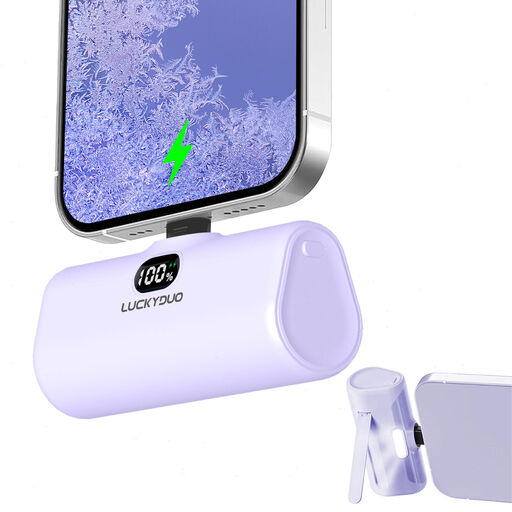
5,000 mAh Small Lightning Portable Charger, PD15W
First check whether your lamp can actually connect to this model’s Lightning connector; the product title describes a Lightning charger for compatible iPhone models.
The title lists 5,000 mAh and PD15W. These details don’t confirm that the connection is suitable for a USB desk lamp.
View on Joybuy
Frequently asked questions
Can any power bank power my USB lamp?
No. The word USB alone doesn’t tell you whether the connection and power supply are suitable. Check your lamp’s power requirements and cable, and make sure the port you choose is an output. If the lamp draws very little power, also check that the output stays on; Anker describes a separate, switchable low-current mode for certain uses.
How can I estimate how long my lamp will run?
Divide the usable output energy in watt-hours by the lamp’s power consumption in watts to get a theoretical maximum running time in hours. Allow for energy lost during conversion: the internal mAh rating isn’t the same as the capacity available at the USB output. Without the lamp and power bank specifications, you can’t work out a reliable running time.
Can I charge the power bank on the bed overnight?
Ideally, charge the power bank during the day on a stable, non-flammable surface, and keep it away from bedding. The Fire Service gives this safety advice; also follow the device’s instructions.
Is a USB-C port always an output?
No, a USB-C port may be intended only for charging the power bank. Anker says the USB-C port on the Anker 313 is an input; Belkin says the same of the USB-C port on the BPB003. Check which port supplies power on the exact model.


