What should you look for?
First, check that the connection and cable are right. Then work out how much energy reserve you need, and finally make sure the model suits the way you want to use your lamp.
| What to consider |
What should you check? |
Who is this important for? |
| Connection and cable |
Check your lamp’s charging port, the cable, and which USB-A or USB-C ports on the power bank are labelled as outputs. |
I want to connect my existing lamp without choosing the wrong port or cable. Around 33% of consumers prioritise a compatible connection. |
| Energy reserve |
Compare the Wh ratings where available, and don’t work out an exact number of charges from two mAh figures alone. Allow for conversion losses. |
I want to know whether the power bank has enough reserve for how often I want to recharge my lamp. Around 25% of consumers prioritise energy reserve. |
| Safe charging at your desk |
Use undamaged cables and place the charger in an open space where heat can escape, following the advice of the Netherlands Fire Service. |
I want to charge my lamp at home in a spot where heat can escape easily, without damaged cables being part of the set-up. Around 25% of consumers make safe charging their first consideration. |
| Operation at low power draw |
Check the manual for the exact model to see whether it has a low-power mode and, if needed, whether it works with your lamp. |
I want to stop the power bank from cutting out while my energy-efficient lamp is still connected. Around 17% of consumers look at this first. |
Power banks at Joybuy
This selection includes power banks suited to this topic. For each model, check that its output and cable are suitable for your lamp, and that it continues to supply power at low power draw.
 No image available
CCC MOMAX 1-Power F.Pass+ 10,000 mAh power bank with built-in cable
The built-in cable can be handy if you don’t want to carry a separate one; check that it fits your lamp’s charging port.
The product name lists a capacity of 10,000 mAh.
View at Joybuy
 No image available
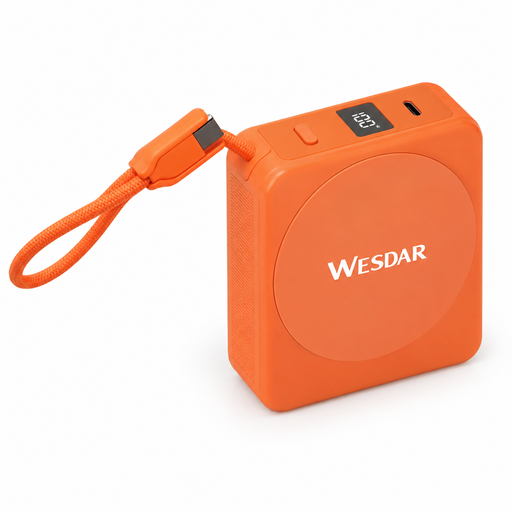
Magnetic 10,000 mAh power bank with USB-C cable, 22.5 W wired and 15 W wireless charging, orange
The built-in USB-C cable may suit a lamp with a USB-C charging port; check the connection and power supply your lamp requires.
The product name lists 10,000 mAh, 22.5 W wired charging and 15 W wireless charging.
View at Joybuy
 No image available
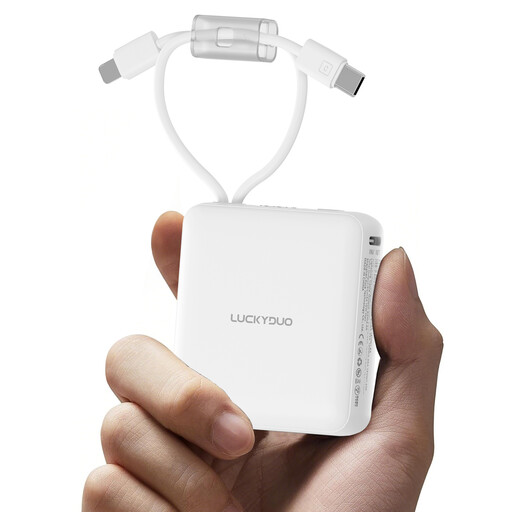
10,000 mAh power bank with 2 built-in cables and display
The built-in cables could save you carrying separate ones; check whether either cable fits your lamp’s charging port.
The product name lists a capacity of 10,000 mAh and two built-in cables.
View at Joybuy
 No image available
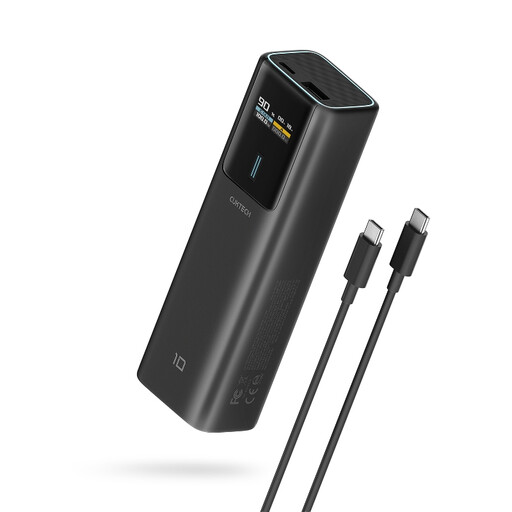
CUKTECH 100 W power bank, 10,000 mAh, with TFT display, black
Consider this model if your lamp charges via USB-C, and check the product specifications to see whether the relevant port works as an output.
The product name lists 100 W, 10,000 mAh and a TFT display. The product description notes heat generation at 100 W output; follow the instructions for use.
View at Joybuy
Frequently asked questions
How can I tell whether a power bank can charge my camping lamp?
Check your lamp’s charging port and required power supply, choose a compatible cable, and see which power bank ports are labelled as outputs. For example, the EU specifications for the BioLite AlpenGlow 500 list micro-USB and 5 V/2 A charging; don’t use those details as specifications for a different lamp.
Can I recharge the power bank while charging the lamp?
Only if the exact model supports pass-through charging. Xtorm lists this feature for the Go2 PDXG2103FE, but that doesn’t confirm that the lamp will stay lit without interruption while switching over.
What should you do if your lamp stops charging after a short time?
First, check the cable and connections. Then check the manual for the exact power bank model to see whether it has a low-power mode. Anker explains that, on compatible models, this mode can prevent the power bank from switching off automatically when the current draw is low.
How many charges can you get from a 10,000 mAh power bank?
You can’t work this out exactly from the mAh rating alone. The cell capacity and the energy available via USB after conversion differ; compare the Wh ratings where possible and allow for conversion losses.
How can I charge a power bank safely at my desk?
Use undamaged cables and place the charger in an open space where heat can escape. The Netherlands Fire Service advises following the instructions for use and not using damaged cables.


