What should you look for?
First, check your lamp’s connection and work out how much reserve power and desk space you need. Then consider extra features such as a low-current mode or multiple outputs.
| What to consider |
What should you look for? |
Who is this important for? |
| Connection and cable |
Compare your lamp’s input and permitted ratings with the power bank’s outputs. Check which cable you need too. For example, Goal Zero states that the Lighthouse Micro Flash has an input of 5 V and a maximum of 1 A. |
If I want to connect my lamp without choosing the wrong plug or cable, I’ll check both devices first. Around 33% of consumers say a compatible connection is their top purchasing priority. |
| Power reserve |
Compare energy or battery specifications on a consistent basis and allow for conversion losses. An mAh figure alone doesn’t guarantee a certain number of charges. |
If I’m working for a long time without a mains socket, I want to match the power reserve to my lamp without giving up too much desk space. Around 27% of consumers say power reserve is their top priority. |
| Charging at low current |
Look for a low-current mode if your lamp stops charging when drawing only a small amount of power. Check how to activate it on the exact model and follow your lamp’s instructions. |
If my lamp draws very little power, I want to know whether the output stays on while it’s charging. Around 20% of consumers say this is their main purchasing consideration. |
| Cables and multiple devices |
Check that an integrated cable is long enough for your intended setup, and find out the total power available if you use multiple outputs at once. Belkin states that the BPB021hqBK has a fixed USB-C cable measuring 5.7 cm. |
If I want to keep a shared desk tidy or connect a second device as well, cable length and port layout are key. Around 20% of consumers prioritise desk layout and using multiple devices at once. |
Power banks at Joybuy
This selection includes power banks with different USB connections, capacities and integrated USB-C connections. Only choose a version with an output and cable that are compatible with your lamp’s input.
 No image available
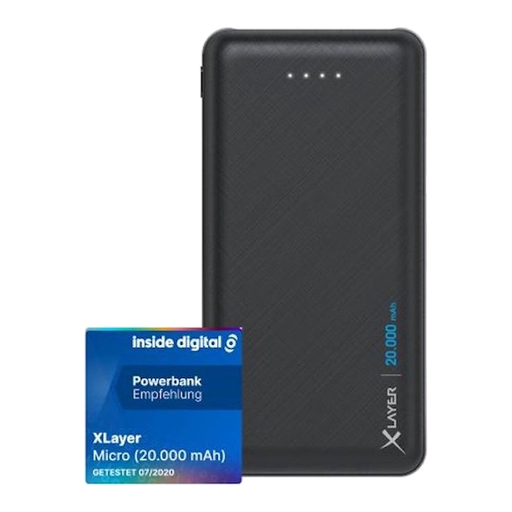
Xlayer Power Bank Micro Black Edition 20,000 mAh
May be suitable if your lamp connects to one of the USB outputs. Check which cable you need and what each port is for.
The product name lists 20,000 mAh, two USB connections and one USB-C input.
View at Joybuy
 No image available
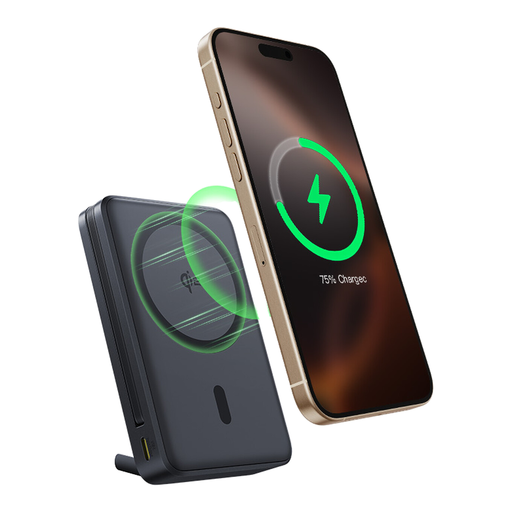
Baseus Nomos Qi2 10,000 mAh with built-in USB-C cable
The built-in USB-C cable could save you carrying a separate one, provided it’s compatible with your lamp’s input and long enough for your intended setup.
The product name lists 10,000 mAh, 45 W and a magnetic stand.
View at Joybuy
 No image available
Samsung Fast Charge Duo Power Bank 25 W 10,000 mAh
A potential option if the USB-C connection and cable are compatible with your lamp. Check the port’s function and compatibility for the exact version.
The product name lists 25 W, 10,000 mAh and the colour beige.
View at Joybuy
 No image available
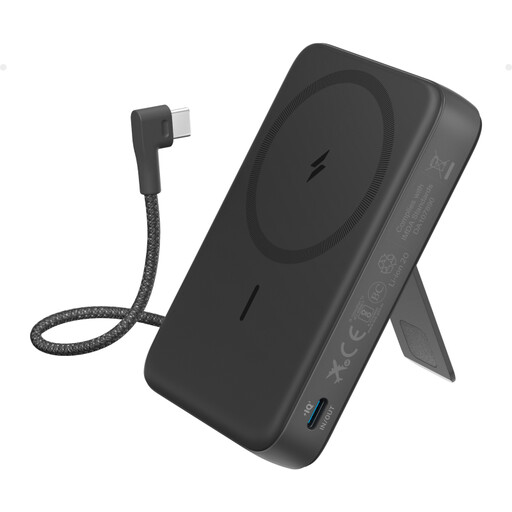
Anker 10K Magnetic Power Bank with built-in USB-C cable
The integrated cable could save you carrying a separate one if its USB-C connection is compatible with your lamp. Check that the cable is long enough for your desk setup too.
The product name lists 10K, a built-in USB-C cable and the colour black.
View at Joybuy
 No image available
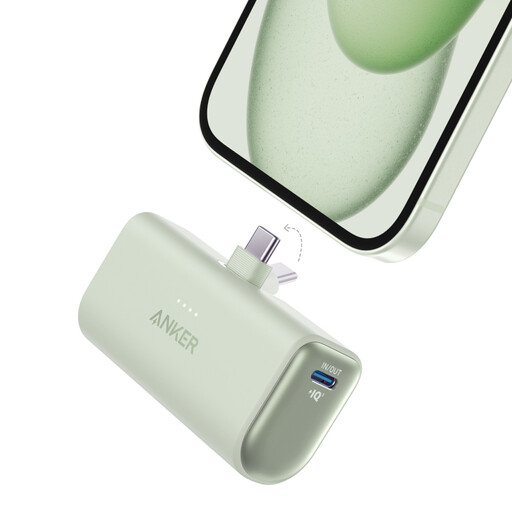
Anker Nano Power Bank 22.5 W with built-in USB-C connector
The built-in USB-C connector could be useful if it fits directly into your lamp’s input. Check that the connection is suitable for your model.
The product name lists 22.5 W and the colour green.
View at Joybuy
Frequently asked questions
Can I tell how quickly my camping lamp will charge from a power bank’s wattage?
No, not from the wattage alone. Compare your lamp’s stated input with the relevant output and cable. For example, Goal Zero lists an input of 5 V and a maximum of 1 A for the Lighthouse Micro Flash; this doesn’t automatically apply to other lamps.
How can I charge and store a power bank safely at my desk?
Follow the instructions and safety notices for the exact model. IKEA advises using the VARMFRONT in a dry place and warns against charging it when it is in contact with flammable materials such as textiles. Don’t use a unit that is subject to a recall.
What can I do in the Netherlands if my power bank develops a fault after purchase?
According to ACM ConsuWijzer, the seller must resolve the issue free of charge if a product breaks sooner than you could reasonably expect under normal use. This could mean a repair or replacement. For online purchases, you generally have a statutory cooling-off period of up to 14 days after delivery; check whether an exception applies.
Which product regulations apply to power banks in the Netherlands?
The EU Batteries Regulation sets requirements for batteries placed on the market in the Union. The European Commission explains that a rechargeable power bank can itself be classed as a portable battery. A CE mark is a declaration by the manufacturer, not proof that every individual unit is safe. Article 11 on removability will apply from 18 February 2027.
Where can I dispose of an old power bank?
The Dutch government advises against putting batteries in general waste. Instead, use a suitable collection point. Different instructions may apply to a recalled lithium-ion power bank; for the affected models, Anker advises using a collection point that accepts recalled lithium-ion batteries.


