What should you look for?
Start with the connection and charging behaviour of your own light. Then weigh up cable convenience, portability and any additional charging needs.
| What to consider |
What to look for when buying |
Who this matters more to |
| Connection and charging behaviour |
Check your light’s port and cable, and the power bank’s output. If your light draws very little power, check whether the exact model supports a suitable charging feature; Anker recommends checking this for each model. |
I want my existing light to keep charging with the right cable, even when it draws very little power. Around 33% of consumers give compatibility with their light top priority. |
| Cables and portability |
Check whether a built-in or supplied cable is suitable for your light, which ports are available and how much the model weighs. Consumentenbond outlines the trade-off between portability and charging options. |
I want to take as few loose items as possible from the shared desk after charging. Around 27% of consumers prioritise a tidy setup that’s easy to take with them. |
| Usable capacity |
Compare energy figures on a like-for-like basis, and consider the weight and number of outputs too. The stated capacity of the internal cells isn’t the same as the amount of energy available at the USB output; Anker Support explains the difference. |
I want enough charging capacity for my light and sometimes a second device, without carrying unnecessary weight. Around 20% of consumers give extra usable charging capacity top priority. |
| Safe charging and setting off |
Check the cable and casing for damage, place the charger somewhere clear and follow the instructions for both devices. Check that the light works before you set off; according to the Dutch Government, you need both a front and rear light in the dark and when visibility is poor. |
I want to charge my devices carefully and check that my light works before setting off. Around 20% of consumers consider safe charging and a working light their most important priorities when choosing. |
Brands and models compared
These examples highlight the connections and trade-offs mentioned for specific models. A brand’s inclusion here doesn’t in itself indicate that a particular model is available.
Anker
Consumentenbond describes the Nano A1638 as having a fixed, retractable USB-C cable, as well as separate USB-A and USB-C connections.
- The built-in cable could mean fewer loose cables, if its connection matches your bike light.
- Check whether the exact model supports low-current charging; this feature hasn’t been confirmed for the A1638.
Xtorm
For the FS5100, Consumentenbond lists 10.000 mAh on the packaging, two USB-C connections, one USB-A connection and a weight of 221 grams.
- The combination of USB-A and USB-C connections gives you options to compare, using suitable cables.
- The stated capacity and number of ports don’t tell you how many times your specific bike light will charge, or whether charging at a low current will work.
Trust
Trust describes the Primo 24678 as a 10.000mAh model with two USB-A ports and one USB-C port. Trust says the power bank itself can be charged via USB-C or the supplied micro-USB cable.
- The two USB-A ports are worth comparing if the power-bank end of your bike light’s cable is USB-A.
- Check the model number: this information refers to the 24678 and doesn’t confirm a match with another Trust model.
Belkin
Belkin says the BOOST↑CHARGE BPB011 has a capacity of 10.000 mAh, USB-A and USB-C ports, and an output of 15 W. According to the manufacturer, the model can charge up to three devices at once.
- The manufacturer lists multiple ports and simultaneous charging, which may suit you if you also want to connect another device.
- The stated output doesn’t prove that every bike light will charge faster or that charging at a very low current is supported.
Power banks at Joybuy
These Joybuy products are designed for charging USB devices. Check each model to see whether its connection and charging behaviour suit your bike light.
 Image unavailable
Samsung Power Bank Fast Charge 45W, 20.000mAh, Beige
An option to compare if you have a suitable USB-C cable for your bike light and want to charge other devices too.
The product name lists 20.000mAh, 45W and three USB-C ports. The product information gives a weight of 402 g and says it can charge up to three devices at once. Check separately whether the exact model continues charging when your light draws very little power.
View at Joybuy
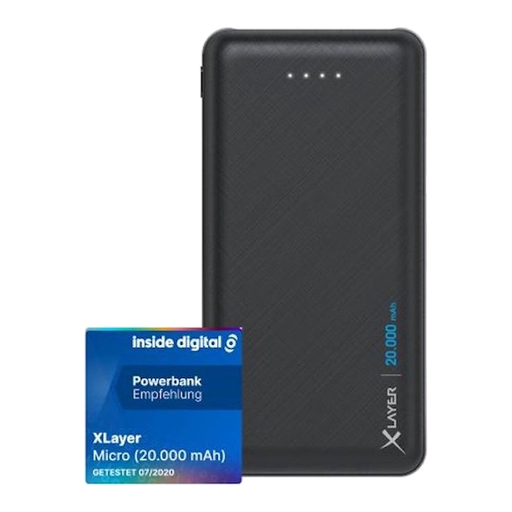 Image unavailable
Xlayer Power Bank Micro Black Edition, 20.000mAh
Compare this model if the power-bank end of your bike light’s cable connects via USB-A and you want to be able to check the remaining charge.
The product information lists 20.000mAh, two USB-A outputs, a USB-C input, four LED indicators and a weight of 420 g. The USB-C port is labelled as an input, not an output for charging devices.
View at Joybuy
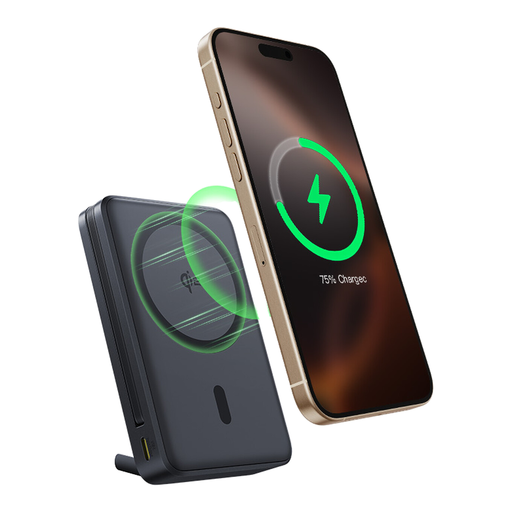 Image unavailable
Baseus Nomos Qi2 with built-in USB-C cable, 10.000mAh, 45W
The built-in USB-C cable could mean fewer loose cables on your desk, if its connection matches your bike light.
The product name lists 10.000mAh and 45W. Check your bike light’s charging instructions and whether this power bank model is suitable for the amount of power your light draws.
View at Joybuy
 Image unavailable
Samsung Fast Charge Duo Power Bank, 25W, USB-C, 10.000 mAh, Beige
A model to compare if you need a suitable USB-C connection and want to check the charge level before setting off.
The product name lists 10.000 mAh and 25 W. The product information specifies two ports, simultaneous charging for two devices, a charge-level indicator and a weight of 210 g. Check which port is compatible with your cable.
View at Joybuy
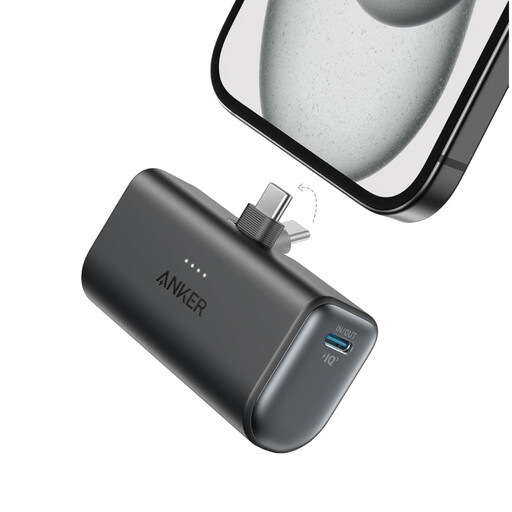 Image unavailable
Anker Nano, 5.000mAh, black
Its stated weight makes this model worth comparing if you want to carry a power bank with you. First, check that the USB-C connection suits your light’s cable.
The product name lists 5.000mAh. The product information gives an output of 22,5 W, one USB-C port and a weight of 100 g. This output doesn’t prove support for low-current charging.
View at Joybuy
Frequently asked questions
Can I charge any USB bike light with any power bank?
No. Don’t rely on the word USB alone. Check your light’s port, cable and charging instructions. A power bank may stop charging when the current draw is low; Anker recommends checking whether each model supports a suitable charging mode.
How can I charge a bike light safely at a shared desk?
Follow the instructions for both devices, don’t use damaged cables and place the charger somewhere clear so heat can escape. The Fire Service gives this advice for chargers; also follow your light’s manual when disconnecting it. The CatEye manual consulted includes instructions for the specific HL-EL085RC model.
Does 10.000 mAh guarantee a certain number of full charges?
No. The stated capacity may refer to the internal battery cells at a different voltage from the USB output, and energy is lost during conversion. To work it out, you need information about both your light and the power bank’s usable output energy; Anker Support explains this difference.
What can I do if I’m unhappy with a power bank bought online or it’s faulty?
For an online consumer purchase, you generally have a statutory 14-day cooling-off period from delivery, subject to legal exceptions. If the product is faulty, the seller is responsible under the statutory guarantee. According to the Authority for Consumers & Markets, the seller must provide an appropriate solution, such as a repair or replacement.
In the Netherlands, can I cycle with only a charged front light?
No. You must have both a front and rear light in the dark and when visibility is poor. The Dutch Government says that separate lights are also permitted.


