What should you look for when buying?
Start by checking the power features of your exact recorder model, then compare the plug and cable with the space available on your desk. After that, consider capacity, power output and features for devices with low power requirements.
| What to consider |
What should you check? |
Who is this important for? |
| USB function and connection |
Check the manual to see whether USB charges the battery or only supplies external power, and find out which type of plug the recorder uses. |
If I want to charge my recorder via USB, I first need to know what the USB port does on my model. Around 36% of consumers prioritise USB function and a compatible connection. |
| Cables and desk space |
Compare the plug type and cable position with the available USB ports and the space on your desk. |
At a shared desk, I want to keep my setup tidy without choosing a fixed cable that doesn’t fit. Around 29% of consumers prioritise cable convenience and space. |
| Power during recording |
Check whether the recorder supports external USB power while in use, and test the combination before an important recording. |
For a long session, I want to know in advance whether the recorder can keep running via USB. Around 21% of consumers prioritise the power available during use. |
| Low power requirements |
Check whether the exact power bank model and the port you’re using support a low-power mode. |
If my recorder uses very little power, I want to know whether the output will stay on instead of switching off automatically. Around 14% of consumers prioritise power delivery at low loads. |
Power banks at Joybuy
These power banks have USB-C connections or a built-in USB-C cable. Check that they’re compatible with your recorder and whether its USB port supports charging or only supplies external power.
 No image available
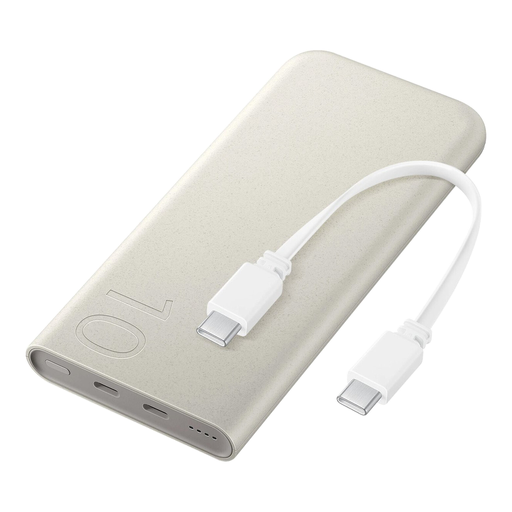
Samsung 25W Inductive Power Bank, 10,000 mAh, Beige
Could be suitable if your recorder can be powered via USB-C and you want a built-in cable. Check the USB function required by your recorder.
Product information lists 10,000 mAh, up to 25 W wired and 7.5 W wireless charging, a built-in USB-C cable and charging for up to three devices at once.
View at Joybuy
 No image available
Samsung Fast Charge 45W Power Bank, 20,000 mAh, 3 USB-C ports
Could be suitable if your recorder uses USB-C and you want several USB-C connections at your desk. Check whether your recorder supports external power.
Product information lists 20,000 mAh, up to 45 W when charging one device, three USB-C ports and a 20 cm USB-C cable included.
View at Joybuy
 No image available
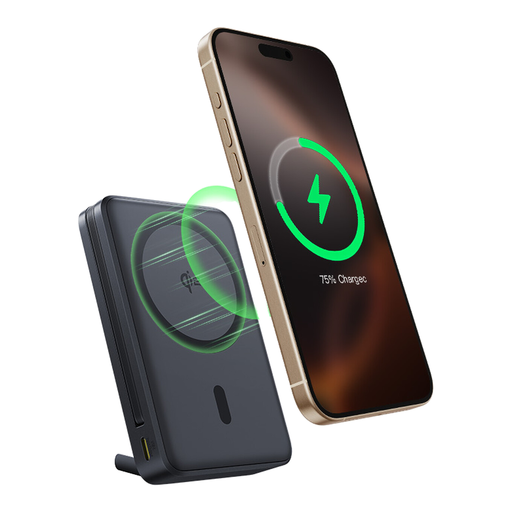
Baseus Nomos Qi2 Power Bank with built-in USB-C cable, 10,000 mAh, 45 W
Could be suitable if your recorder has a compatible USB-C connection and a built-in cable would be handy on your desk.
Product information lists 10,000 mAh, 45 W, a built-in USB-C cable, wireless charging and an integrated stand.
View at Joybuy
 No image available
Samsung Fast Charge Duo Power Bank, 25 W, 10,000 mAh
Could be suitable if your recorder uses USB-C and you also want to connect a second device. Check your recorder’s connection and power function.
Product information lists two USB-C input/output ports, charging for two devices at once and a USB-C cable included.
View at Joybuy
 No image available
Anker A1259G61 Power Bank, 10,000 mAh, green
Could be suitable if your recorder uses USB-C. Before buying, check that your recorder’s USB function suits the way you plan to use it.
Product information lists 10,000 mAh, up to 30 W, a USB-C connection and a colour screen.
View at Joybuy
Frequently asked questions
Does every USB audio recorder charge batteries from a power bank?
No, it varies by recorder model. Sony states that the ICD-UX570 has a built-in lithium battery and can be charged via USB; Zoom describes the H1essential as running on AAA batteries or external USB power. Check the manual for your exact model.
Can I connect my recorder to a power bank while recording?
Only if your recorder’s manual says it supports external USB power while in use. Zoom states that the H1essential can run from a portable battery. Also check that your power bank stays on when connected to your recorder, and test the setup in advance.
Will every power bank keep powering a recorder with low power requirements?
No, that depends on the features of the specific model and the port you use. Check the manuals for both the recorder and power bank, and test whether the output stays on for the length of time you plan to use it.
Is a CE mark enough to know whether a power bank is suitable for my recorder?
No. According to Business.gov.nl, a CE mark indicates that the manufacturer considers the product to comply with applicable EU rules. It doesn’t confirm that your recorder charges via USB, that a cable will fit or that an output stays on at a low load. Check the documentation for both products.
How can I use a power bank safely at a shared desk?
Keep the power bank uncovered so heat can escape, and don’t use damaged cables. Brandweer Nederland gives this kind of advice for chargers, batteries and battery packs; also check the instructions for the products you connect.


