
Students making long recordings
You want to avoid your external USB power cutting out during a recording, so check your recorder’s power requirements first. For example, the ZOOM H1essential manual describes operation using batteries or USB power.


First, check your recorder’s manual to see whether it can be powered externally via USB and whether its batteries can also be charged via USB: these are not necessarily the same features. Then choose a power bank with a suitable port and cable. For long recordings, reliable power matters more than fast-charging output. A higher capacity gives you more reserve, but higher-capacity power banks are often larger and heavier, according to the Dutch Consumers’ Association.
You want to avoid your external USB power cutting out during a recording, so check your recorder’s power requirements first. For example, the ZOOM H1essential manual describes operation using batteries or USB power.
You want to power another device as well as your recorder, so check the number of ports and the combined output. The Dutch Consumers’ Association identifies capacity, size and weight as important factors when choosing a power bank.
You want a backup power source that’s easy to carry, and need to weigh up extra capacity against size and weight. According to the Dutch Consumers’ Association, higher-capacity power banks are often larger and heavier.
| What to consider | What to look for | Who is this important for? |
|---|---|---|
| Power during recordings | Check your recorder’s USB power requirements and make sure the power bank stays connected. | If I’m making long recordings, I want to avoid the external power cutting out. Around 36% of consumers put reliable power during a recording first. |
| Connection and power supply | Read the manual for your exact recorder model and check the port and cable. | When I use USB, I want to know whether my recorder is powered externally or whether its batteries are also charged. Around 29% of consumers prioritise the right connection and power supply. |
| Size and backup capacity | Compare the weight and dimensions with the stated capacity; mAh does not directly predict recording time. | If I carry my power bank around often, a handy size matters to me as much as having extra backup capacity. Around 21% of consumers prioritise portability. |
| Several devices | Check the usable USB outputs and total power when using them at the same time. | If I want to power another device as well as my recorder, I look for suitable ports and enough combined output. Around 14% of consumers prioritise powering several devices. |
USB may be intended for external power. The ZOOM H1essential documentation describes USB power, while the Tascam DR-05X specifies AA batteries or USB bus power. Neither confirms that the batteries can be charged via USB.
Check the manual for your exact recorder model to find out separately about external power and battery charging.
Capacity, energy delivered, ports and portability are all different things. A high charging output does not guarantee longer recording time.
First, check the power requirements and cable for your recorder. Then compare the backup capacity you need, the size and the total output when using several ports.
How this mode works varies by model. Anker Support EU says that the mode in question switches off automatically after two hours without interaction.
Check the feature for your exact power bank model and test the setup for the length of time you plan to record.
The BoostCharge BPB011btBK is described as a wired 10,000 mAh power bank with two USB-A outputs and one USB-C output.
Xtorm says the Fuel Series 5 FS5100 has a capacity of 10,000 mAh, two USB-C ports and one USB-A port.
The product description says the Powerbank 12000 mAh Storm Grey has a USB-C port for input and output, as well as a USB output.
Anker describes a low-current mode and lists it as a feature of the Anker 313 Power Bank.
These product picks are power banks with built-in cables or USB ports. Check that the connection and power supply are compatible with your recorder.
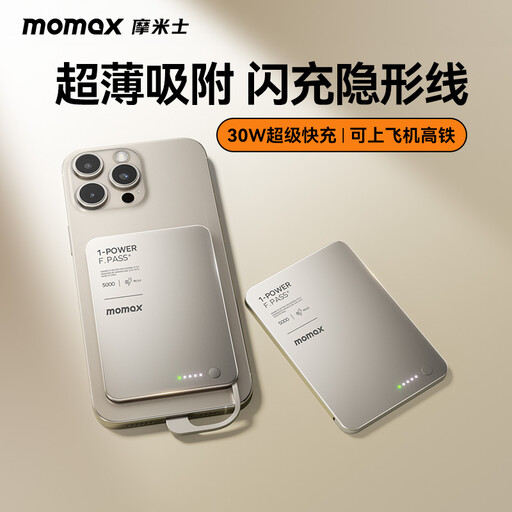 No image available
A handy compact backup option if the built-in USB-C cable connects to your recorder’s power input.
Capacity: 5000 mAh. Built-in USB-C cable.
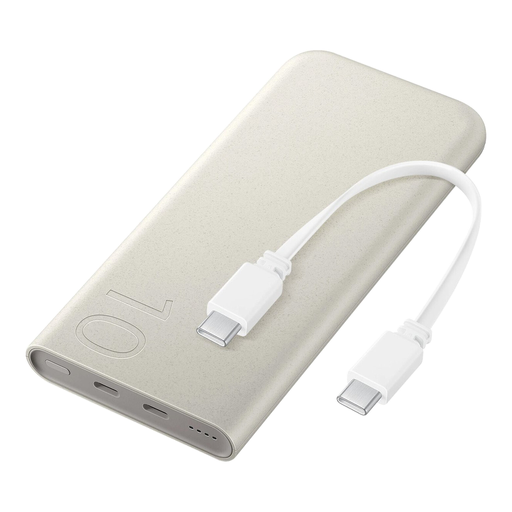 No image available
The built-in USB-C cable may be useful if your recorder accepts USB-C power; check the connection and user manual.
10,000 mAh; up to 25 W wired; supports up to three devices at once; 210 g; LED battery status indicators.
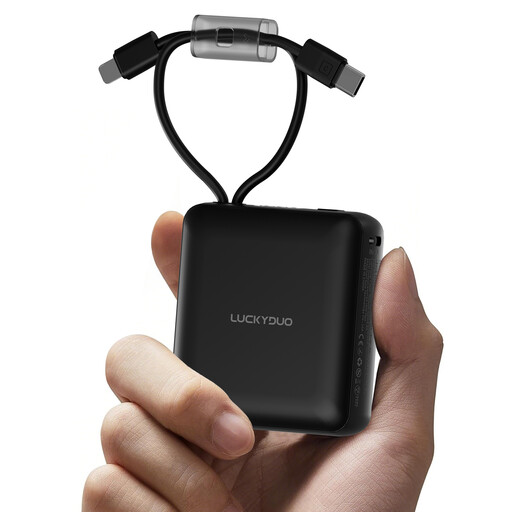 No image available
The built-in cables could be handy if one of them fits your recorder’s power input; check the cable types first.
Capacity: 10,000 mAh. Two built-in cables and an LED display showing the battery percentage.
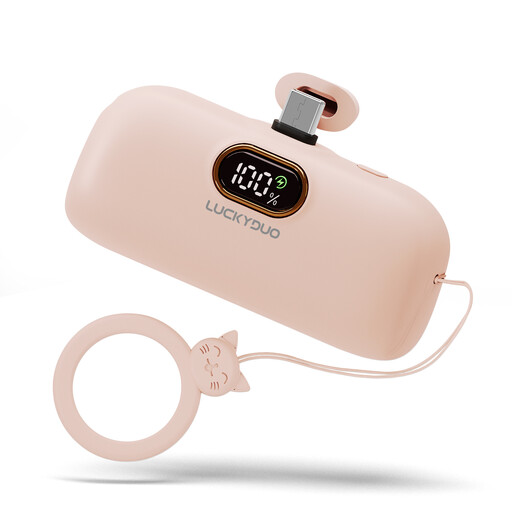 No image available
A handy compact backup option if the USB-C port connects to your recorder’s power input.
Capacity: 5000 mAh. USB-C port.
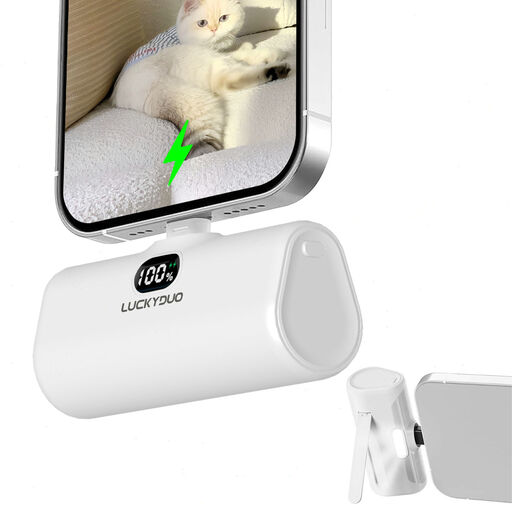 No image available
Before buying, check whether the built-in Lightning connector will work with your recorder setup.
Capacity: 5000 mAh; 15 W; phone stand and LED light.
Not necessarily. ZOOM describes USB as an external power source for the H1essential, while Tascam specifies AA batteries or USB bus power for the DR-05X. This does not mean the AA batteries can be charged via USB. Check the manual for your exact model.
Check your recorder’s power requirements and how the power bank works. Some Anker models have a low-current mode, but support and conditions vary by model. Test the setup before an important recording.
The Dutch Fire Service advises placing devices with batteries in an open space so heat can escape, and not charging them under a pillow or duvet. Don’t use damaged cables, and charge in a room with a working smoke alarm.
According to the Dutch government, there is no fixed statutory warranty period in the Netherlands; if there’s a problem with a product, contact the seller. For online purchases from a business, a 14-day cooling-off period usually applies, although there may be exceptions.