What should you look for?
First, check your recorder’s power requirements and connection. Then consider how long you want to record and where you’ll place the power bank. Extra power or ports are only useful if they suit your setup.
| What to consider |
What to look for |
Who is this important for? |
| The right USB power supply |
Check the manual to see whether USB powers the recorder, charges the batteries or is used for data only. Also check the connector type and output. |
If you don’t want to assume that USB charges the batteries in your recorder, start by checking your model’s power requirements. Around 36% of consumers put compatibility first. |
| Power during recording |
Check whether a low-current mode is needed, and test the power bank, cable and recorder together before an important recording. |
If you don’t want a conversation or recording interrupted by a loss of power, look for an active output and a secure cable connection. Around 29% of consumers say this is their main concern. |
| Enough energy for your session |
Take the recording time and your recorder’s power consumption into account. A stated capacity in mAh doesn’t directly predict how many hours your recorder will run for. |
For long sessions, you’ll want to weigh your recorder’s energy needs against the power bank’s size and portability. Around 21% of consumers prioritise operating time. |
| Cable and ports |
Check whether you need a separate cable or a built-in one, how long it is and whether the port you want is an output. |
If you want to connect your recorder easily at your desk, look for a cable and ports that suit your setup. Around 14% of consumers prioritise ease of connection. |
Power banks on Joybuy
These power banks are options to consider for a USB audio recorder. For each model, check that the wired output and cable suit your recorder’s power connection.
 No image available
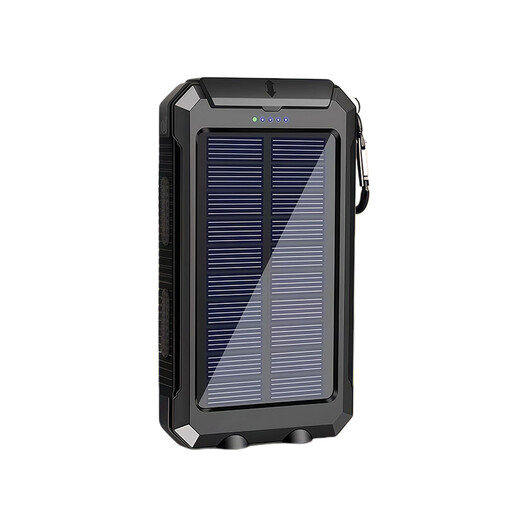
XBJ T8 USB Power Bank 10,000 mAh with solar charging, black
Worth considering if you’re looking for a power bank for a USB-powered device. First check that the wired output is suitable for your recorder.
The product name lists a 10,000 mAh capacity and solar charging. Check separately which connection and cable your recorder needs.
Joybuy
 No image available
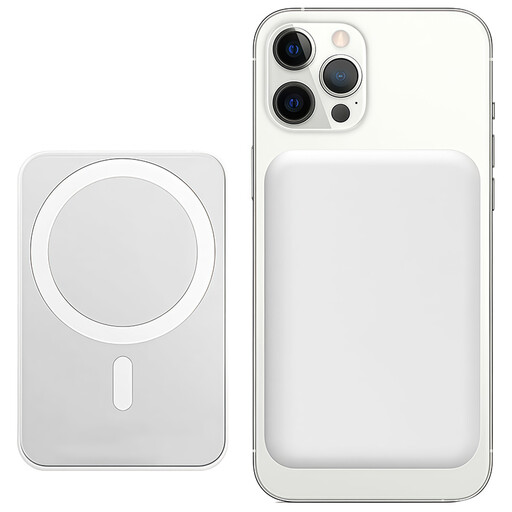
Power bank, 10,000 mAh, 15 W, white
Worth considering if you’re looking for a power bank for an electronic device. Don’t assume it’s wirelessly compatible with an audio recorder.
The product name lists a 10,000 mAh capacity, 15 W wireless charging and a magnetic phone stand. Check whether it also has a wired USB output that suits your recorder.
Joybuy
Frequently asked questions
Will a power bank charge the AA batteries in your recorder?
Don’t assume it will. Zoom’s documentation for the H1essential and Tascam’s for the DR-05X mention AA batteries and external USB power, not charging AA batteries via USB. Check the manual for your exact model.
How can you check the connection before an important recording?
Use the power connection specified in your recorder’s manual and a suitable cable. Beforehand, test the full setup for a similar length of time to your planned recording. Check that the USB output stays active and the cable remains securely connected. This is a precaution, not a guarantee of uninterrupted recording.
What if the power bank you bought online isn’t suitable for your recorder?
For online consumer purchases in the Netherlands, you generally have a statutory 14-day cooling-off period from delivery, although exceptions may apply. If a product is faulty, your statutory guarantee is separate from any manufacturer’s guarantee. ACM ConsuWijzer explains that the statutory guarantee isn’t simply a fixed two-year period for every product: what you can expect depends on the product and the circumstances.
Can you put a discarded power bank in your household rubbish?
No. The Dutch government sets out collection options for discarded electrical appliances. Take an old power bank to an appropriate collection point, and don’t put loose, flat batteries in your household rubbish.
Do you have to buy a USB-C power bank because of a new EU rule?
The date mentioned doesn’t mean there’s a general rule that every power bank must have USB-C. The European Commission says that new ecodesign requirements for external power supplies and certain cables will apply from 14 December 2028; whether a particular product category is covered depends on the applicable rules. For your recorder, first choose an output that matches the manual and cable.


