
Student without reliable access to a plug socket
You use your tablet for long periods somewhere without a plug socket, so a useful amount of backup power is your main priority.


A power bank is most useful when you can’t always get to a plug socket in your student room or while you’re out and about. If there’s always a socket within reach, a standard charger will do. First, choose an output and cable that work with your exact tablet model, then decide how much backup power you want to carry. The stated mAh rating doesn’t guarantee that all that energy will reach your tablet. More capacity also means thinking about portability. Charge your power bank away from bedding and check the safety warnings for the exact model.
You use your tablet for long periods somewhere without a plug socket, so a useful amount of backup power is your main priority.
You want to top up between lectures or activities, so first check the connection, charging profile and output per port supported by your tablet and power bank.
You’re mainly looking for portable backup power, and need to weigh extra capacity against the size and weight you’ll carry every day.
| What to consider | What should you check? | Best for |
|---|---|---|
| Usable backup power | Compare your tablet’s requirements with the capacity and, where stated, the usable output. Don’t use the mAh rating alone to estimate a set number of full charges. | If you’ll be away from a plug socket for a long time, it’s worth estimating how much extra power you’ll need. Around 40% of consumers put backup capacity first. |
| Connection and charging power | Check your tablet’s port, supported charging profile, the output of the port you plan to use and the cable. | If you want to top up quickly, check that your tablet, cable and power bank are compatible. Around 30% of consumers prioritise compatibility and charging speed. |
| Ports and features | Count the devices you’ll connect at the same time, then check the port layout, total output and whether a built-in cable works with your tablet. | If you want to charge a second device as well as your tablet, look for useful connections and features you’ll actually use. Around 20% of consumers choose based mainly on this combination. |
| Portability | Check the dimensions and weight of the exact model, and consider whether you’ll carry the power bank every day or mostly leave it in your room. | If it needs to go in a full bag every day, a smaller backup capacity may be more practical than extra power. Around 10% of consumers prioritise size and weight. |
The stated internal capacity isn’t the same as the energy that reaches your tablet. The usable amount also depends on the power bank model, your tablet and charging conditions.
Compare your own tablet’s requirements with information about usable output and, where available, test results for the exact model.
The stated maximum doesn’t automatically apply to every device or when charging several devices at once. Samsung states that the EB-P3400 delivers up to 25 W when one device is connected, and up to 9 W per device when two devices are connected.
Check how the power is shared across the combination of devices you actually plan to use.
Poor heat dissipation, damage or a short circuit can create a fire risk. The Fire Service advises placing devices in a clear space and not charging them under a pillow or duvet.
Charge in an uncluttered area, don’t use a damaged cable and check the safety warnings for the exact model.
Xtorm’s extra year of warranty for the FS5201 requires registration within three months. This is separate from your statutory consumer rights.
Keep your proof of purchase and check the registration terms separately. Don’t assume a voluntary manufacturer’s warranty replaces your statutory rights.
The BoostCharge BPB024hqBK is a 20,000 mAh power bank with an integrated USB-C cable.
The Fuel Series 5 FS5201 is a 20,000mAh model with USB-C PD and multiple ports.
The Dutch models reviewed include the 10,000 mAh EB-P3400 and the 20,000 mAh EB-P4520; their outputs and terms differ.
This selection includes power banks with a stated capacity of 10,000 or 20,000 mAh, including models with built-in cables and a range of charging outputs. For each model, check that the port, cable and charging power are suitable for your tablet.
 No image available
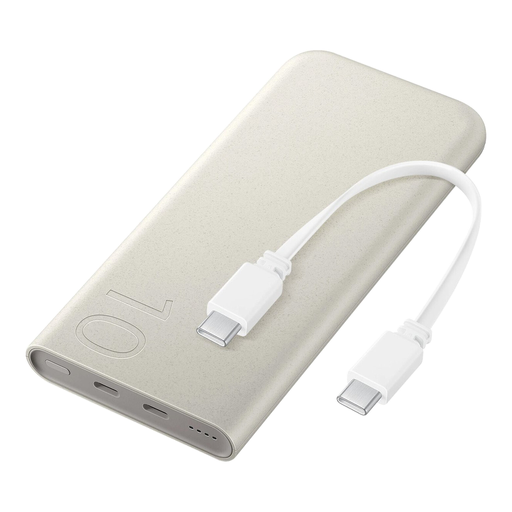
A portable power reserve with a built-in cable. Check that the connection and charging profile work with your tablet.
According to the product description, this model has a built-in USB-C cable with 20 W PD, USB-C and USB-A ports, and can charge up to three devices at once.
 No image available
A model with wired and wireless charging options. Check that its connections and wireless charging feature are suitable for your tablet.
The product information states wired charging up to 25 W and wireless charging up to 7.5 W. Capacity is 10,000 mAh.
 No image available
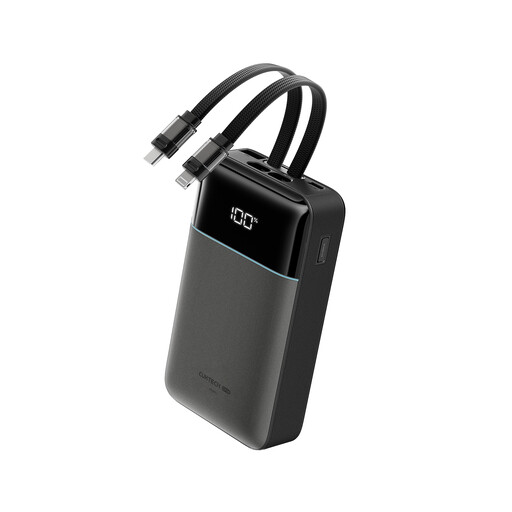
A higher stated capacity for anyone who wants to carry fewer separate cables. Check which built-in cable works with your tablet.
The product title lists 20,000 mAh, up to 40 W and built-in Lightning and Type-C cables.
 No image available
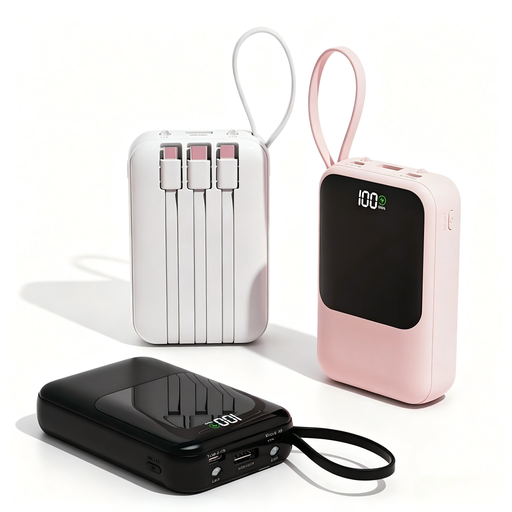
A 10,000mAh model with built-in cables. Check that the connection and charging profile are suitable for your tablet.
The product information states that it supports tablets, offers up to 22.5 W and has built-in USB-C and Lightning cables.
 No image available
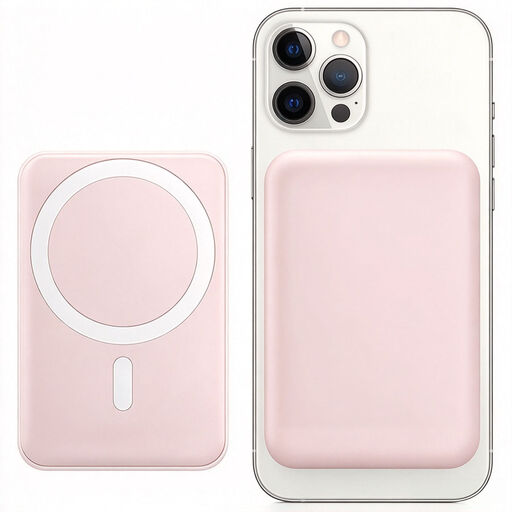
A model with wireless charging and a magnetic phone stand. Before buying, check whether your tablet supports this charging feature.
The product title lists a capacity of 10,000 mAh and wireless charging up to 15 W, along with a magnetic phone stand.
No. The USB-C connector alone doesn’t determine charging speed. Check your tablet’s charging profile, the power bank’s output and the cable. If you’re charging several devices at once, also check the power available per device. The Dutch government explains the USB-C rule for new tablets sold on the Dutch market, but this doesn’t mean that every tablet and power bank supports the same charging output.
Place the power bank and charger in a clear space where heat can escape, not under a pillow or duvet. The Fire Service also advises charging devices with batteries in a room with a working smoke alarm. Don’t use a damaged cable.
You can’t work this out from the mAh rating alone. Usable output differs from the battery’s internal capacity and also depends on your tablet and charging conditions. Compare the energy requirements of your exact tablet with information about the power bank and, where available, test results for the exact model.
No. An extra manufacturer’s warranty is an additional promise from the manufacturer and is separate from your statutory rights. Xtorm’s extra year of warranty for the FS5201 requires registration within three months. The Dutch government states that the Netherlands has no fixed statutory guarantee period; if a product is faulty, your statutory rights may still entitle you to an appropriate solution.
Check the full model number and the latest safety warnings before using or buying a specific unit. On 15 July 2025, the Netherlands Food and Consumer Product Safety Authority (NVWA) issued a warning about Anker models A1257, A1647, A1681 and A1689. Don’t apply that warning to other models without checking the model number.