
Tablet user without a nearby mains socket
If you want to use your tablet on the kitchen worktop without a mains socket within reach, you can take capacity and a compatible connection into account when choosing a power bank.


Choose a dry, clear spot and check that the port and cable are compatible with your tablet. A higher capacity can be useful if you want to charge for longer without a mains socket, but capacity and stated output do not guarantee the same number of charges or charging speed for every tablet. The Fire Service advises placing devices on a hard surface while charging and avoiding moisture and damage.
If you want to use your tablet on the kitchen worktop without a mains socket within reach, you can take capacity and a compatible connection into account when choosing a power bank.
If you want to top up your tablet quickly, it’s worth comparing the output per port, the cable and the tablet’s charging support.
If you want to keep loose cables off the worktop, you could consider a model with an integrated cable, while still leaving room in a dry spot.
| What to consider | What should you look for? | Who should consider this? |
|---|---|---|
| Safe charging on the kitchen worktop | Choose a dry, clear spot and don’t use a damaged cable or power bank. The Fire Service advises charging devices on a hard surface. | If I’m charging on the worktop, I want to avoid moisture and damage; around 29% of consumers prioritise a safe place to charge. |
| Using your tablet for longer without a mains socket | Compare the stated capacity with how long you want to use your tablet without a mains socket. Also consider the size and weight. | If there’s no mains socket nearby, I want to use my tablet for longer; around 23% of consumers prioritise usage time. |
| Charging speed and connection | Check that the tablet, cable and port are compatible, and find out what conditions apply to the maximum output. | If I want to top up my tablet quickly, I want to know how much power it can actually draw through the connection I’ve chosen; around 18% of consumers prioritise charging speed. |
| Cable setup | Compare an integrated cable with a separate one for connection type and length, and consider where you can place the power bank in your dry charging spot. | If my worktop gets cluttered quickly, I want fewer loose cables and a practical connection; around 18% of consumers prioritise cable convenience. |
| Features and purchase issues | Compare the ports and features with what your tablet needs. Keep your proof of purchase and check who the seller is if a problem arises. | If I don’t want to pay for features I won’t use, I want to be able to work out easily what I need; around 12% of consumers prioritise the purchase price. |
The Fire Service identifies moisture and damage as conditions that can lead to a battery fire. A spot next to the sink is therefore not necessarily suitable for charging devices.
Choose a dry, clear spot in advance, follow the instructions and don’t use damaged equipment.
Samsung states that the EB-P4520 offers up to 45 W Super Fast Charging when one device is connected. Anker gives different figures for one USB-C device and the total output of the A1383.
Compare the output of the port you’ll use under your connection conditions with what your tablet and cable support.
According to the Dutch Consumers’ Association, the USB-C port on the Xiaomi Redmi 2 20000 18W Fast Charge can only be used to charge the power bank itself.
Check whether each port supplies power before choosing a model based on the shape of its connector.
The Galaxy Battery Pack EB-P4520 is an example of a power bank with USB-C Power Delivery.
According to Belkin, the UltraCharge BPB030hqBK combines an integrated USB-C cable with additional ports.
The Fuel Series 5 FS5200 is an example with two USB-C ports, USB-A and a display.
The Redmi 2 20000 18W Fast Charge shows why it’s important to check what each port on a power bank does.
According to Anker, the A1383 is a 20,000 mAh power bank with an integrated USB-C cable and additional ports.
These power banks are designed for charging a tablet when there’s no mains socket nearby. Check that the connection and charging requirements of each model are compatible with your tablet.
 No image available
The product description lists tablets as compatible devices. Check that the charging support and cable are right for your tablet.
Stated capacity: 20,000 mAh. The description lists Power Delivery, Qualcomm Quick Charge, an LCD status display and overheating protection.
 No image available
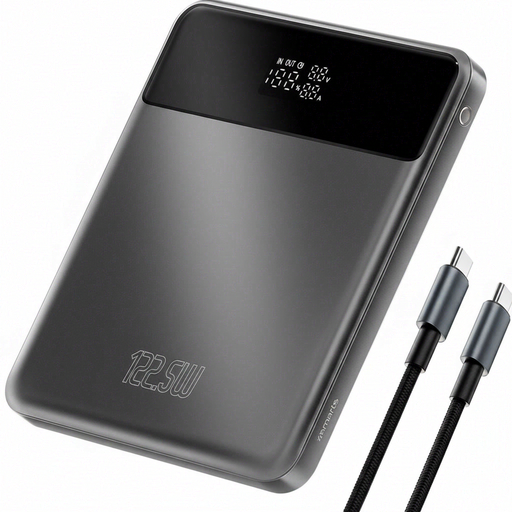
The listed USB-C ports and Power Delivery are relevant if your tablet supports this charging method. Check which cable you’ll need, too.
The product information lists three USB-C ports and Power Delivery 3.0. According to the information, the maximum output of 45 W applies only when one device is connected.
 No image available
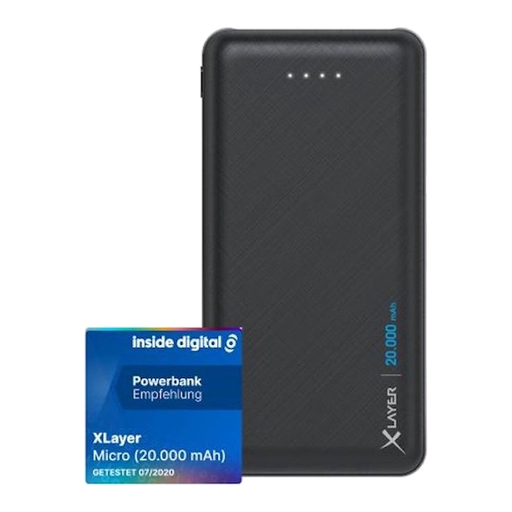
The product description lists tablets as compatible devices. Charge your tablet via a USB port, not the USB-C port on this model.
Stated capacity: 20,000 mAh. The description lists two USB-A ports; USB-C is an input for charging the power bank itself. The product information warns against water and high humidity.
 No image available
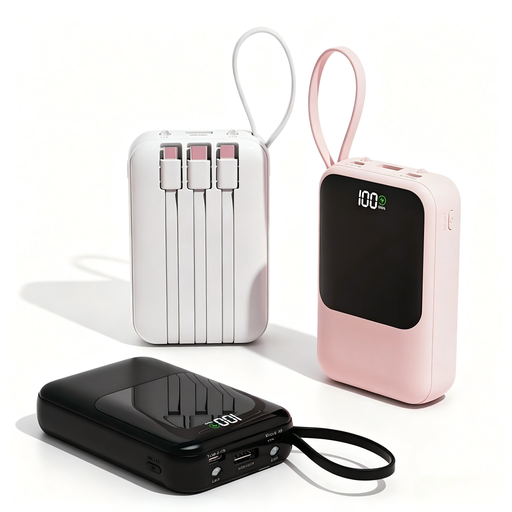
The product description lists tablets as devices you can charge. The integrated cables can help reduce clutter on the worktop. Check that one of them is compatible with your tablet.
Stated capacity: 10,000 mAh. The product information lists 22.5 W and a digital battery display.
 No image available
This could be an option if you’re looking for a power bank with a lower stated capacity. Check that its capacity will let you charge for as long as you need without a mains socket.
The product information lists up to 25 W, Power Delivery 3.0, charging two devices at once and a weight of 210 g.
Only in a suitable, dry spot, using undamaged equipment with enough room for heat to escape. Keep the power bank away from splashes and follow the instructions for your chosen model.
No. According to the Dutch Consumers’ Association, the USB-C port on the Xiaomi Redmi 2 20000 18W Fast Charge can only be used as an input to charge the power bank itself. Check which ports supply power on each model and which cable your tablet uses.
Follow the instructions, don’t use a damaged cable or charger, and place devices on a hard surface while charging. The Fire Service advises charging during the day and preferably near a smoke alarm.
For a purchase made by a consumer in the Netherlands, the seller is your point of contact for your statutory guarantee. According to the Government of the Netherlands, there is no fixed statutory guarantee period; what you can expect from a product depends on the product and the circumstances. For many distance purchases, you have a 14-day cooling-off period.