What should you look for when choosing one?
Start with the charging capacity you need, then check the connection, output and any requirements for charging multiple devices at once. The Consumentenbond measures how much energy power banks actually deliver; the stated capacity in mAh alone doesn’t guarantee a particular number of tablet charges.
| What to consider |
What to look for |
Who should consider this? |
| Charging capacity |
Compare the stated capacity with the weight and, where available, measurements of the energy actually delivered. Don’t assume a set number of charges from the mAh figure alone. |
If you want to top up your tablet several times without a convenient socket nearby, having enough usable capacity is a priority. Around 36% of consumers say charging capacity is their top buying priority. |
| Charging output |
Check your tablet’s charging specifications and the output of the port you plan to use. Also check the conditions for charging multiple connected devices. |
If you only have short opportunities to charge, you’ll want to know whether the tablet and output are compatible. Around 29% of consumers give the right output for timely charging top priority. |
| Weight and cable |
Compare the weight and connections with what you want to carry. If the cable is fixed, check that it fits your tablet; otherwise, check which separate cable you’ll need. |
If you’ll also carry the power bank during the day, a compact set-up without a cable you might forget could be more convenient. For around 21% of consumers, portability and having the right cable together are their first buying priority. |
| Safe charging |
Check warnings for the exact model and place the charger in a clear space, not under a pillow or duvet. Don’t use a damaged cable or charger. |
If your main consideration is checking model warnings and charging safely in your hotel room, these checks are essential. Around 14% of consumers put safe charging at the top of their buying criteria; the usage advice applies to the other groups too. |
Power banks on Joybuy
This selection includes power banks with different capacities and connections for topping up a tablet, from compact models to options with more stated charging capacity.
 No image available
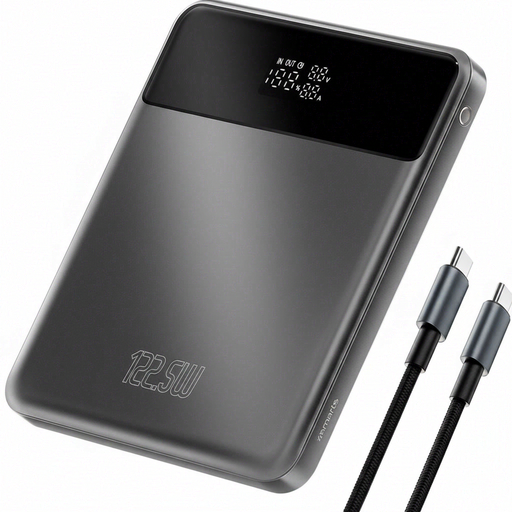
4smarts Enterprise Compact Power Bank 20,000 mAh 122.5 W Space Grey
A 20,000 mAh model that, according to the product information, is suitable for tablets.
The title lists 122.5 W. The description mentions Power Delivery, Quick Charge, an LCD screen and pass-through charging.
View at Joybuy
 No image available
Samsung Power Bank Fast Charge 45 W 3x USB-C 20,000 mAh Beige
An option if you want to top up a tablet and use several USB-C ports as well.
It has a capacity of 20,000 mAh, and the description lists USB-C Power Delivery 3.0 and three USB-C ports. According to Samsung, 45 W Super Fast Charging is only available when one device is connected.
View at Joybuy
 No image available
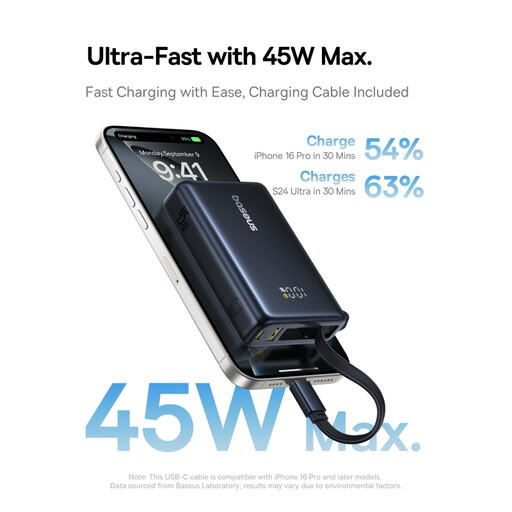
Baseus PicoGo Digital Display Power Bank 10,000 mAh 45 W Interstellar Black
A 10,000 mAh power bank that, according to the product information, can charge tablets via USB-C.
The title lists 45 W; the description mentions USB-C Power Delivery and a digital display showing the battery percentage.
View at Joybuy
 No image available
Samsung Fast Charge Duo Power Bank 25 W USB-C 10,000 mAh Beige
A lower-capacity, more compact option if you want to top up your tablet on the go and are also mindful of weight.
The description lists 10,000 mAh, Power Delivery 3.0, up to 25 W, two devices charging at once and a weight of 210 g.
View at Joybuy
 No image available
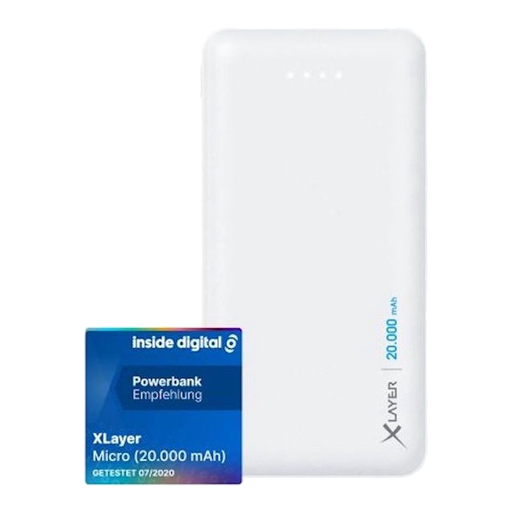
Xlayer Power Bank Micro White 20,000 mAh 2 x USB Output
The product information lists tablets with a 5V charging input as compatible and specifies a capacity of 20,000 mAh.
The two outputs are listed as 5V/2.1A and 5V/1.0A, and charging two devices at once is supported. The product warning advises against using it on beds and sofas.
View at Joybuy
Frequently asked questions
Is 20,000 mAh enough to charge my tablet several times?
You can’t tell from the mAh capacity alone. Compare your tablet’s battery specifications and, where possible, look for a measurement of the energy actually delivered by the exact power bank model; the Consumentenbond measures the amount delivered separately.
Can I connect my tablet and phone at the same time without slowing down charging?
Check the specifications for using multiple devices at once; the maximum charging speed for one device doesn’t automatically apply when you connect more. Samsung says that 45 W Super Fast Charging is only available on the Galaxy Battery Pack EB-P4520XUEGEU when one device is connected. Belkin states that the BPB024hqBK provides up to 30 W in total across three devices.
How can I charge my devices safely in a hotel room?
Place the charger and devices in a clear space so heat can escape, not under a pillow or duvet, and don’t use damaged cables or chargers. This is in line with advice from Brandweer Nederland.
What are my rights after buying something online in the Netherlands?
For online product purchases, you’re generally entitled to a 14-day cooling-off period after delivery. You’re also covered by the legal guarantee: a product must work under normal use for as long as you can reasonably expect it to; there isn’t a fixed guarantee period for every power bank. ACM ConsuWijzer explains these consumer rights.
Can I put an old power bank in my household rubbish?
No. The Dutch Government says that batteries must not be put in the bin. Take a power bank you’re getting rid of to a suitable collection point or recycling centre as an electrical device containing a battery.


