
Someone who moves between workspaces
You want to plug in your phone and clear your space quickly at the end of the day. The right cable and the space the power bank takes up are important considerations.


For a shared desk, a power bank with a suitable cable, perhaps one built in, is handy if you want to clear your space quickly. If you need a quick top-up during a short break, the output power and what your phone supports also matter. Choose extra capacity or multiple charging options only if you need them: they address different needs from cable convenience, and charging several devices at once can limit the power available to each one.
You want to plug in your phone and clear your space quickly at the end of the day. The right cable and the space the power bank takes up are important considerations.
You have little time to recharge, so compare the wired output with what your phone supports, rather than looking at capacity alone.
Sometimes you charge another device alongside your phone and want to know how many ports there are and how the power is shared when charging simultaneously.
Start with your phone’s connection and how you plan to use the power bank. Then compare output, capacity and extra charging options.
| What to consider | What to look for when buying | Who is this important for? |
|---|---|---|
| Cable convenience and a tidy desk | Check your phone’s connection, the length of any built-in cable and whether the power bank can sit freely on your desk. Belkin says the integrated cable on the Belkin BPB021hqPK is 5,7 cm long. | If I move between workspaces often, I want to plug in my phone without a separate cable and clear my desk quickly afterwards. Around 36% of consumers prioritise cable convenience. |
| Fast wired top-ups | Compare the output with what your phone and cable support. Also check the total output if you connect more than one device. | During a short break, I want to know whether the output is suitable for my phone so I can make the most of the time available to charge. Around 29% of consumers prioritise fast wired top-ups. |
| Extra power without unnecessary weight | Compare the stated capacity and the weight of the exact model. Where available, use measured charging performance: an mAh rating is not the same as the capacity your phone receives. | If I’m working away from a power socket for longer, I want enough power in reserve without choosing a heavier power bank than I need. Around 21% of consumers give reserve power top priority. |
| Charging multiple devices | Check the number of ports, wireless compatibility and the output when charging exactly the number of devices you want to use at once. | If I want to connect another device as well as my phone, I look at the ports and how the power is shared. Around 14% of consumers prioritise charging multiple devices. |
The stated capacity doesn’t tell you how much energy a power bank will deliver to a particular phone during use. The Consumentenbond measures delivered capacity separately.
Compare capacity and weight, and check test results for the exact model where available.
The maximum output can change when you connect multiple devices at once. Samsung says 25 W is available with the Samsung EB-U2510XUEGEU only when one device is connected; with two wired devices, the maximum is 10 W per device.
Check the output for the number of devices you plan to connect and your phone’s charging protocol.
A fixed USB-C cable won’t connect directly to every phone with a different type of port. Belkin lists a separate USB-C-to-Lightning cable for the iPhone 13 and 14.
Check the connection, cable length and which cables are included with the exact model.
A warning may apply to specific models or batches. NVWA notices name particular models and products; the brand name alone doesn’t determine whether a warning applies.
Compare the exact model number and, where relevant, the batch number with the latest NVWA notice. Don’t use a product covered by a warning.
The BoostCharge BPB021hqPK we looked at combines a capacity of 10.000 mAh with an integrated USB-C cable.
The Nano A1259 we looked at has an integrated USB-C cable and a display; the Zolo A1688 is a different model.
The EB-U2510XUEGEU we looked at has two wired ports and wireless charging for a compatible device.
The Fuel Series 5 FS5100 we looked at is a 10.000 mAh model with a separate cable and multiple ports.
These Joybuy products offer options for everyday phone charging, including models with an integrated cable, multiple ports or wireless charging. Check the connection and charging requirements that suit your phone and how you use it.
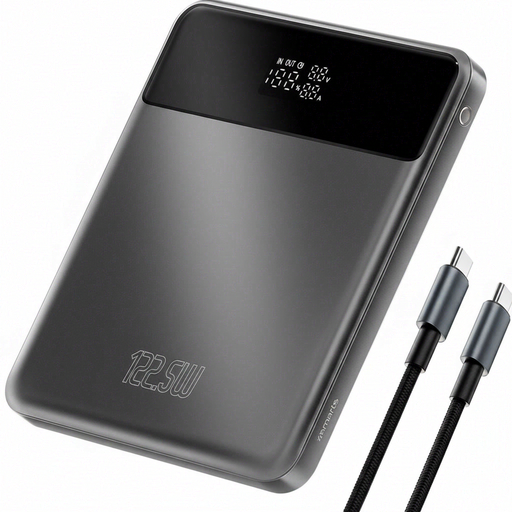 No image available
An option if you’re looking for a phone power bank with extra capacity and a readable charge status.
20.000 mAh; LCD display; Power Delivery and Qualcomm Quick Charge; passthrough charging; overheating protection.
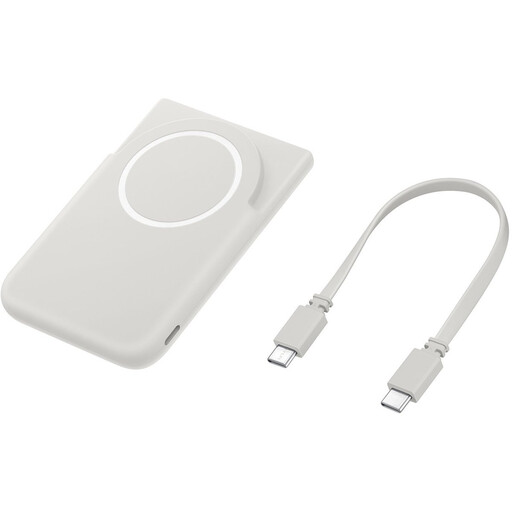 No image available
An option if you want to charge a compatible Galaxy smartphone wirelessly and prop your phone up on a stand.
5.000 mAh; magnetic wireless charging for compatible Galaxy smartphones; built-in stand.
 No image available
An option if you want to connect other USB-C devices as well as your phone.
20.000 mAh; 45 W; three USB-C ports; display; charges up to three devices at once. According to the product information, 45 W Super Fast Charging is available only when one device is connected.
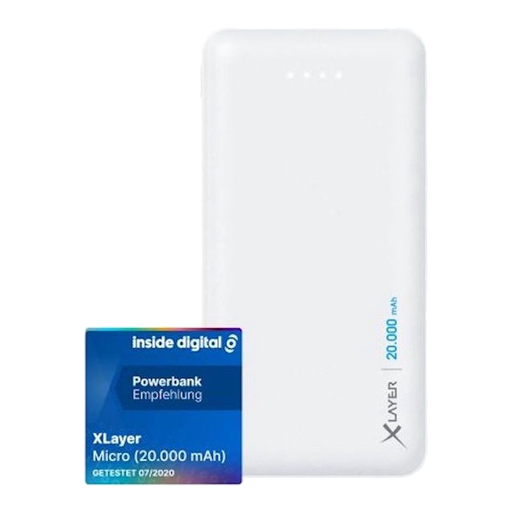 No image available
An option if you want to connect two devices by cable and check how much charge is left.
20.000 mAh; two USB outputs; one USB-C input; four indicator lights; suitable for smartphones.
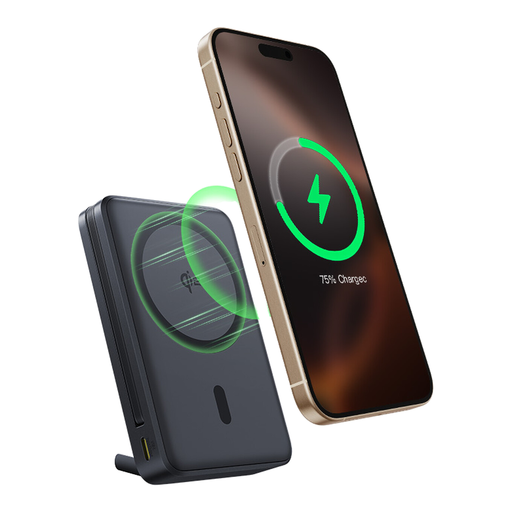 No image available
An option if you want a built-in USB-C cable and the ability to charge your phone wirelessly or prop it up on a stand.
10.000 mAh; 45 W; built-in USB-C cable; Qi2 wireless charging up to 15 W; magnetic stand. Wireless charging is designed for compatible Qi2 devices.
Only directly if your phone has a compatible USB-C port. For the Belkin BPB021hqPK, Belkin lists a separate USB-C-to-Lightning cable for an iPhone 13 or 14. Check the connection on your own device and which cables are included.
Only if the exact model supports passthrough charging. Belkin lists this feature for the BPB021hqPK; don’t assume every power bank supports it.
Not always: the available output can change as soon as you connect extra devices. For the Samsung EB-U2510XUEGEU, Samsung lists a maximum of 25 W with one device connected and a maximum of 10 W per device with two wired devices. Check the details for the model and the number of devices you want to charge at once.
Follow the instructions and position charging equipment so that heat can escape. The Fire Service advises against using damaged cables and warns about damaged or deformed batteries. Also check whether the exact model is covered by a safety warning.
The mAh rating is the stated capacity, not a direct measure of the energy your phone receives. Also compare the weight and, where available, check measured charging performance for the exact model; the Consumentenbond measures delivered capacity separately.