
People with limited access to sockets
If you want to top up a USB-rechargeable fan without constantly looking for a spare socket, first check your fan’s connection, then work out how much extra power you need.


Start by checking your fan’s charging port, cable and charging specifications, then choose a power bank with a compatible output. For longer use, consider the usable energy and weight; if you’re charging devices at the same time, check the total output power too. A capacity in mAh doesn’t guarantee a set number of hours of fan use.
If you want to top up a USB-rechargeable fan without constantly looking for a spare socket, first check your fan’s connection, then work out how much extra power you need.
If you want to charge a phone as well as your fan, for example, check both the number of compatible outputs and the total power they can deliver together.
If a power bank switches off while charging, check whether that exact model has a mode for low-power devices.
| What to consider | What should you look for? | Who is this important for? |
|---|---|---|
| Connection and charging compatibility | Check your fan’s charging port, cable and input ratings in the manual or on its rating plate. Compare these with the relevant output on the power bank. | If I want to connect my fan without any hassle, I first check that the port and charging specifications match. Around 36% of consumers in this situation put compatibility first. |
| Power reserve and portability | Where possible, compare energy in Wh or output capacity on a like-for-like basis. Also consider the weight and dimensions, and estimate how long it will last using your own fan’s specifications. | If I want to keep topping up my fan for longer without a spare socket, I weigh the extra reserve against how much weight I’m happy to carry. Around 29% of consumers prioritise power reserve. |
| Charging devices at the same time | Check that there are enough compatible ports and how much power is available when several outputs are in use at once. Check separately whether pass-through charging is supported if the power bank also needs to charge. | If I want to charge a second USB device as well as my fan, I check both the connections and the shared power output. Around 21% of consumers in this situation prioritise charging devices at the same time. |
| Low power draw | If charging stops too soon, check whether that exact power bank model has a mode for low-power devices and what conditions apply. | If my small fan keeps stopping while charging, I want to know whether low power draw could be the cause and whether the model has a suitable mode. Around 14% of consumers prioritise uninterrupted charging for a small device. |
Anker distinguishes between the capacity of the internal battery cells and the power available at the USB output. So the mAh figure alone doesn’t tell you how many hours a fan will run for.
Compare energy figures on the same Wh basis, and use your own fan’s charging or power-consumption specifications to estimate how long it will last.
The available power may be lower when several ports are in use at once. Belkin states that the BPB011 delivers a maximum shared output of 15 W when three ports are in use; pass-through charging is a separate feature.
Check the shared output power and whether pass-through charging is explicitly supported for the exact variant.
The NVWA warning applies to specific Anker models: A1257, A1647, A1681 and A1689. The warning for the imoshion MagSafe power bank IM-PB-0007 applies to batches 2024-06-0004 and 2024-09-0007. These warnings do not automatically apply to every product from those brands.
Compare the full model number and, where applicable, the batch number with the NVWA warning. Do not use a product covered by the warning.
The BoostCharge BPB011 is an example with both USB-A and USB-C outputs.
According to Xtorm, the Fuel Series 5 FS5100 has two USB-C ports and one USB-A port.
The Anker A1388 is worth considering if you need a separate mode for low-power devices.
According to Trust, the Primo 25029 has several types of output.
The Powerbank 12000 mAh 2PB12100SG is worth a look if you want to compare USB-C with an additional USB output.
This selection of Joybuy products includes compact models and models with a higher stated capacity. For each power bank, check that its output is compatible with your fan’s charging port and specifications.
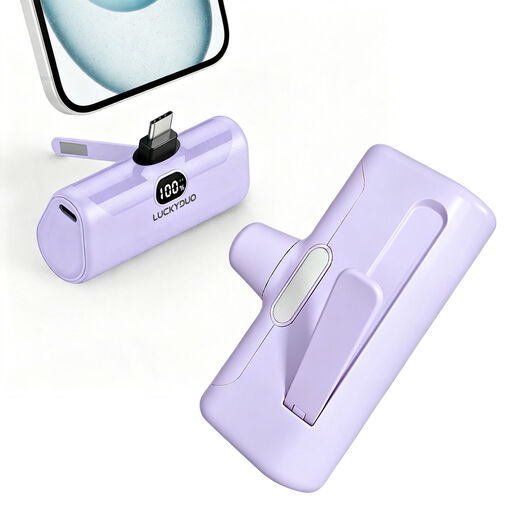 No image available
May suit a fan with a matching USB-C charging connection; also check the recommended charging specifications.
The product name lists 5.000 mAh, PD 15 W, an LCD display, an LED light and a foldable phone stand.
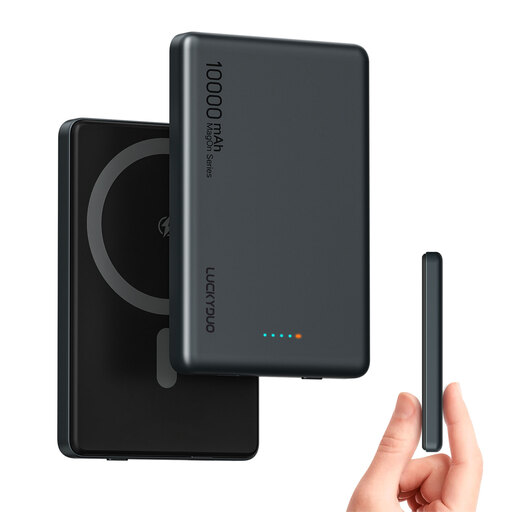 No image available
Check that the USB-C output matches your fan’s charging input; the product name also mentions wireless charging.
The product name lists 10.000 mAh and USB-C PD 20 W.
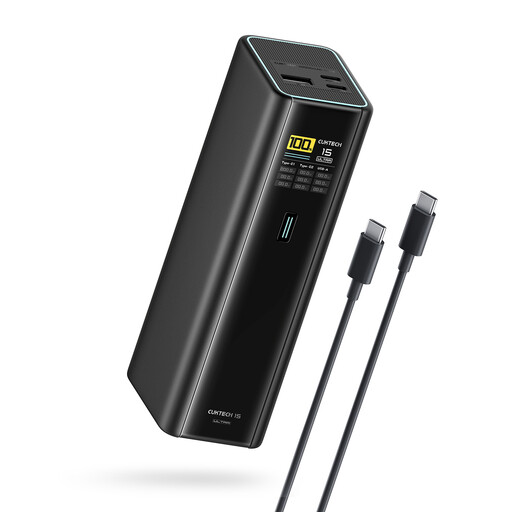 No image available
Consider this model only if your fan’s charging specifications match the available output; check the specifications for the exact model.
The product name lists 20.000 mAh, 140 W, three USB-C ports and model PB200U, black.
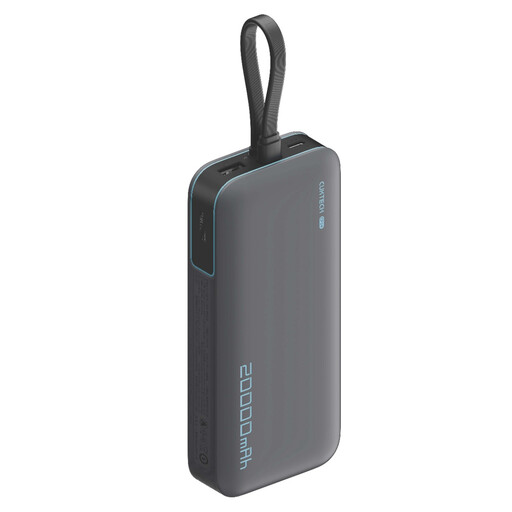 No image available
Before choosing this model, check that its output is suitable for your fan’s charging specifications.
The product name lists 20.000 mAh, 40 W and the designations CP24 and LPB200N; the colour is listed as grey.
 No image available
Check which output and charging specifications your fan requires. The product information states that 45 W is available only when one device is connected.
The product name lists 20.000 mAh, three USB-C ports and the colour beige.
Compare your fan’s charging port, recommended input and cable with the power bank’s output. Some fans, such as the Duux Icy, charge via USB-C; that doesn’t mean every rechargeable fan can be charged with a USB power bank.
Only if that exact power bank model supports pass-through charging and the instructions allow it. This is different from connecting two devices to its outputs at the same time. Anker lists a maximum of 5 V/3 A for simultaneous input and output on the Zolo A1688.
First check the cable and the fan’s recommended charging method. If low power draw is the cause, a documented mode for small devices may help. Anker describes such a mode, but also states that it switches off automatically after two hours on the version described.
Follow the manufacturer’s instructions and the Fire Service’s advice: don’t use damaged cables, keep chargers uncovered so heat can escape, and don’t charge under a pillow or duvet. If the power bank swells, becomes misshapen, gives off smoke or smells of chemicals, the Fire Service advises leaving the room and calling 112.