
If your light keeps switching off
You want to know whether the power bank will keep supplying power when your light draws very little. Low-current mode varies by model; for example, Anker documents this feature for the USB-A output on model A1383.


First, choose a power bank whose output stays on when your light draws very little power, and make sure the output and cable are compatible. Anker confirms that model A1383 has a low-current mode on its USB-A output, but that doesn’t prove every reading light will stay on. Also check whether the light can operate while charging, then compare capacity and size.
You want to know whether the power bank will keep supplying power when your light draws very little. Low-current mode varies by model; for example, Anker documents this feature for the USB-A output on model A1383.
You want to connect your existing light and cable to a port that supplies power. Check what the port does on the exact model: Anker also describes power banks where USB-C is input-only.
You want enough runtime without cluttering the desk with unnecessary items. Compare the stated capacity, dimensions and ports of the specific version; for example, Xtorm lists the dimensions and weight of model XNG101W35.
First check that the power bank will keep powering the light when it draws very little, and that the connection is compatible. Then consider how long you need it to run and how much space the power bank will take up.
| What to consider | What to look for | Who is this most important for? |
|---|---|---|
| Light with a low power draw | Check whether the model has a low-current mode and what conditions cause it to switch off. Anker says its mode switches off automatically after two hours without interaction; check the manual for the version you choose. | If I want to read without the light switching off partway through, keeping it on is my top priority; around 40% of consumers would prioritise uninterrupted light. |
| Compatible output | Compare the light’s plug with the power bank’s output. If you’re using USB-C, check that the port supplies power rather than being used only to recharge the power bank. | If I want to keep using my existing light and cable, I need a compatible output; around 30% of consumers would make the connection their top buying priority. |
| Desired runtime | Find out how much power the light draws and compare the stated capacity as a model specification. A capacity in mAh on its own doesn’t confirm how long your light will stay on. | If I want to know in advance how long I can read for, I need information about my light’s power consumption; around 20% of consumers would prioritise runtime. |
| Desk space | Compare the dimensions, weight and number of outputs you need. For example, Xtorm lists the XNG101W35 as measuring 11 × 6 × 3 cm and weighing 212 g. | If I like to keep my shared workspace clear, I consider what I’ll need to set down and carry each day; around 10% of consumers would make saving desk space their top buying priority. |
A higher stated capacity doesn’t tell you whether the output will stay on when the light draws very little power. A larger power bank may also take up more space without solving the switching-off problem.
Check low-current performance and compatibility first. Then compare the capacity with the light’s power consumption and your desired reading time.
On some power banks, USB-C is used only to recharge the power bank itself. Choosing the wrong port could mean your light won’t work or that you’ll need a different cable.
Check the information for the exact model to confirm that the port you want to use is an output, then compare it with your light’s plug.
In a warning issued on 15 July 2025, the Netherlands Food and Consumer Product Safety Authority named specific Anker models and warned of a risk of overheating and fire.
Compare the full model number with the warning. Don’t use a unit covered by it.
Worth considering if you’re looking for a model with a documented low-current mode.
The Primo 25029 is worth comparing if you need several wired connections.
According to Xtorm, the NextGen XNG101W35 has USB-A, two USB-C outputs and a display.
The BoostCharge BPB011 is an alternative to compare if you want to connect several wired devices.
This selection includes power banks with USB-C ports or a built-in USB-C cable. Check that your light can connect to one; a compatible connector doesn’t guarantee that the power bank will stay on when the light draws very little power.
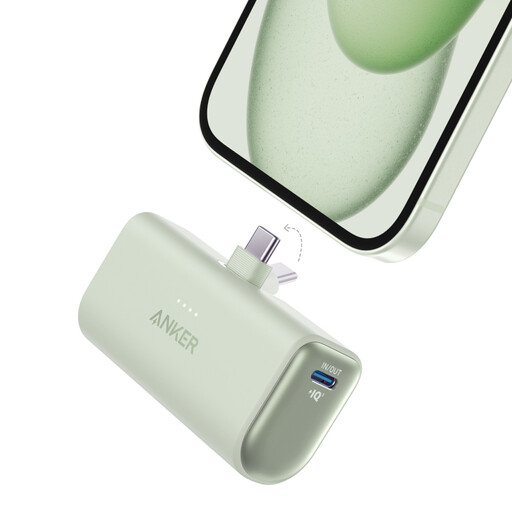 No image available
An option to compare if your light connects via USB-C; check that the connection works as an output and that the power bank stays on when the light draws very little power.
The product title lists 22.5W and a built-in USB-C connector.
 No image available
Compare this model if your light works with the USB-C connection; check separately whether the output keeps supplying power at your light’s power draw.
The product title lists 25W, USB-C and 10,000 mAh.
Check which cable and adapter you need for your connection.
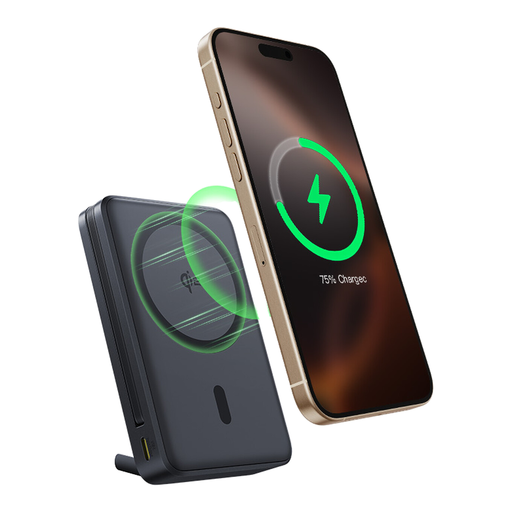 No image available
An option if your light has a USB-C connection; check that the built-in cable is compatible and that the output stays on when the light draws very little power.
The product title lists Qi2, a built-in USB-C cable, a stand, 10000mAh and 45W.
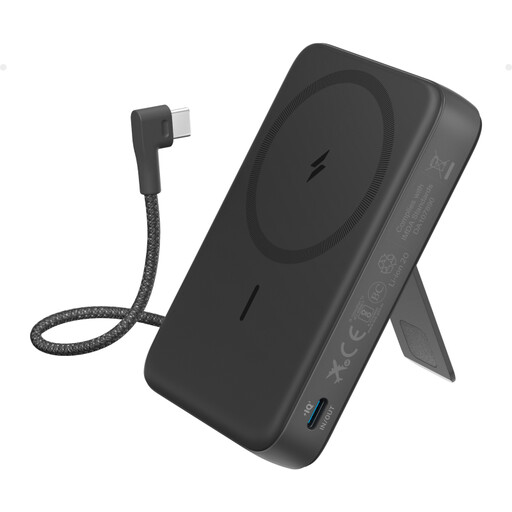 No image available
Compare this model if the built-in USB-C cable is compatible with your light; also check that the power bank keeps supplying power when the light draws very little.
The product title lists magnetic wireless charging and a built-in USB-C cable.
No, having a USB port alone doesn’t guarantee that. Check that the port supplies power, that the light can operate while charging and that the power bank stays on at your light’s power draw. Anker documents a low-current mode for the USB-A output on model A1383; this information applies to that specific model.
First check the cable and make sure you’re using an output. If your exact model has a low-current mode, follow the instructions and switch-off conditions in the manual. Anker says its mode switches off automatically after two hours without interaction.
In the Netherlands, you can contact the seller if a product breaks sooner than you could reasonably expect under normal use. ACM ConsuWijzer says the seller must resolve the issue free of charge, for example by repairing or replacing the product, or refunding you. Any manufacturer’s or seller’s warranty is separate.
Check safety warnings against the full model number. In a warning issued on 15 July 2025, the Netherlands Food and Consumer Product Safety Authority named Anker A1257, A1647, A1681 and A1689 and warned consumers not to use these models. Take a power bank you’re disposing of to a suitable collection point; the Dutch government advises against putting empty batteries in general waste.