
Switch 2 player on the move
Wants to charge the console directly via USB-C during a coach journey. Nintendo Netherlands distinguishes between charging directly and the different power requirements of the TV-style dock.


Start with the exact model of your handheld console and check that the USB-C port and charging profiles it uses are compatible. Nintendo distinguishes between charging the Switch 2 directly and using it with the dock; Valve specifies a 45 W USB-C PD 3.0 power supply for the Steam Deck OLED. Then consider how much extra charge you’ll need for your journey, the power bank’s weight and how much power is left if you connect a phone too.
Wants to charge the console directly via USB-C during a coach journey. Nintendo Netherlands distinguishes between charging directly and the different power requirements of the TV-style dock.
Needs a USB-C PD output that meets the Steam Deck OLED’s power supply specification. Valve specifies PD 3.0 and 45 W.
May want to charge a phone as well as the console, so needs to weigh up capacity, power per port and portability.
| What to consider | What should you check? | Who is this most important for? |
|---|---|---|
| Console compatibility | Compare your exact console model with the USB-C output and supported charging profiles. For a Switch 2, also check whether you’re charging it directly or using the dock. | I want to make sure the connection is right for my console before choosing a power bank. An estimated 40% of consumers put compatibility first. |
| Power while playing | Check the output of the port you’re using and how it changes if you connect a phone too. Valve specifies a 45 W USB-C PD 3.0 power supply for the Steam Deck OLED. | If I want to top up the battery while playing, I check the output of the port I’ll be using rather than just the total output. An estimated 30% of consumers have this charging requirement. |
| Extra charge for the journey | Choose a capacity to suit the length of your journey and how you expect to use your console; mAh doesn’t translate into a fixed number of full console charges. Nintendo gives the Switch 2 a battery life of around 2 to 6.5 hours, depending on the software and features used. | On a long journey, I want enough extra power without assuming that a particular mAh rating guarantees a set number of hours of play. An estimated 20% of consumers prioritise extra capacity. |
| Weight and cable | Compare the weight and dimensions of the exact model. If it has a built-in cable, check that it’s a practical length for your seat. | I want to connect my console without carrying unnecessary weight, so I also consider the cable and how I’ll set everything up. An estimated 10% of consumers prioritise portability. |
The total output doesn’t automatically tell you how much power the console port delivers. Belkin specifies up to 30 W shared output for the ENA013hqBK; Samsung says that the EB-P4520XUEGEU delivers 45 W only when a single device is connected.
Check the output per port and how power is shared when using the combination of devices you plan to take on your journey.
If you connect a second device, the console may receive less power than you’d expect from the maximum output.
A power bank’s stated capacity doesn’t tell you how many hours of play it will provide. Nintendo gives the Switch 2 an approximate battery life of 2 to 6.5 hours per full console charge, depending on how it’s used.
Factor in the length of your journey and how you play. Treat claims about the number of charges as conditional statements from the manufacturer.
In 2025, the Netherlands Food and Consumer Product Safety Authority warned about specific Anker models, including A1257, A1647, A1681 and A1689. That warning alone says nothing about other model numbers.
Compare your power bank’s full model number with the latest official safety warnings.
The ENA013hqBK is designed to charge the Nintendo Switch 2 directly and has a built-in USB-C cable.
The Nexode power bank with an integrated USB-C cable is worth comparing if you want to connect several devices.
The Fuel Series 5 FS5271 is worth comparing if you’re weighing its higher stated capacity against its weight.
The EB-P4520XUEGEU is a 20,000mAh model with three USB-C ports.
The Prime A1336 is worth comparing as a 20,000mAh model with a stated total output of 200 W.
This selection includes power banks for travelling, with stated capacities, USB-C output or multiple connections. Check which outputs and charging profiles are compatible with your console for each model.
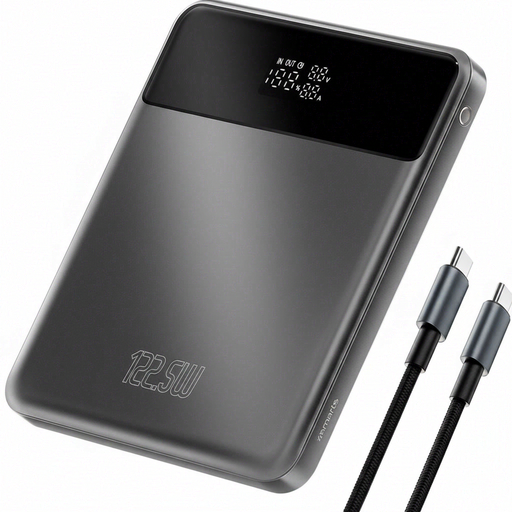 Image unavailable
Worth comparing if you’re looking for capacity and multiple charging features. Before buying, check that the USB-C port’s output and charging profile are right for your console.
The product information lists Power Delivery, Qualcomm Quick Charge, an LCD display and pass-through charging. The stated output of 122.5 W doesn’t, on its own, tell you what the console port delivers.
 Image unavailable
An option to compare if you’re looking for a USB-C PD output and want to take several devices with you. Check the specifications against your console rather than relying on the wattage alone.
The product information lists PD 3.0, three USB-C ports and up to 45 W. Samsung says 45 W is available only when a single device is connected; Valve specifies a 45 W USB-C PD 3.0 power supply for the Steam Deck OLED.
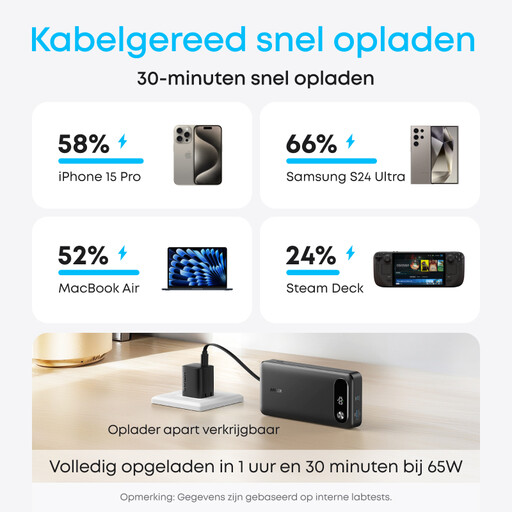 Image unavailable
The integrated cable can be handy if you don’t want to carry a separate USB-C cable while travelling. Check how much power the console will receive with your chosen set-up.
The product information lists 20,000 mAh, up to 65 W for a single device and up to 87 W shared across three devices.
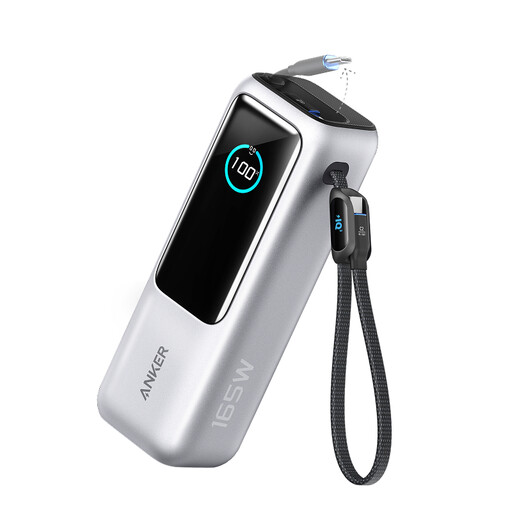 Image unavailable
Compare this model if you’re looking for multiple connections and built-in cables. Check that the available port and charging profile are compatible with your console.
The product information lists up to 165 W total, three USB-C connections, USB-A and two built-in cables, and charging for up to four devices at once. The product name states 25 kWh; check this capacity unit carefully before buying.
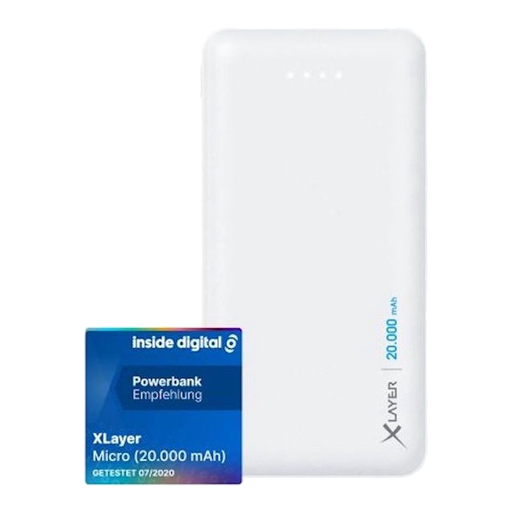 Image unavailable
Before buying, check carefully that the outputs are suitable for your console: the USB-C connection described is an input, not an output.
The product information lists two USB outputs at 5 V/2.1 A and 5 V/1.0 A, plus a USB-C input. Valve specifies a 45 W USB-C PD 3.0 power supply for the Steam Deck OLED; don’t assume these connections provide that power.
No. Check the facilities available from your coach operator and on your journey. FlixBus describes the onboard sockets, but also notes that you may not always be able to charge a laptop. This doesn’t confirm that the socket can charge your handheld console.
Nintendo Netherlands explains that you can charge it directly via the USB-C port using a compatible power supply. The TV-style dock has different power requirements; Nintendo says the power supply for the original Switch isn’t suitable for it.
Don’t use a damaged cable, and leave the charger in a clear space so heat can escape. The Netherlands Fire Service recommends this for chargers and batteries. If there’s a safety warning, check the power bank’s full model number too.
In addition to any manufacturer’s warranty, statutory rights apply. According to ACM ConsuWijzer, the retailer must offer a solution if a product breaks sooner than you could reasonably expect under normal use. There’s no fixed period that applies to all power banks.
Don’t put the battery in general waste. The Dutch Government directs people to collection points for used batteries and rechargeable batteries. For discarded electrical appliances, it also lists shops and local council recycling centres.