What should you look for?
First, check that the port and cable meet your console’s charging requirements. Then compare capacity and weight, and assess weather protection separately from charging output.
| What to consider |
What should you check? |
Who is this important for? |
| Enough power for your console |
Check the USB-C PD profile, output per port and how power is shared when you connect multiple devices. |
If I want to charge while playing, I want to know what the console port actually delivers. Consumers who prioritise charging output make up around 36%. |
| Power between charging opportunities |
Compare capacity and, where available, Wh. Also consider the weight and your console’s battery specifications. |
If I’m camping for several days without a socket, I want to plan my power supply without relying on a set number of hours of play. Consumers who prioritise time between charging opportunities make up around 29%. |
| Protection for outdoor use |
Check the IP rating for the exact model and its port output. Xtorm says the XR202 is rated IP65 and has a USB-C PD output of up to 35 W. |
If my campsite may be exposed to rain or dust, I want to assess the power bank’s protection separately from my console’s. Consumers who prioritise weather protection make up around 21%. |
| Multiple devices and recharging |
Check the port layout, output when multiple ports are in use and the input power for recharging the power bank. |
If I also want to charge a phone, I want to know how much power will be left for the console. Consumers who prioritise charging multiple devices make up around 14%. |
Power banks on Joybuy
This selection includes power banks with different capacities, ports and power outputs for use with a handheld console when camping. Check whether each model’s port output, charging profile and weather protection suit the way you plan to use it.
 No image available
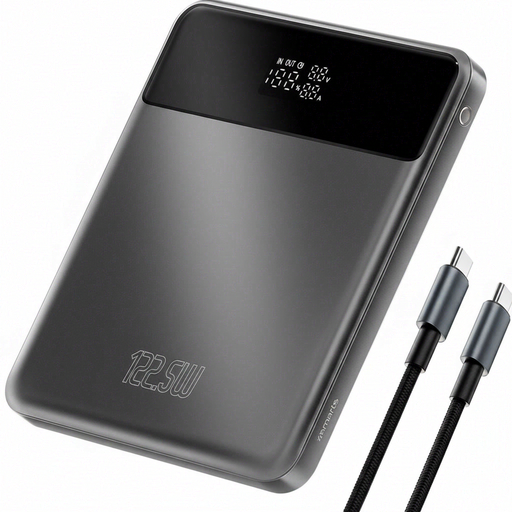
4smarts Enterprise Compact Power Bank 122.5 W 20000 mAh Space Grey
An option for campers looking for a power bank with a stated capacity of 20,000 mAh.
The product information lists 122.5 W, an LCD display, pass-through charging, Power Delivery and Qualcomm Quick Charge.
Joybuy
 No image available
Samsung Fast Charge Power Bank 45W, 3 USB-C, 20,000 mAh, beige
An option to compare if you want to connect a console and other devices via USB-C. Check your console’s charging profile first.
The product information lists 20,000 mAh, three USB-C ports and up to 45 W when one device is connected. Output may vary when several devices are connected.
The product information advises against exposing the power bank to water, excessive heat or direct sunlight.
Joybuy
 No image available
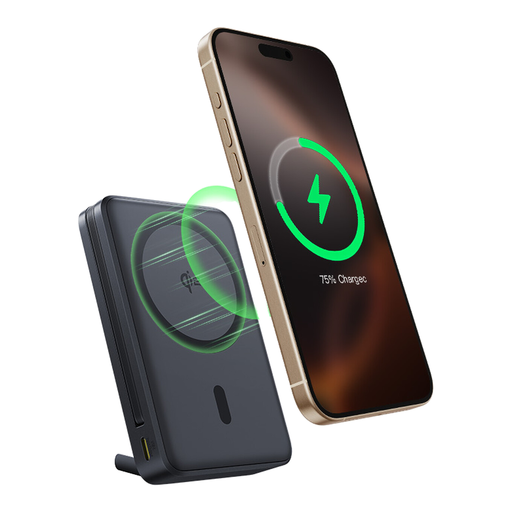
Baseus Nomos Qi2, 10,000 mAh, 45 W, built-in USB-C cable
An option if you want a built-in cable and find a capacity of 10,000 mAh suitable for the trip you have planned.
The product information lists 45 W through the built-in USB-C cable, Qi2 wireless charging up to 15 W and an integrated stand.
Joybuy
 No image available
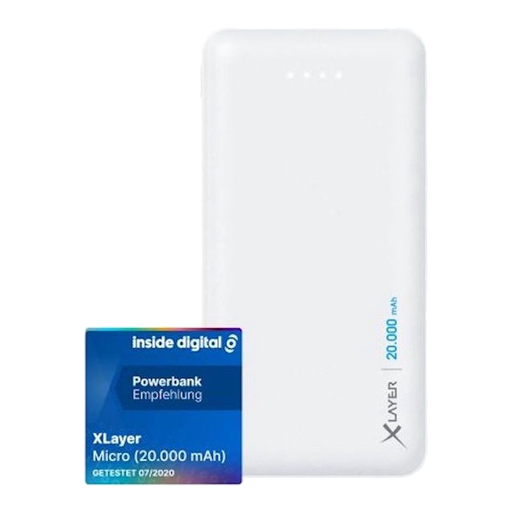
Xlayer Power Bank Micro, 20,000 mAh, white
An option for a dry campsite if you’re looking for a power bank with a stated capacity of 20,000 mAh.
The product information lists two USB outputs: up to 5 V/2.1 A and 5 V/1.0 A. USB-C is listed as an input.
The product information warns against exposure to water, rain and high humidity.
Joybuy
 No image available
Samsung Fast Charge Duo Power Bank, 25 W, 10,000 mAh, beige
An option if a compact power bank with a stated weight of 210 g suits what you want to carry. Compare its output with your console’s requirements.
The product information lists 10,000 mAh, up to 25 W, Power Delivery 3.0 and the ability to charge two devices at once.
The product information advises against exposing the power bank to water, excessive heat or direct sunlight.
Joybuy
Frequently asked questions
Can I use any USB-C power bank to charge my Steam Deck while I play?
No. A USB-C connection alone doesn’t prove that a power bank delivers suitable power. Valve specifies a 45 W power supply for the Steam Deck LCD and OLED versions covered here. Check the output and profile of the USB-C PD port and cable you’re using.
Do I need to charge my Nintendo Switch 2 through the dock when camping?
No. Nintendo Netherlands describes charging directly through a USB-C port at the top or bottom of the system. For another power supply, Nintendo refers to the system’s power requirements and a suitable power supply. This information doesn’t confirm that every power bank can also power the TV-style dock.
How should I plan when to recharge my power bank?
As well as the output, check the power bank’s input and which charger you can use. For the Nexode 25,000 mAh reviewed here, UGREEN specifies a 65 W input and a two-hour charging time with a 65 W adapter. This is a manufacturer’s figure for that model, not a general charging time for camping.
What can I do in the Netherlands if my power bank doesn’t work properly?
According to the Dutch government, a product you buy must meet reasonable expectations, and you should contact the seller if there’s a problem. A manufacturer’s warranty is in addition to your statutory rights. Keep your proof of purchase and the model details.
Where can I take a power bank that I no longer need?
Don’t put an empty power bank in your household rubbish. The Dutch government lists shops that sell batteries and local authority collection points as places where you can hand in used batteries.


