What should you look for when choosing one?
First check how your controller charges and which cable it needs. Then choose a suitable output and decide whether you want to connect other devices too.
| What to consider |
What should you check? |
Who is this important for? |
| Charging and cable |
Check the controller model, battery type, recommended cable and whether the port you choose is an output. |
I want to be sure that connecting via USB will actually charge my controller’s battery. Around 36% of consumers say charging compatibility is their main consideration. |
| Safe use beside the bed |
Keep the power bank and cable clear of pillows and bedding, and follow the warnings for the exact model. |
I want to charge my controller nearby without putting the power bank under the bedding. Around 29% of consumers prioritise safe charging in the sleeping area. |
| Space and connections |
Compare the types of ports and consider how much space you have on your bedside table. If you’re charging several devices, check the total output power. |
I want to keep my controller and cable within easy reach and possibly connect another device too. Around 21% of consumers focus mainly on placement and connections. |
| Capacity |
Compare the stated capacity, but don’t use it to work out exactly how many full charges your controller will get. |
I also want to charge other devices, so I’m comparing power banks with more energy in reserve. Around 14% of consumers say capacity is their main consideration. |
Power banks at Joybuy
These Joybuy products are portable power banks. Check each model to make sure its output is compatible with your controller cable.
 No image available
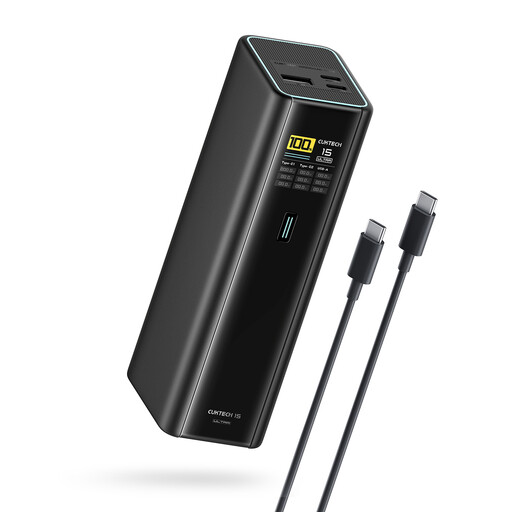
CUKTECH 15 Ultra Power Bank, 20.000 mAh, 140 W, 3-port USB-C charger, PB200U, black
Suitable for a controller cable with USB-C at the power bank end. Check that the cable and controller are compatible.
20.000 mAh, 140 W and three USB-C ports.
Charge the power bank in a clear, uncovered spot, preferably while you’re awake.
View at Joybuy
 No image available
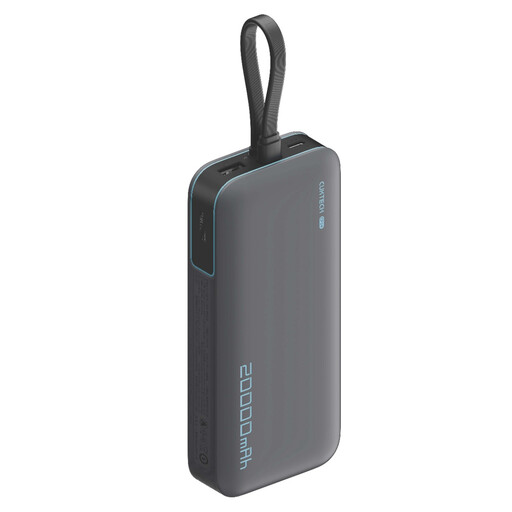
CUKTECH 20.000 mAh 40 W power bank (CP24) + 3C LPB200N, grey
Worth comparing if you’re looking for a 20.000 mAh capacity. Before buying, check which output is compatible with your controller cable.
20.000 mAh and 40 W.
Charge the power bank in a clear, uncovered spot, preferably while you’re awake.
View at Joybuy
 No image available
Samsung Power Bank Fast Charge 45 W, 3x USB-C, 20.000 mAh, beige
Its three USB-C ports make this model worth comparing if your controller cable has a USB-C connection at the power bank end. Check your controller’s cable requirements.
20.000 mAh, 45 W and three USB-C ports.
Charge the power bank in a clear, uncovered spot, preferably while you’re awake.
View at Joybuy
 No image available
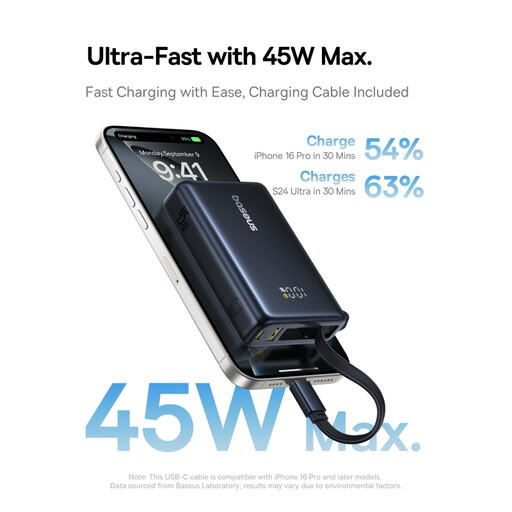
Baseus PicoGo Digital Display Power Bank, 10.000 mAh, 45 W, Interstellar Black
The product information lists USB-C and USB-A connections. Check which output is compatible with your controller cable.
10.000 mAh and 45 W. The product information also mentions a digital display showing the remaining battery level.
Charge the power bank in a clear, uncovered spot, preferably while you’re awake.
View at Joybuy
 No image available
Samsung Fast Charge Duo Power Bank, 25 W USB-C, 10.000 mAh, beige
A USB-C model to compare if your controller cable uses USB-C at the power bank end. Check that the charging method is compatible with your controller.
10.000 mAh, 25 W and USB-C.
Charge the power bank in a clear, uncovered spot, preferably while you’re awake.
View at Joybuy
Frequently asked questions
Will any controller charge as soon as I connect it to a power bank with USB?
No. It depends on the controller model and its battery. For the standard Xbox Wireless Controller, Microsoft distinguishes between AA batteries and a compatible rechargeable battery; a USB cable won’t charge AA batteries. PlayStation describes USB charging for compatible controllers via the console, while Nintendo lists a USB-C charging cable for the Switch Pro Controller.
Can I leave the power bank in bed and charge it while I sleep?
Don’t put the power bank under a pillow or duvet, and preferably charge it when you’re awake and at home. The Netherlands Fire Service identifies charging in bed overnight as a risky situation. Keep a clear space beside your bed and don’t use a damaged battery or cable.
Do I need an extra USB cable?
It depends on whether your existing cable fits both your controller and an output on the power bank. Also check what any included cable is for: Trust lists a micro-USB cable for charging the power bank itself with the Primo 24678, while Samsung lists one cable with the EB-P3400.
What can I do if my power bank breaks too soon?
According to ACM ConsuWijzer, a product used normally should meet the expectations you were entitled to have of it. If a product is faulty, the seller must, depending on the circumstances, repair it free of charge, replace it or refund you. There is no fixed Dutch statutory guarantee period of exactly two years.
Does a CE mark on its own prove that a power bank is safe?
No. The Netherlands Food and Consumer Product Safety Authority describes CE marking as the manufacturer’s declaration for products covered by the relevant requirements, not as proof of a mandatory independent inspection. The rules that apply to a particular power bank depend on the product; the Low Voltage Directive described by the Authority applies only within the specified voltage ranges. Also check for warnings relating to the full model number.


