Who might need a power bank for a game controller?

Gamer with a rechargeable USB controller

Wants to choose the right output and cable, and first check whether USB charges their particular controller’s battery. PlayStation Support describes charging via USB, while Xbox Support distinguishes between loose AA batteries and a compatible battery pack.

Gamer without a convenient socket

Wants to top up the charge over several gaming sessions and weigh capacity against how easy the power bank is to carry. The Consumers’ Association lists capacity and connections as factors to compare when choosing a power bank.

Group with several devices

May want to connect more than one controller or another USB device, so the number of outputs and the power available when using them at the same time matter. Manufacturers such as Belkin and Xtorm list these specifications for each model.

What should you look for when buying?

What to consider What should you check? Who is this important for?
Connection and actual charging Check the exact controller model, its battery system, and whether the USB output and cable are suitable for charging it. If my controller needs to charge via USB, I first want to know whether that works with its battery system. Around 36% of consumers are mainly looking to check charging compatibility.
Charge reserve during your stay Compare the stated capacity and weight, and consider whether you can recharge the power bank during your stay. If I want to get through several gaming sessions without a convenient socket, extra reserve matters more to me. Around 29% of consumers are mainly looking for more charge capacity.
Several devices at once Check the number of USB-A and USB-C outputs and the stated combined power if you use several ports. If we’re charging together, I want to know whether there are enough suitable outputs and what happens when they’re used at the same time. Around 21% of consumers mainly want to charge several devices at once.
Portability and cable convenience Compare the weight and dimensions, and check whether the right cable is built in, included or needs to be bought separately. What matters to me is a set-up that’s easy to take with me and suits my controller’s connection. Around 14% of consumers mainly value portability and cable convenience.

Common mistakes when choosing a power bank for your controller

  • Assuming USB charges all controller batteries

    According to Xbox, rechargeable AA batteries do not charge while inside the controller. So a power bank alone won’t solve that charging problem.

    Check the battery system of your exact controller before buying. Loose AA batteries may need a suitable separate charger or another compatible battery solution.

  • Looking only at the maximum wattage or mAh rating

    The available power may be lower when several ports are used at the same time. What’s more, the stated capacity doesn’t tell you how many times it will charge your particular controller.

    Compare the connections and combined power for each model. Don’t treat the wattage as proof of your controller’s charging speed.

  • Forgetting the cable and where you charge

    A built-in cable won’t necessarily fit every controller. Charging under bedding is also not suitable.

    Take a suitable, undamaged cable with you and charge in a clear space, following the instructions. The Netherlands Fire Service advises keeping chargers uncovered so heat can escape.

Brands to consider

Trust

Trust offers models with different cable and port options, including 10,000 mAh models with USB-C.

  • Trust says the Fiera has a built-in USB-C cable and an extra USB-C port; the Primo has two USB-A ports and one USB-C port.
  • A built-in cable won’t suit every controller connection. The extra hours of use Trust quotes for the Primo depend on the device and aren’t based on testing with game controllers.

Belkin

The BoostCharge BPB027hqBK is a 10,000 mAh power bank with a display and two USB-C ports.

  • Belkin specifies up to 20 W through one port, and a total of 15 W shared between the ports when both are in use.
  • These model specifications aren’t proven charging speeds for controllers. You’ll need a different power bank if you use a USB-A cable.

Xtorm

The Fuel Series 5 FS5200 is a 20,000 mAh model with USB-C and USB-A outputs.

  • Xtorm lists two USB-C ports, one USB-A port and a maximum USB-C specification of 35 W.
  • The stated capacity doesn’t tell you how many times it will charge a particular controller. Also consider whether you need the extra reserve during your stay.

Power banks at Joybuy

These product choices may suit controllers with a USB connection, and situations where you want to charge USB devices while travelling or staying in a holiday cottage. Check that each model’s output and cable are suitable for your controller.

MOMAX 1-Power F.Pass+ Ultra-Slim power bank with built-in cable

MOMAX 1-Power F.Pass+ Ultra-Slim, 10,000mAh

May suit you if your controller has a compatible USB-C connection and you want a built-in cable; also check which additional output you need.

10,000 mAh; built-in USB-C cable.

View at Joybuy
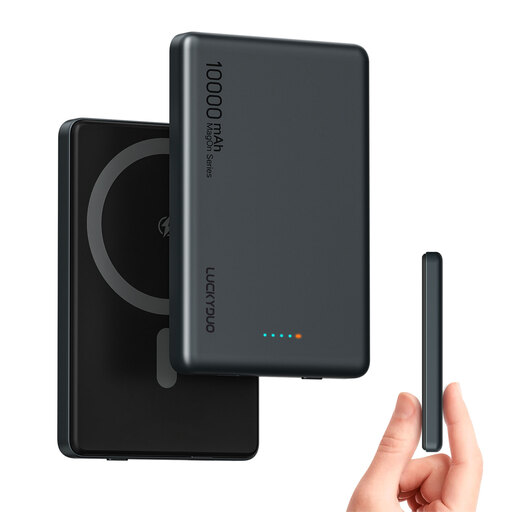
Magnetic wireless power bank, 10,000mAh, Dual USB-C PD 20W

Magnetic wireless power bank, 10,000mAh, Dual USB-C PD 20W

May be worth considering if you want to connect another device as well as your controller; check that the USB-C connection and cable are suitable for your controller.

10,000 mAh; Dual USB-C PD 20 W.

View at Joybuy
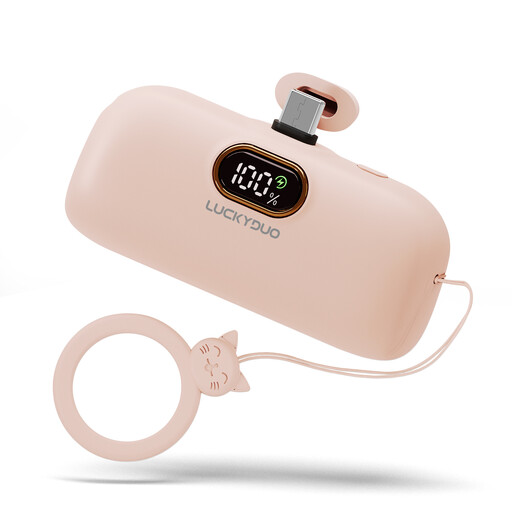
Mini 5000 mAh USB-C power bank

Mini 5000 mAh USB-C power bank

May suit you if you’re looking for a compact power bank with a USB-C connection; check your controller’s connection and charging requirements.

5,000 mAh; USB-C.

View at Joybuy
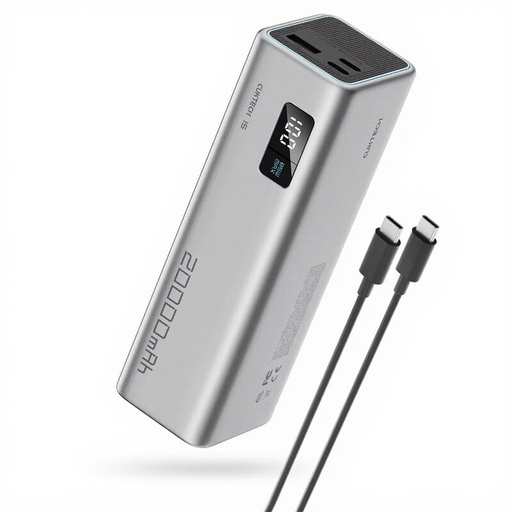
CUKTECH 15 SE power bank, 20,000mAh, 65W, grey

CUKTECH 15 SE, 20,000mAh, 65W, grey

May be worth considering if you want to connect several USB devices during your stay; check how many ports you need and whether the output suits your controller.

20,000 mAh; 65 W; 3 USB-C ports.

The product information states that the device is intended for adults; keep it out of children’s reach.

View at Joybuy
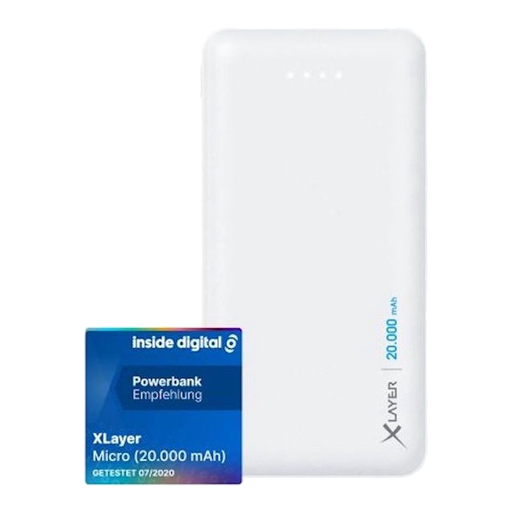
Xlayer Power Bank Micro White, 20,000mAh, two USB outputs

Xlayer Power Bank Micro White, 20,000mAh

May suit you if you want to connect several devices; check that the outputs and cable are compatible with your controller and other devices.

20,000 mAh; 2 x USB Output; 1 x USB-C Input.

View at Joybuy

Frequently asked questions

Will a power bank charge the AA batteries in your Xbox controller?

No. According to Xbox, rechargeable AA batteries do not charge while inside the controller. Check whether your controller uses a compatible battery pack, or charge the AA batteries according to the manufacturer’s instructions.

Can you charge a PlayStation controller using another USB device?

PlayStation Support says you can charge via a computer or another USB device, using a USB cable that complies with the USB standard. Charging may not work with every device, so test your controller, cable and power bank together before you leave.

How can you charge safely in a holiday cottage?

The Netherlands Fire Service advises placing the charger in a clear space so heat can escape. Don’t charge it under a cushion or duvet, and don’t use damaged cables. Also follow the manufacturer’s instructions.

Who should you contact if your power bank bought in the Netherlands is faulty?

Contact the seller if the product is faulty. According to the Dutch government, there is no fixed statutory guarantee period in the Netherlands that applies to all products; if there’s a problem with a product, the seller must provide a solution.

Does every power bank have to carry a CE mark under the Low Voltage Directive?

You can’t determine that from the product name alone. The Netherlands Food and Consumer Product Safety Authority sets out specific voltage limits for the Low Voltage Directive and notes that other applicable product safety rules may apply to electrical equipment outside those limits. Check the rules for a specific model before making a claim about compliance.
