
Hotel guest with their own fan
You want to know whether the connection, cable and charging method will work with your fan. Duux lists USB-C charging for the Misty, but check the manual for your own model.


Choose a power bank with an output and cable that match your fan’s charging input, then decide how much extra power reserve you need. If there’s an accessible socket and a suitable mains charger, plugging in directly in your hotel room may be easier. If your fan draws very little power, check that the power bank will continue charging it.
You want to know whether the connection, cable and charging method will work with your fan. Duux lists USB-C charging for the Misty, but check the manual for your own model.
You want to take extra charging capacity with you and weigh it against the power bank’s size and weight.
You want to avoid a power bank stopping when the fan draws very little power. Anker describes a low-current mode for certain models, but that doesn’t confirm that it will work with every fan.
| What to consider | What should you check? | Who is this important for? |
|---|---|---|
| Connection and cable | Compare your fan’s charging input and required cable with the power bank’s output. Don’t rely on the plug shape alone. | If you want to connect everything with confidence, first check that the cable and charging profile are right for your fan. Around 40% of consumers put compatibility first. |
| Usable power reserve | Where possible, compare capacities at the same output voltage. Only work out how many extra charges you’ll get once you have information about your fan. | If you’re not sure whether a socket will be available, you’ll want to know how much reserve you can actually use. Around 30% of consumers choose extra charging capacity as their main consideration. |
| Continued charging at low power draw | Check whether the exact power bank model has a low-current mode and how to use it. | If your small fan stops charging from a power bank, look for an output that stays active when power draw is low. Around 20% of consumers prioritise uninterrupted charging. |
| Portability and charging convenience | Weigh the size and weight against the reserve you need; also check whether any built-in cable is suitable. | If you want to keep your luggage light, size, weight and a suitable built-in cable all matter. Around 10% of consumers prioritise ease of carrying. |
Capacity can be stated at different voltages. For example, VARTA lists 10,000 mAh at 3.7 V and a rated capacity of 5.920 mAh at 5 V for its Energy Powerbank 10.000 type 57976.
Compare figures at the same voltage. Without information about your own fan, don’t use the capacity on the packaging to estimate how many times you can charge it.
A compatible connection alone doesn’t mean that the cable and charging profile are right. If your fan draws very little power, how the power bank charges it may also matter.
Check the fan manual and compare its input with the power bank’s output. If charging keeps stopping, check the documentation for the exact power bank model to see whether it has a low-current mode.
The Fire Service advises placing chargers in a clear space so heat can escape, and not charging them under a pillow or duvet.
Charge your devices in an open space and don’t use damaged cables. Follow the instructions supplied with your devices.
Worth considering if you’re looking for guidance on charging small devices that draw very little power.
A useful point of comparison if you want to compare the stated cell capacity with the rated capacity at 5 V.
The BoostCharge models reviewed differ in cable design and in the stated output when using multiple ports.
The APB-112R model can serve as a comparison for a power bank with USB-A and USB-C connections.
These power banks offer extra charging capacity and convenient cables when you’re out and about. Separately check that the connection and cable suit your fan and that charging works when power draw is low.
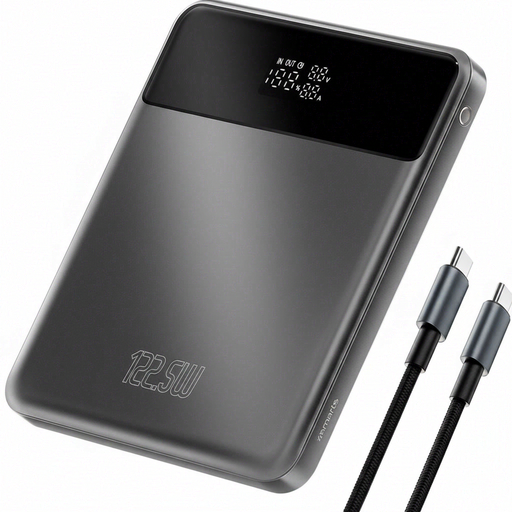 Image unavailable
For anyone looking to take extra power reserve with them; the product name lists 20,000 mAh.
The product name also lists 122.5 W. Check that the output and cable match your fan’s charging input; this information doesn’t confirm compatibility or how many times you can charge it.
 Image unavailable
For anyone looking for a slim power bank with a built-in cable.
The product name lists 10,000 mAh and a concealed built-in cable. Check which cable type and output your fan needs.
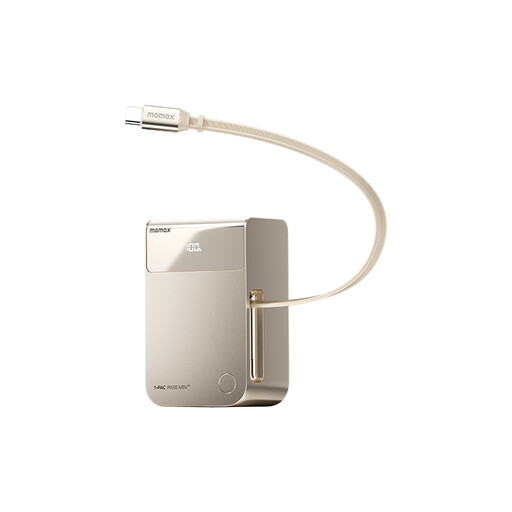 Image unavailable
For anyone who’d rather take a built-in cable than a separate one.
The product name lists 10,000 mAh and a retractable built-in cable. Check that its connection is suitable for your fan.
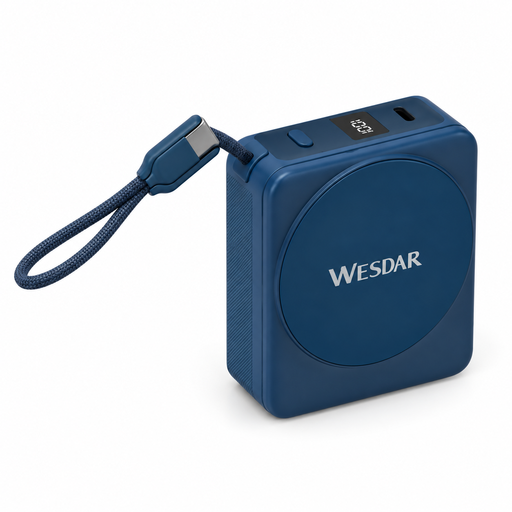 Image unavailable
For anyone looking for a built-in USB-C cable and the option of wireless charging.
The product name lists 10,000 mAh, 22.5 W wired charging, 15 W wireless charging and a digital display. Check the input your fan needs and how it charges.
 Image unavailable
For anyone looking for extra power reserve and several USB-C connections.
The product name lists 20,000 mAh, 45 W and three USB-C connections. Check that the output and cable your fan needs are suitable.
No. The plug shape alone doesn’t confirm that charging will work. Duux lists USB-C charging for the Misty. For your own fan, check the manual, cable and required input, then compare these with the power bank’s output.
First check the cable and connection, then consult your power bank’s manual. Anker describes a low-current mode for certain models, including for handheld fans, as charging can be interrupted when power draw is low.
Not necessarily: the stated capacity and the capacity at the USB output may be given at different voltages. For example, VARTA lists 10,000 mAh at 3.7 V and a rated 5.920 mAh at 5 V for type 57976. The number of charges you’ll get also depends on your fan’s specifications.
According to the NVWA, CE marking is required for electrical products sold on the Dutch market. A marking or statement on its own doesn’t confirm that an individual model has been independently tested or meets all applicable requirements.
ACM ConsuWijzer states that online purchases have a 14-day cooling-off period after delivery, with some exceptions. If a product doesn’t work properly or is faulty, your statutory rights relating to faulty goods may still apply after that period.