
Earbud user with a charging case
You want a small case to keep charging, even when it draws very little power. Check whether the specific power bank has a confirmed mode for this.


Choose a power bank that matches the connection and charging instructions for your headphones or charging case. If a small case stops charging prematurely, check whether low-current mode is explicitly confirmed for that exact model. Extra capacity and ports are most useful if you also want to charge other devices.
You want a small case to keep charging, even when it draws very little power. Check whether the specific power bank has a confirmed mode for this.
You want to charge your headphones and phone with the same power bank. Check which ports it has and how much power it can deliver when both devices are connected at once.
You’re mainly looking for a compact backup and need to weigh capacity against size. A small power bank is a different choice from a model with more ports.
First, check that the connection and cable are compatible with your charging case. Then see whether the case needs a low-current mode, and choose a capacity and number of ports to suit your other devices.
| What to consider | What should you check? | Who is this most relevant to? |
|---|---|---|
| The charging case keeps charging | Check the function for the exact power bank model, the port you’ll use and your case’s charging instructions. | If your small case stops charging prematurely with a standard power bank, you’ll want to know whether a dedicated charging mode could help. For around 33% of consumers, keeping the case charging without interruption is the priority. |
| Connection and cable | Check the connection on your exact headphone or case model, and make sure it’s compatible with the power bank port. Only check wireless charging if your case supports it. | If you need a specific cable or charging port, you’ll want to make sure it’s compatible with your headphones. Around 27% of consumers prioritise a suitable connection and charging method. |
| Capacity and size | Compare the stated capacity, dimensions, weight and ports of the exact models. Don’t calculate the number of charges directly from the mAh rating. | If you mainly want a backup to take with you, the balance between portability and capacity matters. For around 20% of consumers, this is the main consideration. |
| Safe charging | Charge in an open space, don’t use damaged cables and charge in a room with a working smoke alarm. Check for any warnings relating to the exact model. | If you’re using a power bank in your student room, you’ll want to charge it in a safe place and check the cable for damage. Safe use is the priority for around 20% of consumers. |
A small case may draw very little power, causing it to stop charging prematurely with a standard power bank. A high capacity doesn’t confirm that the model has a suitable low-current mode.
Check the information for the exact model to see whether it has this function, and which port you need to use.
Charging cases vary by model. A magnetic feature for phones doesn’t automatically mean your case can charge wirelessly or will fit properly on the charging surface.
Check the charging specifications for your exact case and the power bank. Otherwise, choose a cable that matches the connection.
The Fire and Rescue Service warns of the risks if heat can’t escape or charging components are damaged.
Charge battery-powered devices in an open space, not under a pillow or duvet. Replace damaged cables and use a room with a working smoke alarm.
The Joybuy product page lists the Anker A1653; Anker’s manual describes the earbuds mode for model A1388. Sharing a brand name doesn’t make the models identical.
Check the full model number and the manual for the product you’re considering.
Worth considering if you’re specifically looking for a power bank with a mode for low-current devices.
An option to consider if a fixed USB-C cable and an extra USB-C port suit your devices.
Worth comparing if you need several wired connections.
The USB-C power bank range is worth considering when comparing wired options for headphones.
This selection includes power banks for wired charging and carrying backup power for your headphones or other devices. Always check for yourself that the connection and charging method are compatible with your case.
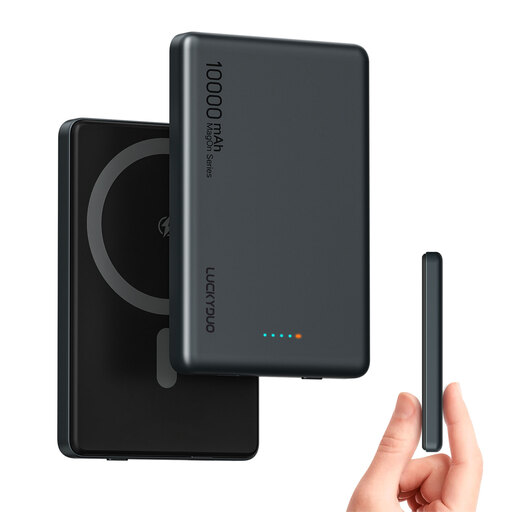 No image available
The two USB-C ports may be useful if you want to charge a second device by cable as well as your headphones. Don’t assume the magnetic charging function is suitable for your earbud case.
10,000 mAh; two USB-C ports; PD 20 W.
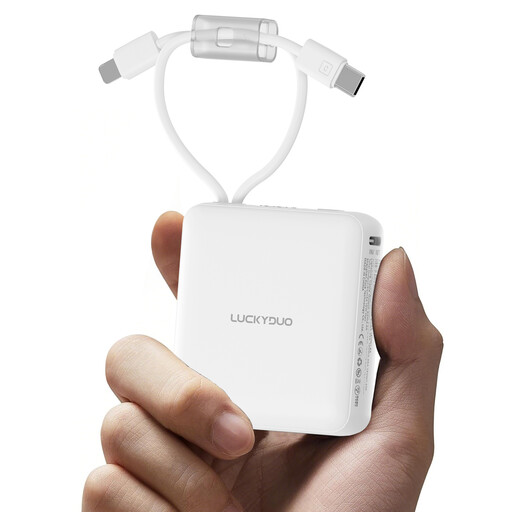 No image available
The built-in cables may save you carrying separate ones if they match the connection on your charging case. Check the cable type before choosing.
10,000 mAh; two built-in cables; LED display.
 No image available
The three USB-C ports and stated ability to charge three devices at once may come in handy if you want to take several devices as well as your headphones.
20,000 mAh; three USB-C ports; up to 45 W.
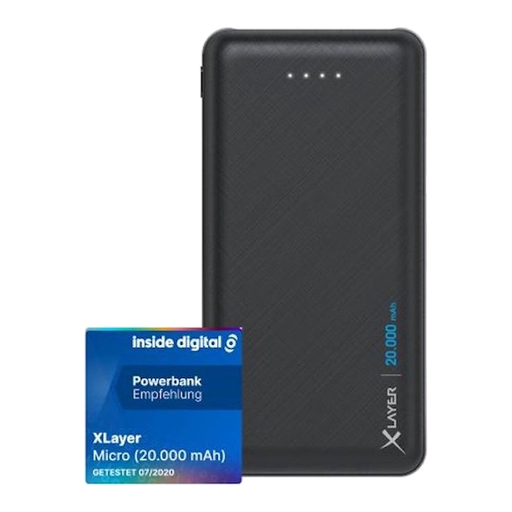 No image available
The two USB outputs may suit you if you want to charge several devices. Check which output type matches your headphone cable.
20,000 mAh; two USB outputs; one USB-C input.
Avoid water and extreme temperatures. Stop using it if it swells, leaks or becomes unusually hot.
 No image available
The stated ability to charge two devices at once may suit you if you use a second device as well as your headphones.
10,000 mAh; 25 W; USB-C; stated weight 210 g.
The user instructions recommend using original Samsung or certified cables and adapters, and not covering the power bank while it’s charging.
Not based on the headphones alone. First check the connection and charging instructions; a high maximum output doesn’t prove that a small case will keep charging while connected.
First check the cable and connection, then see whether your exact power bank model has a mode for low-current devices. Anker describes such a mode, but says you should check whether it’s available on each model.
No, don’t assume that a feature for phones will work. Check whether your exact case supports wireless charging and whether the power bank’s charging surface is suitable. Apple distinguishes between charging case models; Belkin’s description of its magnetic power bank mainly refers to compatible phones.
According to the Fire and Rescue Service, heat needs room to escape: don’t put the power bank under a pillow or duvet, and don’t use a damaged cable. Charge battery-powered devices in a room with a working smoke alarm.
According to the Dutch government, online purchases from a business often come with a 14-day cooling-off period, although there are exceptions. Check the terms for the specific purchase and seller.