If you usually have a plug socket within reach in your student room and only need to charge your earbuds case, a power bank is mainly useful as a portable backup. Choose one based on how your exact case charges and which connector it uses. If charging has stopped unexpectedly before, check whether the specific model has a low-current mode for small devices. Extra ports, capacity or wireless charging are only relevant if you’ll actually use them. Make sure there’s enough airflow around the power bank while it’s charging, too.
Who is this choice relevant to?
A student whose case sometimes stops charging
Wants their small charging case to keep charging when it draws very little power, and checks whether the exact power bank model has a suitable mode. Anker lists this feature for the 313 Power Bank (PowerCore 10K, A1229).
A student who carries a case and a phone
Wants backup power for both devices and looks at suitable ports, cables, size and capacity, rather than just a high output. Fresh ’n Rebel lists a USB-C port for input and output on the Powerbank 12000 mAh (2PB12100).
A student with a wirelessly chargeable case
Is considering a wireless charging pad, but first checks whether their own case supports wireless charging and is compatible with the power bank. Samsung warns that compatibility varies by model.
What should you look for?
Start with the case: its connector and charging behaviour determine which features you can actually use.
| What to consider |
What should you check? |
Who is this important to? |
| Keeping the charge going when power draw is low |
Check whether the exact model has a low-current mode for small devices, and how to switch it on. |
If my case sometimes stops charging before it’s full, I want to know whether the power bank will keep supplying power. Around 29% of consumers prioritise uninterrupted charging for their case. |
| Connector and charging method |
Check which connector and cable your case needs. Only choose wireless charging if your case is compatible. |
Anyone who wants to make sure the cable or wireless charging method they choose will work with their case puts compatibility first. Around 23% of consumers prioritise the connector and charging method. |
| Charging safely in a small room |
Use undamaged cables and charge the power bank in a clear space, not under bedding. |
In a small student room, I want to be able to place the power bank in a clear space and check the product information. Around 18% of consumers prioritise safe use in their room. |
| Portability and backup power |
Compare capacity, actual energy delivered, weight, dimensions and the number of ports. |
If you want to top up your case and perhaps your phone while out and about, look for useful backup power without an unnecessarily bulky model. Around 18% of consumers prioritise portable backup power. |
| Features and accessories you need |
Check which cables are included and whether you need the extra charging features and ports. |
If I only want to charge my case, I don’t want to choose features or accessories I don’t need for that connection. Around 12% of consumers prioritise avoiding unnecessary features and accessories. |
Common buying mistakes
-
Working out a fixed number of case charges from the mAh figure
The stated capacity alone doesn’t tell you how much power the power bank will actually deliver to your case. The Dutch Consumers’ Association tests how much power power banks really deliver and compares it with the manufacturers’ claims.
Use mAh to compare models, but also compare the actual energy delivered where this information is available. Don’t use the figure on the label to calculate the number of full case charges directly.
-
Assuming every USB-C port can charge devices
According to Anker Support, the USB-C port on the Anker 313 Power Bank (PowerCore 10K, A1229) is an input. You can charge your case using the USB-A output and a suitable cable.
Check whether each port is an input, an output or both, and compare it with the connector on your case.
-
Choosing wireless charging without checking your case model
Samsung says wireless compatibility varies by model. The charging method can also differ between versions of an earbuds case.
Check how your exact case model charges before taking a power bank’s extra features into account.
-
Putting the power bank under bedding while it’s charging
The Fire Service advises placing chargers in a clear space so heat can escape, and not charging devices under a pillow or duvet.
Choose a clear space, use undamaged cables and follow the product instructions.
Brands to consider
Anker
The 313 Power Bank (PowerCore 10K, A1229) is worth considering if your case draws very little power and charging may stop as a result.
- Anker lists a low-current mode for small devices on this specific model.
- According to Anker Support, USB-C is an input only. Use the USB-A output and a suitable cable to charge your case.
Fresh ’n Rebel
The Powerbank 12000 mAh (2PB12100) is a wired option for anyone who wants to connect other devices as well as their case.
- Fresh ’n Rebel lists a USB-C port for input and output, plus 20 W Power Delivery, for this model.
- A stated charging output doesn’t in itself confirm that charging will continue when the power draw is low. Check this separately if it matters for your case.
Samsung
The Galaxy Battery Pack EB-U2510XUEGEU is worth considering if you have a wirelessly chargeable case.
- Samsung lists wireless charging for compatible buds and two wired connections on this model.
- Samsung warns that wireless compatibility varies by model, so check whether your specific case is supported.
Belkin
The BoostCharge BPB012btBK is designed for anyone who wants to connect several devices by cable as well as their earbuds case.
- Belkin specifies a capacity of 20,000 mAh, two USB-A outputs and a USB-C port for this model.
- If you’re only charging an earbuds case, the extra capacity and ports may go unused. Check separately whether the model supports charging when power draw is low.
Power banks at Joybuy
This selection at Joybuy includes wired power banks for a case and possibly other devices, as well as models with wireless charging. Always check that wireless models are compatible with your specific case.
 No image available
MOMAX 1-Power F.Pass+ Ultra-Slim power bank, 10,000 mAh
A wired option if your case charges via USB-C and you want to connect several devices.
The product information lists a built-in USB-C cable, USB-C input and output, and a USB-A output.
View at Joybuy
 No image available
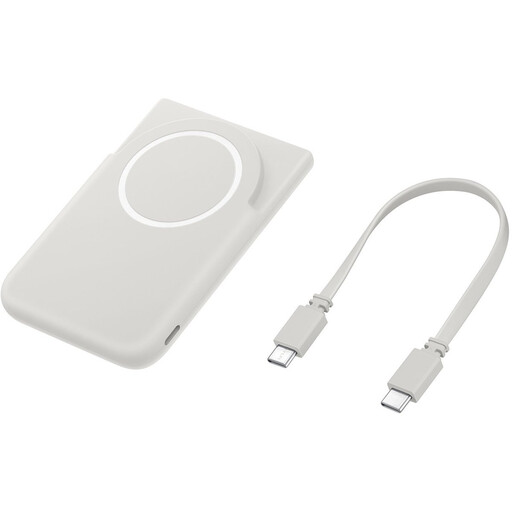
Samsung Magnet Battery Pack, 5,000 mAh, USB-C, grey
Only consider this model for your case after checking that the specific case is compatible with wireless charging.
The product information lists wireless charging for compatible Galaxy devices and a built-in stand. This doesn’t confirm compatibility with every earbuds case.
View at Joybuy
 No image available
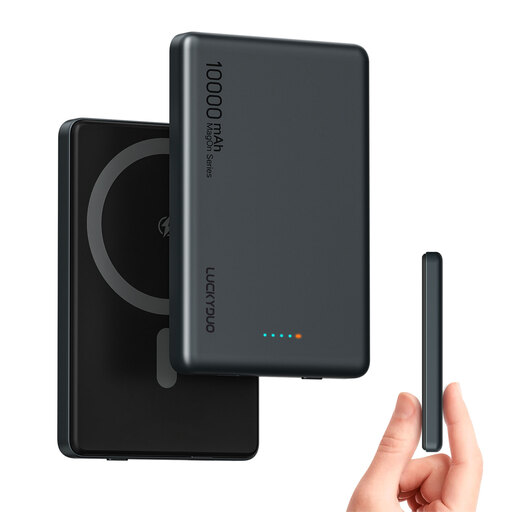
Magnetic wireless power bank, 10,000 mAh, two USB-C ports, 20 W PD
An option to consider if you want wireless charging, but first check whether your earbuds case is compatible.
The product name lists magnetic wireless charging, two USB-C ports and 20 W PD. This information doesn’t confirm that a specific earbuds case can charge wirelessly.
View at Joybuy
 No image available
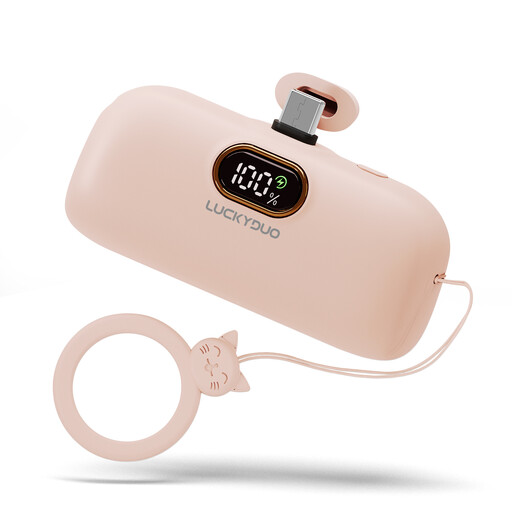
Mini power bank, 5,000 mAh, USB-C, pink
A compact wired option to consider if the connector on your case matches the cable you need.
The product name lists 5,000 mAh and USB-C. Before buying, check that the connector and included accessories are suitable for your case.
View at Joybuy
 No image available
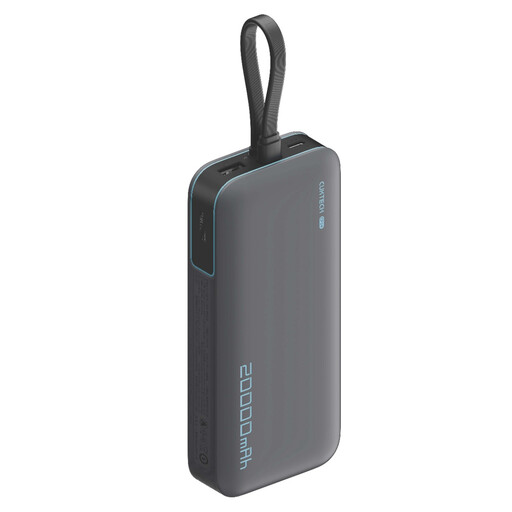
CUKTECH 20000 mAh 40W power bank (CP24) +3C LPB200N, grey
This model is worth considering if you want to connect several devices as well as your case. If you’re only charging a case, you may not use the extra ports.
The product information lists 20,000 mAh, 40 W and three output ports. Avoid short circuits with metal objects and don’t dismantle the power bank. Stop using it if it becomes excessively hot while charging.
View at Joybuy
Frequently asked questions
Why does my power bank sometimes stop while my earbuds case is still connected?
A case that draws very little power may trigger the automatic shut-off on some power banks. Check whether your exact model has a low-current mode and follow the instructions in the manual. The feature and how to use it vary by model.
Do I need a wireless power bank for my earbuds case?
No, not if you charge the case by cable. Only choose a wireless charging pad if your specific case supports wireless charging and is compatible with the power bank.
How can I check whether a power bank will connect to my case?
Compare the connector on your case with the power bank’s outputs and check which cable you need. Don’t assume every USB-C port is an output: according to Anker Support, USB-C on the Anker 313 Power Bank (PowerCore 10K, A1229) is an input only.
Where can I charge a power bank safely in my student room?
Place the power bank and connected devices in a clear space so heat can escape, and don’t charge them under a pillow or duvet. This is the Fire Service’s safety advice; it doesn’t mean that a particular model is risk-free.
Is CE marking required for a power bank sold in the Netherlands?
CE marking is required for electrical products sold in the Netherlands. Check the applicable marking and product documentation for the specific model. A CE marking on its own is not an independent safety test.


