Who is this relevant to?

Charging earbuds by your bed

You want to charge the case within easy reach, so the main thing is to find a suitable, clear spot for it. More charging power isn’t automatically important. The Netherlands Fire Service advises placing chargers in a clear space and not charging devices under a pillow or duvet.

Using a small charging case

If charging sometimes stops before the case is full, check whether the power bank has a mode for low-power devices. Anker Support recommends checking this for the specific power bank model.

Using a wireless charging case

You might want to charge without a cable, but first check whether your exact case supports wireless charging and sits properly on the charging surface. Apple Netherlands shows that charging options can vary between AirPods models and cases.

What should you look for when buying?

Wired charging with a low-current mode

Choose this if: your case charges via a cable and a regular power bank sometimes switches off before the case is full.

Bear in mind: the mode varies by model. Check how to activate it and which port supplies power, too.

Standard wired power bank

Choose this if: your case charges via a compatible cable and output, and the power bank stays on while charging.

Bear in mind: not every model’s USB-C port is an output. Check the port’s function and the cable you need.

Wireless charging surface

Choose this if: your exact case supports wireless charging and can sit properly on the charging surface.

Bear in mind: a magnetic charging surface for a phone won’t necessarily work with every earbuds case.

What to consider What to look for Who is this important for?
A safe place to charge Keep the power bank and case in a clear space, away from bedding; don’t use a damaged cable. If you charge by your bed, you don’t want to prevent heat from escaping. Around 36% of consumers put a clear, safe charging space first.
Will the case keep charging? Check the full model number to see whether there’s a low-current mode and how to use it. If your small case sometimes doesn’t charge fully, you’ll want to prevent the power bank from switching off too soon. Around 29% of consumers prioritise uninterrupted charging.
Connection or wireless charging Check the case’s charging port, the compatible cable and whether it supports wireless charging. If you’re unsure whether your case will work with the connection or charging surface, first check compatibility with the exact model. Around 21% of consumers put this check first.
Size and ports Compare the dimensions, available connections and included cable for the exact model. If you also want to take the power bank with you or use it with other devices, size and ports matter. Around 14% of consumers prioritise these extra uses.

Common mistakes

  • Assuming a USB-C port is always an output

    According to Anker, the USB-C port on the Anker 313 Power Bank A1229 is input-only. So you can’t simply use any port to power your case.

    Check the information for the full model number to find out which port is an output and which cable you need.

  • Assuming every case works with a magnetic charging surface

    Wireless charging support and correct positioning depend on the case itself; a phone charging surface won’t necessarily work.

    Check the capabilities of your exact case model. Otherwise, use a compatible wired output and cable.

  • Treating similar model numbers as the same product

    Trust Primo 25029 and Trust 25028 have different model numbers. Features of one model don’t automatically apply to the other.

    Compare the full model number and relevant specifications before relying on product information for a deal.

  • Confusing charging in bed with a safe place to charge

    The Netherlands Fire Service warns that a pillow or duvet can prevent heat from escaping.

    Place the equipment in a clear space, away from the bed, and don’t use damaged cables.

Brands to consider

Anker

The 313 Power Bank (PowerCore 10K, A1229) is worth considering if you’re looking for a low-current mode confirmed for a specific model and suitable for earbuds.

  • Anker describes a mode for low-power devices, which you activate using the button.
  • According to Anker, USB-C on model A1229 is input-only. A USB-C cable, Lightning cable and mains adapter aren’t included.

Belkin

The BoostCharge BPD010hqBK combines a USB-C port with a magnetic wireless charging surface.

  • Belkin lists a capacity of 5.000 mAh, up to 15 W via USB-C with one device connected, and an included USB-C cable.
  • The stated compatibility with wirelessly chargeable earbuds doesn’t confirm that every case will fit or sit correctly.

Trust

The Primo 25029 is a wired option for comparing USB-A and USB-C connections.

  • Trust lists two USB-A ports, one USB-C port and an included micro-USB cable for charging the power bank.
  • The product information doesn’t confirm a dedicated low-current mode for model 25029. This model number isn’t the same as 25028.

Xtorm

The Fuel Series 5 FS5100 is a wired option if you want to compare USB-C and USB-A connections as well as charging your earbuds case.

  • Xtorm lists a capacity of 10.000 mAh and 20 W USB-C PD for this model.
  • The higher output doesn’t prove that an earbuds case will charge faster or without interruption.

Power banks at Joybuy

This selection includes power banks with a wireless charging surface and wired models. Before buying, check that the connections and charging method work with your case. Also check the CE marking and product information for the exact model. The Government of the Netherlands describes the CE marking as a requirement for electrical appliances placed on the market in the EU.
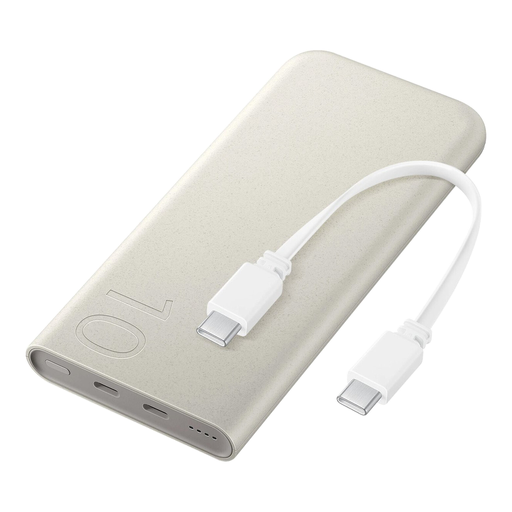
Samsung 25W wireless charging power bank, 10.000 mAh, beige

Samsung 25W wireless power bank, 10.000 mAh

Consider this model only if your exact earbuds case supports wireless charging and sits properly on the charging surface.

10.000 mAh; wireless charging up to 7,5 W and wired charging up to 25 W. The description lists an integrated USB-C cable and charging for up to three devices at once.

View at Joybuy
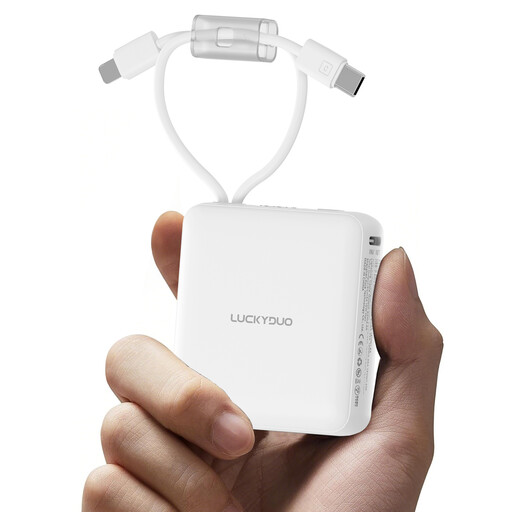
10.000 mAh power bank with two built-in cables and LED display

10.000 mAh power bank with 2 built-in cables

This model may be suitable if one of the built-in cables connects to your case; check before relying on it.

10.000 mAh; two built-in cables and an LED display. The description lists support for Type-C devices.

View at Joybuy
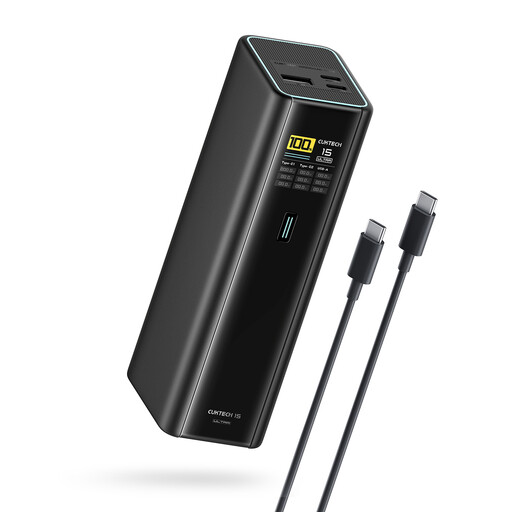
CUKTECH 15 Ultra power bank PB200U, 20.000 mAh, 140 W

CUKTECH 15 Ultra Power Bank PB200U

A wired option if your case charges via a compatible USB output and cable; check your case’s connection.

20.000 mAh, 140 W and three ports; the product information lists USB-C and PD 3.1.

The product information warns against short circuits caused by metal objects and against dismantling the power bank. Stop using it if it overheats.

View at Joybuy
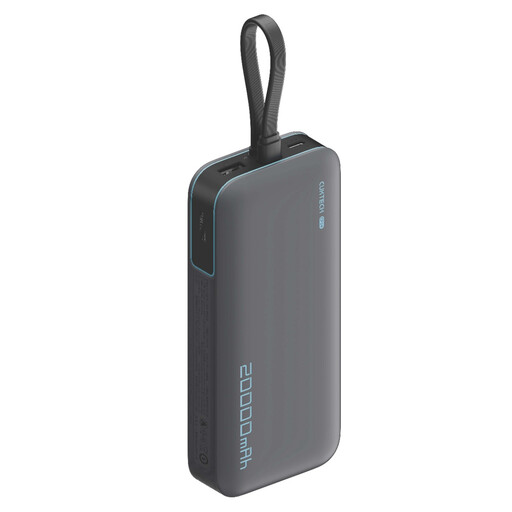
CUKTECH CP24 with 3C LPB200N, 20.000 mAh, 40 W power bank

CUKTECH CP24 + 3C LPB200N power bank

A wired option if your case can connect to one of the outputs; check which type of cable you need.

20.000 mAh, 40 W and three output ports.

The product information warns against short circuits caused by metal objects and against dismantling the power bank. Stop using it if it overheats.

View at Joybuy

Samsung 20.000 mAh power bank with three USB-C ports, 45 W

Samsung Power Bank 45W, 20.000 mAh

A wired option if your case charges via USB-C; check that the included cable and ports suit your needs.

20.000 mAh, three USB-C ports and an included 20 cm USB-C cable.

View at Joybuy

Frequently asked questions

Can I charge my earbuds case under a pillow or duvet overnight?

No. The Netherlands Fire Service advises placing chargers in a clear space so heat can escape, and not charging devices under a pillow or duvet. Follow the manufacturer’s instructions, too.

Why does my power bank switch off before the case is full?

A power bank may switch off when a device draws very little power. Anker describes a low-current mode for these devices, but support varies by model, so check the information for the full model number.

Can I use any wireless power bank with my earbuds case?

No, it depends on the case. Check whether your exact case model supports wireless charging and can sit properly on the charging surface. If not, choose a compatible cable and output.

Does a power bank need to be plugged into the mains while charging the case?

No, a pre-charged power bank will normally work without being plugged into the mains. Some models support pass-through charging, but that doesn’t make it safe to charge under bedding.

Which marking should I check on a power bank?

The Government of the Netherlands describes the CE marking as a requirement for electrical appliances placed on the market in the EU. Check the marking and product information for the exact model you’re considering.
