Who is this buying guide for?

Earbud owners whose charging sometimes stops

If your case stops charging before it’s full, look for a model-specific low-current mode for devices that use little power. Anker describes this feature on certain models, including the Anker 313 Power Bank (PowerCore 10K).

If you want to charge your case by the bed using a cable

A suitable cable connection may be all you need if you don’t require wireless charging. Check which port your case uses and whether the power bank’s chosen port can supply power. The Consumers’ Association describes USB-A and USB-C as common ports on power banks.

If your case supports wireless charging

If you want to put your case down without connecting a cable, check that your exact case and the power bank are compatible. Samsung warns that wireless compatibility can vary between devices.

What should you look for?

Wired charging

Suitable if: your case has a port that matches the power bank’s output and cable.

Bear in mind: a USB-C port isn’t necessarily an output. On the Anker 313 Power Bank (PowerCore 10K), Anker says USB-C is an input only.

Wireless charging

Suitable if: the manufacturer confirms that your exact case supports wireless charging and it’s compatible with your chosen power bank.

Bear in mind: having wireless headphones doesn’t necessarily mean their case supports wireless charging. Samsung states that the Galaxy Battery Pack EB-U2510XUEGEU supports wireless charging at up to 7.5 W, and that compatibility varies by model.

Wired charging for devices that use little power

Suitable if: your case draws very little power and charging stops before it’s full. Check whether the specific model you’re considering has a suitable mode.

Bear in mind: support for devices that use little power is specific to each model; it isn’t a feature of every power bank from a particular brand.

What to consider What to look for when buying Who should prioritise this?
Charging devices that use little power Check whether the exact model has a low-current mode for devices that use little power, and how to activate it. If my case sometimes stops charging early, I want to know whether the power bank has a suitable mode. Around 25% of consumers prioritise uninterrupted charging for devices that use little power.
Port and cable Match your case’s port to the power bank’s cable and output, and check that the output supplies power. If I want to charge by cable, the connector and output must suit my case. Around 25% of consumers give a working cable connection top priority.
Charging spot beside the bed Choose a hard surface. Twente Fire Service recommends charging during the day if possible, and near a smoke alarm. If I’m setting up a charging spot beside the bed, I want it to meet safety recommendations. Around 25% of consumers prioritise safe charging in that spot.
Wireless compatibility Check that both your exact case and the power bank support wireless charging and are compatible with each other. If I want to put my case down without a cable, I want to know in advance whether the two devices will work together. Around 25% of consumers make wireless charging their top priority.

Common mistakes

  • Assuming wireless headphones come with a wireless-charging case

    Wireless charging depends on the exact case and its compatibility with the power bank. The headphones’ wireless connection doesn’t confirm that the case can charge wirelessly.

    Check the documentation for both devices before making wireless charging a reason to buy.

  • Assuming every USB-C port is an output

    On some models, a USB-C port is only for charging the power bank itself. Anker says the USB-C port on the Anker 313 Power Bank (PowerCore 10K) is an input only.

    Check whether the port on the exact model is an output, and whether the cable fits your case.

  • Treating charging on a mattress or duvet as normal use

    For charging beside the bed, Twente Fire Service recommends using a hard surface and, if possible, charging during the day near a smoke alarm.

    Make space for a hard-surface charging spot and follow the devices’ instructions for use and safety.

Brands to consider

Anker

The Anker 313 Power Bank (PowerCore 10K) is worth considering if your case draws very little power.

  • Anker says this model has a low-current mode for devices that use little power, including Bluetooth earbuds.
  • Anker says this model’s USB-C port is an input only. Check which port can charge your case.

Samsung

Samsung says the Galaxy Battery Pack EB-U2510XUEGEU combines wired connections with wireless charging.

  • Samsung says this model supports wireless charging at up to 7.5 W.
  • Samsung warns that compatibility varies by device. Check your exact case and power bank.

Trust

The Trust Fiera 10,000 mAh and Primo 10,000 mAh models reviewed here have different wired connections.

  • Trust lists a fixed USB-C cable and an extra USB-C port for the Fiera. For the Primo, Trust lists two USB-A ports and a USB-C port.
  • Check that the fixed cable or port output suits your case. If your case draws very little power, check separately whether the exact model has a suitable mode for it.

Joybuy products

Joybuy products in this category, with a focus on wired charging. Check that each model’s port and output are suitable for your earbud case.
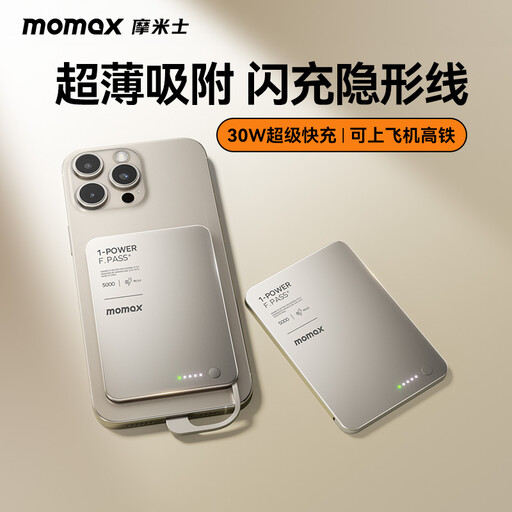
MOMAX 1-Power F.Pass+ Ultra-Slim Power Bank, 5,000 mAh

MOMAX 1-Power F.Pass+ Ultra-Slim Power Bank, 5,000 mAh

The built-in USB-C cable gives you a wired charging option if your case charges via USB-C.

Capacity: 5,000 mAh. Check that the cable fits your case’s port.

Joybuy
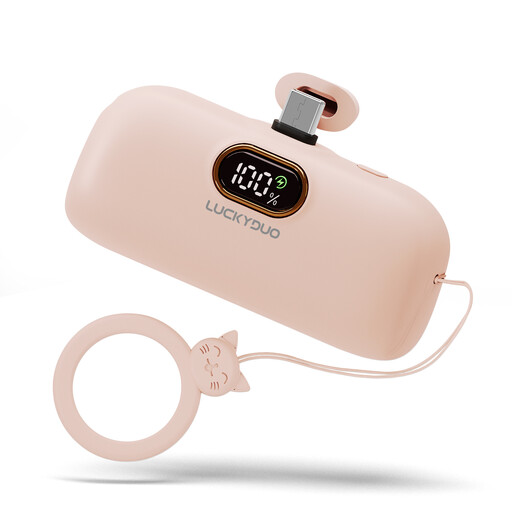
Mini USB-C power bank, 5,000 mAh, pink

Mini USB-C power bank, 5,000 mAh, pink

The USB-C port described is for charging devices. This option is suitable if your case charges via USB-C.

Capacity: 5,000 mAh. Check that your case’s port and the supplied or required cable are compatible.

Joybuy
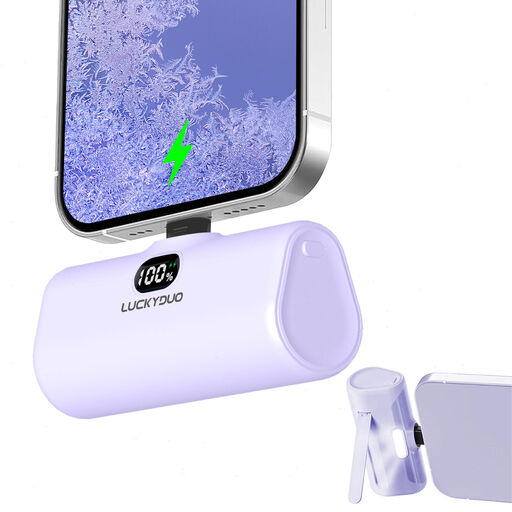
Lightning portable charger, 5,000 mAh

Lightning portable charger, 5,000 mAh

Before buying, check that this model’s charging output and cable match your case’s port.

Capacity: 5,000 mAh. The product name alone doesn’t confirm which output your earbud case needs.

Joybuy
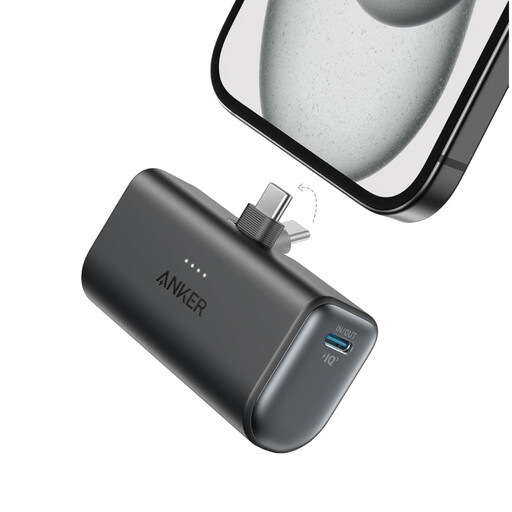
Anker Nano power bank, 5,000 mAh, black

Anker Nano power bank, 5,000 mAh, black

The product description mentions charging USB-C devices. Check that the output suits your case.

Capacity: 5,000 mAh. Stated output: 22.5 W.

Joybuy
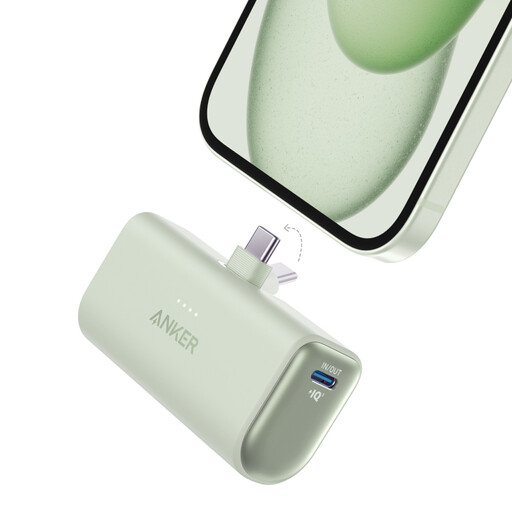
Anker Nano Power Bank, 22.5W, built-in USB-C connector, UN Green

Anker Nano Power Bank (22.5W, Built-In USB-C Connector), UN Green

The description mentions USB-C connections for charging devices. Check that they suit your case.

Capacity: 5,002 mAh. Stated output: 22.5 W.

Joybuy

Frequently asked questions

Can I leave my power bank and headphones charging on the bed overnight?

If you’re charging beside the bed, use a hard surface rather than a mattress or duvet. Twente Fire Service recommends charging during the day if possible, while you’re nearby, and near a smoke alarm. This is safety advice, not a legal ban on charging.

How can I tell if my earbud case supports wireless charging?

Check the documentation for your exact case and the power bank’s compatibility information. Samsung states that wireless compatibility can vary between devices.

What can I do if my earbuds stop charging before they’re full?

First, check that the cable and port are compatible. Then check whether your exact power bank model has a low-current mode for devices that use little power. Anker describes this feature on certain models, but it isn’t available on every model.

Who should I contact about a faulty power bank bought in the Netherlands?

If your power bank is faulty, contact the retailer. According to the Dutch Government, there is no fixed legal two-year guarantee period in the Netherlands. The retailer must supply a product that is fit for purpose, and what you can expect depends, among other things, on the product and the circumstances.
