What should you look for when buying?
Start with your cycle computer’s connector and charging requirements. Then work out how many extra devices and how much luggage you want to take on your journey.
| What to consider |
What should you check? |
Who is this important for? |
| Connector and cable |
Check the full cycle computer model and the recommended cable and power source. |
If I want to carry as few separate cables as possible, the built-in cable must be compatible with my cycle computer. Around 36% of consumers give top priority to having the right connector and cable. |
| Continuous charging |
Check whether your cycle computer has specific charging requirements and whether the exact power bank model supports a low-current mode, if needed. |
If I want to avoid charging stopping during the journey, I check both the device manual and the power bank’s capabilities. Around 29% of consumers focus mainly on uninterrupted charging. |
| Capacity and ports |
Decide which devices you want to charge and compare the stated capacity and connections; don’t use these to assume a certain number of cycle computer charges. |
If I want to charge another device as well as my cycle computer, I look at the ports and capacity I need. Around 21% of consumers prioritise having room for several devices. |
| Taking it on the coach |
Compare the dimensions and stated weight of the model, and check your operator’s luggage policy. |
If my bag has little room, I want a charging pack that’s easy to keep by my seat. Around 14% of consumers prioritise portability. |
Power banks on Joybuy
These power banks offer a range of connections, built-in cables and capacities for travelling. Check each model to make sure its cable and charging requirements are compatible with your cycle computer.
 No image available
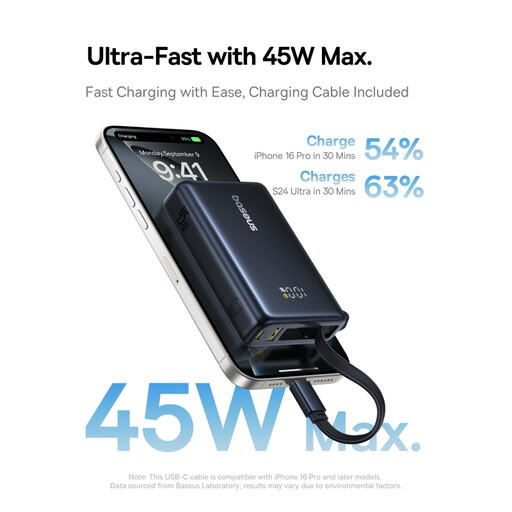
Baseus PicoGo Digital Display Power Bank, 10,000 mAh, 45 W, Interstellar Black
An option if you want to use different connections; check which cable and power source your cycle computer requires.
The product name lists 10,000 mAh and 45 W. The capacity doesn’t guarantee a particular number of cycle computer charges.
Joybuy
 No image available
Samsung Fast Charge Duo Power Bank, 25 W, 10,000 mAh, Beige
An option if you want to charge another device as well as your cycle computer; check which cables your devices need.
The product name lists 25 W and 10,000 mAh. Choose a model that meets your cycle computer’s charging requirements.
Joybuy
 No image available
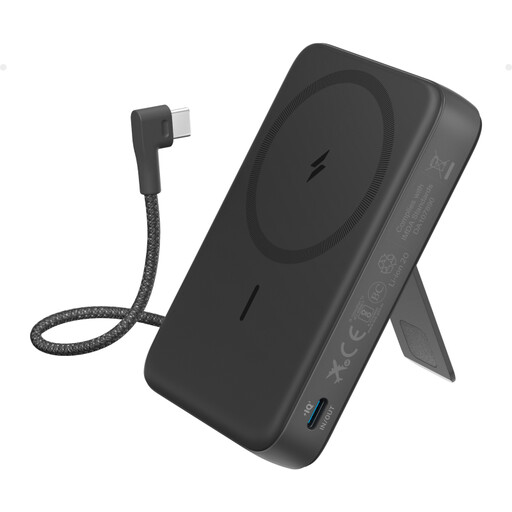
Anker 10K Magnetic Power Bank with built-in USB-C cable, Black
The built-in USB-C cable could save you carrying a separate cable if your cycle computer has a compatible connection.
Check your device manual and the power bank’s charging requirements before relying on the built-in cable.
Joybuy
 No image available
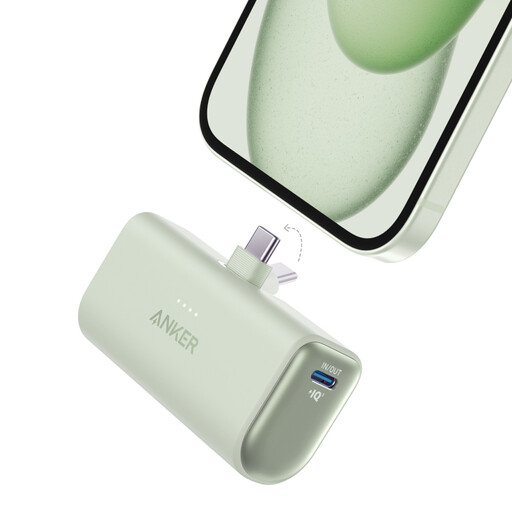
Anker Nano Power Bank, 22.5 W, built-in USB-C connector, UN Green
The built-in USB-C connector could be handy if it fits your cycle computer’s connection directly.
The product name lists 22.5 W. Check your cycle computer’s instructions before choosing a charging combination.
Joybuy
 No image available
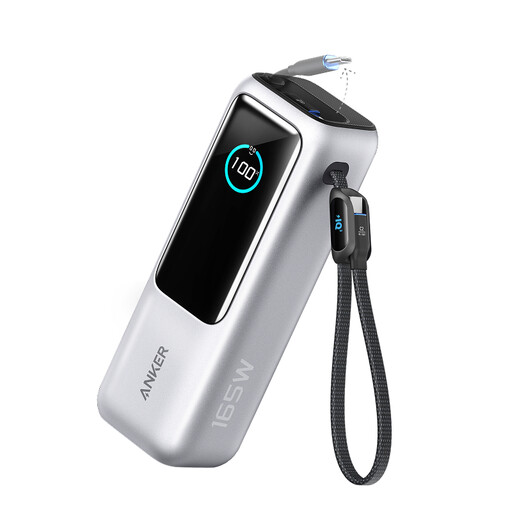
Anker Power Bank, 25 kWh, 165 W, built-in USB-C port and retractable charging cable, 1-pack
The product name lists a built-in USB-C port and retractable charging cable; check that it provides the right connection for your cycle computer.
The product name lists 25 kWh and 165 W. Check the specifications for this version and your device’s charging requirements before choosing.
Joybuy
Frequently asked questions
Can I charge my device on the coach instead of taking a power bank?
Yes, if your operator and seat provide a suitable connection. FlixBus lists power sockets and USB ports on board; check the facilities available on your journey and bring the right cable.
Will every USB-C power bank work with a USB-C cycle computer?
No. The plug’s shape alone doesn’t confirm that the charging combination is suitable. For early BOLT 2 units, Wahoo specifies a USB-A-to-USB-C cable connected to a suitable USB-A power source or a smart power source. Check the instructions for your exact model and version.
What can I do if charging keeps stopping?
First, check the cycle computer’s cable, port and charging requirements. A low-current mode may be relevant for a device that draws very little power; Anker recommends checking whether each power bank model supports this mode.
How can I charge and store my power bank and cycle computer safely?
Don’t use a damaged cable, and don’t charge the device if there’s moisture in the charging port. Garmin recommends drying the USB port on the Edge 540 before charging. The Fire Service warns against letting heat build up around devices while they’re charging and advises against using damaged cables.
What are my rights if a power bank bought in the Netherlands is faulty?
According to the Dutch Government, you’re entitled to a product that works properly, and the retailer is your point of contact if something goes wrong. Many online purchases come with a 14-day cooling-off period, subject to exceptions; check which terms apply to your purchase.


