Who is this buying guide for?

Student with a USB-chargeable camera

You want to charge the battery in the camera and need to check whether your camera model supports USB charging. USB power and battery charging can be different functions. Sony Support and Nikon explain the charging options for specific camera models.

Student with spare camera batteries

You want to charge a removable battery with a compatible standalone USB charger, perhaps while keeping your camera free to use. The charger and its power input will also help determine which power bank to choose.

Student who also takes photos on the go

You want a portable backup to take with you as well as charging in your room. This means capacity, connections and portability may matter more. The Consumers’ Association lists portability and ease of use as factors to consider when choosing a power bank.

What should you look for?

Charging directly in the camera

Choose this if: your camera model’s manual confirms that it supports USB battery charging, and the connection, cable and power mode are all compatible.

Bear in mind: USB power while the camera is in use does not necessarily charge the battery. Sony Support explains that, for the method in question, charging starts when the camera is switched off.

Charging with a standalone USB battery charger

Choose this if: your battery can be charged outside the camera with a compatible USB charger, or if you want to keep your camera free to use.

Bear in mind: the charger must be suitable for your exact battery and compatible with the power bank’s output; you may also need a separate cable.

Charging from a mains power supply

Choose this if: you only charge in your student room, near a plug socket, and don’t need portable power in reserve.

Bear in mind: you won’t have a backup for when you’re out and about. Check your camera or battery charger’s instructions for this charging method too.

What to consider What to check before buying Who should consider this?
Charging compatibility Check the required output, cable and power mode in your camera or battery charger’s manual. If I want to be sure my camera battery will work with the charging method I’ve chosen, I’ll check the exact connections first. Charging compatibility is the top priority for around 33% of consumers.
Power reserve Compare the stated capacity in mAh; don’t treat it as a guaranteed number of charges for your camera battery. If I want to charge on the go or more often, I need enough power in reserve without carrying more than necessary. Around 27% of consumers prioritise usable power capacity.
Safe charging Check the battery, cable and casing before use, and charge in an open space. If I’m charging in my room, I want to keep the equipment in an open space and avoid using damaged parts. Safe charging is the main concern for around 27% of consumers.
Cost and portability Consider whether you need a power bank; if you’ll be taking it with you, check the connections, dimensions and weight too. If I’m mainly charging near a plug socket, I don’t want to buy a portable backup I won’t need; size matters when I’m out and about too. Around 13% of consumers focus mainly on cost and portability.

Common buying mistakes

  • Assuming USB power means the battery is charging

    A camera receiving power via USB won’t necessarily charge its battery at the same time. Sony Support explains that, for the method in question, the camera must be switched off to charge the battery.

    Read the instructions for USB power and battery charging separately in your model’s manual.

    You may need a compatible standalone battery charger for a different charging method.

  • Assuming the mAh rating means a set number of charges

    A stated capacity doesn’t tell you how many times it can charge a particular camera battery. Examples of how long it takes to charge a phone won’t tell you that either.

    Use capacity as a guide when comparing models, and check your camera or battery charger’s charging requirements.

  • Charging on a bed or under bedding

    Bedding can restrict heat dissipation. The Fire Service advises against charging devices under a pillow or duvet.

    Place charging equipment in an open space and check the cable and casing for damage.

Brands to compare

Belkin

The BoostCharge BPB011btBK is worth comparing if you need USB-A as well as USB-C.

  • Belkin’s product specifications state that the 10.000mAh version has two USB-A outputs, one USB-C output and a total maximum output of 15 W when using three ports.
  • These features don’t confirm that the power bank can charge your specific camera battery.

Xtorm

The Fuel Series 5 FS5103U is an option to compare, with USB-C and USB-A.

  • Xtorm lists 10.000 mAh, two USB-C ports, one USB-A port and a 20 W USB-C PD output.
  • Check separately whether the output matches the power requirements of your camera or battery charger.

Fresh 'n Rebel

The 12.000mAh 2PB12100SG is an example with a USB-C port that the manufacturer says can also be used as an output.

  • The manufacturer lists 20 W Power Delivery, one USB-C port and one USB port.
  • Phone charging times don’t prove how long it takes to charge a camera battery.

Anker

The Nano A1259 is an option to consider if you can use its built-in USB-C cable.

  • Anker specifies a USB-C cable, a USB-C output of up to 30 W and USB-A.
  • The built-in cable won’t help if your camera or standalone charger requires a different connection or power mode.

Power banks on Joybuy

These Joybuy products are portable power banks for anyone looking for a USB power backup. Before buying, check that the output and cable are compatible with the way you charge your camera battery.

MOMAX 1-Power F.Pass+ Ultra-Slim power bank, 10.000 mAh

MOMAX 1-Power F.Pass+ Ultra-Slim, 10.000 mAh

A portable backup with a built-in USB-C cable; check that the cable and output are compatible with your camera or battery charger.

10.000 mAh; USB-C cable; USB-C and USB-A outputs; USB-C PD up to 20 W.

Joybuy
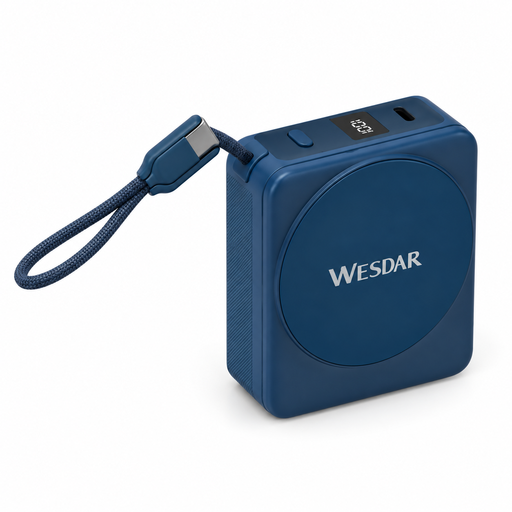
Magnetic power bank, 10.000 mAh, with integrated USB-C cable

Magnetic power bank, 10.000 mAh

A portable backup with an integrated USB-C cable; the cable and charging output must be compatible with your camera or battery charger.

10.000 mAh; wired charging up to 22,5 W; 15 W wireless charging.

Joybuy
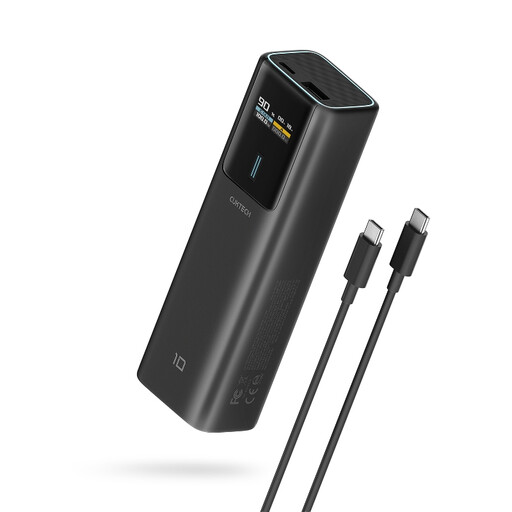
CUKTECH PB100P power bank, 10.000 mAh

CUKTECH PB100P, 10.000 mAh

An option with a USB-C output; a high stated power rating alone doesn’t confirm that it can charge your camera battery.

USB-C output up to 100 W; TFT display.

The product information states that the power bank can get significantly warm when delivering 100 W, and that the USB-C port is not waterproof.

Joybuy
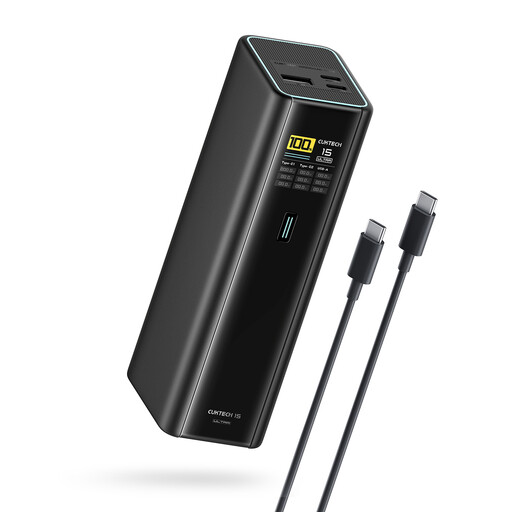
CUKTECH 15 Ultra power bank, 20.000 mAh, 140 W

CUKTECH 15 Ultra, 20.000 mAh

A power bank with several USB-C ports for anyone looking for a larger portable backup; check that the ports are compatible with the way you charge your camera battery.

20.000 mAh; three USB-C ports; output up to 140 W.

Joybuy
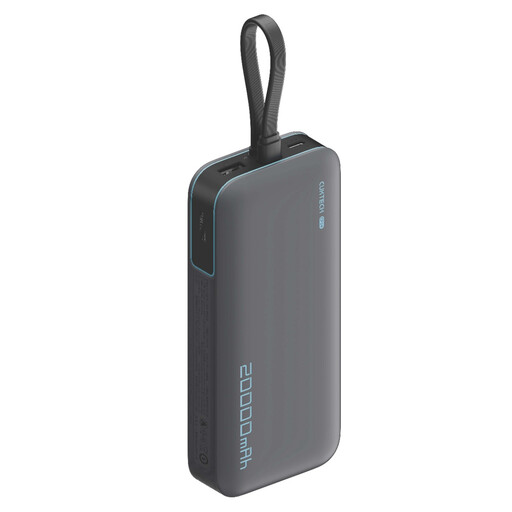
CUKTECH 20.000 mAh 40 W power bank, CP24 and LPB200N

CUKTECH 20.000 mAh 40 W Power Bank (CP24) + 3C LPB200N

A portable backup with several USB-C ports; check the connection and power requirements of your camera or battery charger.

20.000 mAh; 40 W; three USB-C ports.

Joybuy

Frequently asked questions

Will a power bank charge my camera battery while I’m filming?

Not necessarily. Sony Support distinguishes between USB power and battery charging, and explains that, for the method in question, charging starts once the camera has been switched off. Check the manual for your exact model.

Where can I charge safely in my student room?

Place charging equipment in an open space, not under a pillow or duvet, so that heat can escape. The Fire Service advises against charging devices under bedding. Don’t use damaged cables either, and follow the manufacturer’s instructions.

Will I always need a separate USB battery charger?

No, it depends on your camera model and battery. If you want to charge a removable battery outside the camera, check that a standalone charger is suitable for that exact battery and find out what USB power it requires.

Is a manufacturer’s warranty the same as the statutory guarantee in the Netherlands?

No. ACM ConsuWijzer distinguishes between a manufacturer’s or seller’s warranty and the statutory guarantee. With normal use, your statutory rights depend on what you could reasonably expect from the product; the seller is responsible for dealing with your claim.

Can I put a flat camera battery in general rubbish?

No. The Dutch government says that used batteries must not be put in the bin and lists collection points, including shops that sell batteries. This also applies to batteries from still and video cameras.
