What should you look for when buying?
First, decide which buying priority matters most in your situation. Then check the corresponding connection, charging requirements and capacity.
| Key consideration |
What should you check? |
Who is this important for? |
| Safe place to charge |
Choose a clear, stable spot away from pillows and duvets. Check the cable and battery for visible damage, and charge while you’re awake whenever possible. |
If I charge beside my bed, I want to keep the power bank and fan clear of bedding. Around 36% of consumers prioritise safe charging in the space beside their bed. |
| Connection and charging requirements |
Check the charging voltage in your fan’s manual and make sure the cable is compatible with the power bank’s output. |
I want to use my existing fan cable and follow the specified charging requirements. Around 29% of consumers prioritise a suitable connection and charging requirements. |
| Energy for charging sessions |
Where possible, compare Wh or output capacity at the relevant voltage. Use your fan’s specifications to work out how much energy you need. |
If there’s no nearby socket, I want to know whether my backup will last for the charging sessions I need. Around 21% of consumers prioritise having enough usable energy. |
| Low charging current |
If charging stops unexpectedly, check whether your power bank model has a suitable low-power mode and what its manual says about it. |
I want to avoid charging stopping when my fan draws very little power. Around 14% of consumers particularly value an output that stays active at a low charging current. |
Power banks at Joybuy
These wired power banks are for anyone looking to match the connection and stated capacity to their fan’s charging needs.
 No image available
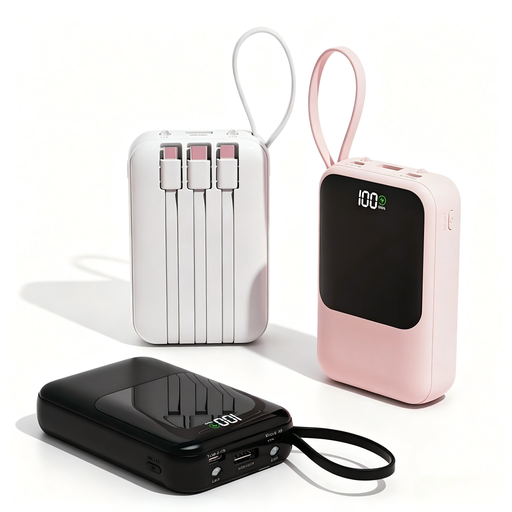
XBJ Power Bank 10,000mAh 22.5W with built-in cables, digital display and carry loop, black
The built-in cables can be handy if you don’t want to carry a separate cable. Check whether one is suitable for your fan.
The product name lists 10,000 mAh, 22.5 W, built-in cables and a digital display. The stated capacity doesn’t guarantee a specific number of charging sessions.
View at Joybuy
 No image available
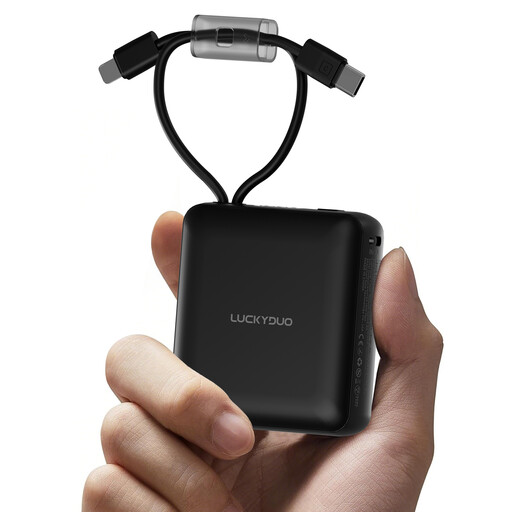
10,000 mAh power bank with 2 built-in cables and LED display, black
This model could suit you if you’re looking for a power bank with built-in cables. Check whether one of the cables connects to your fan.
The product name lists 10,000 mAh, two built-in cables and an LED display. The stated capacity alone doesn’t tell you how much energy the fan receives.
View at Joybuy
 No image available
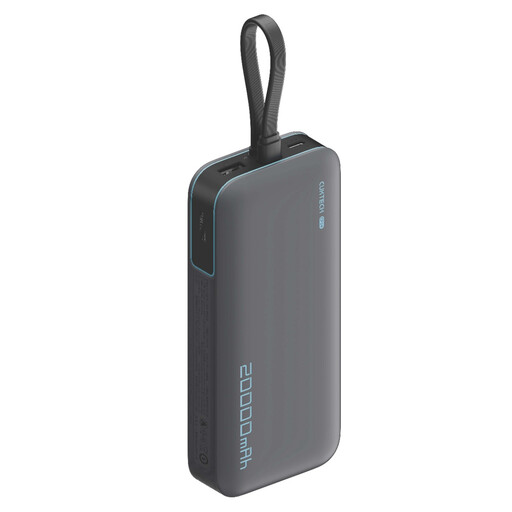
CUKTECH 20,000 mAh 40 W power bank (CP24) +3C LPB200N, grey
The higher stated capacity is worth considering if you want to compare several charging sessions. Match your choice to your fan’s charging specifications.
The product name lists 20,000 mAh and up to 40 W. The maximum power rating doesn’t tell you how quickly a specific fan will charge.
View at Joybuy
 No image available
Samsung Power Bank Fast Charge 45W, 3x USB-C, 20,000 mAh, beige
This model is worth comparing if your fan charges via a compatible USB-C cable and you’re looking for a higher stated capacity.
The product name lists 20,000 mAh, three USB-C ports and 45 W. A USB-C port won’t necessarily fit a fan cable with a USB-A plug, and the maximum power rating doesn’t guarantee a specific charging speed.
View at Joybuy
 No image available
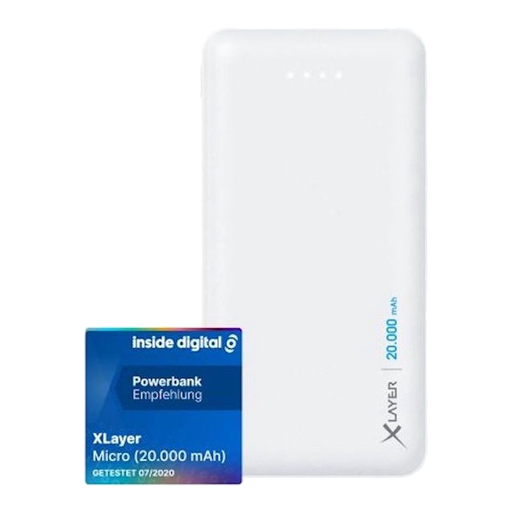
Xlayer Power Bank Micro 20,000 mAh, 2 USB outputs, 1 USB-C input, white
The two listed USB outputs may be worth considering if you want to compare them with your fan’s cable. Check your device’s charging requirements.
The product name lists 20,000 mAh, a LiPo power bank, two USB outputs and one USB-C input. The stated capacity doesn’t guarantee a specific number of charging sessions.
View at Joybuy
Frequently asked questions
Can I leave the fan charging on my bedside table while I sleep?
It’s best not to charge the fan while you’re asleep. Brandweer Nederland advises charging while you’re nearby and awake, placing devices in a clear space and not charging them under a pillow or duvet.
How can I tell whether one power bank charge will be enough?
First, look up the charging specifications for your fan. Don’t compare the power bank’s mAh directly with the fan’s: a power bank’s mAh rating refers to its internal cells, and converting the energy for the USB output uses some of it. Without the specifications for your fan model, you can’t reliably work out the number of charging sessions.
What can I do if charging stops shortly after I connect it?
First, check the cable, port and instructions for both devices. If your fan draws very little power and the power bank switches off as a result, check whether your specific model has a suitable low-power mode. Don’t assume it has this feature based on the brand alone.
What are my rights in the Netherlands if my power bank is faulty?
According to the Dutch government, you’re entitled to a product that works as it should. If a product is faulty, you may be entitled to a free repair, replacement or refund. The Netherlands doesn’t have a fixed legal guarantee period of two years for every product. What you can expect depends on the circumstances, so contact the seller.


