
Filming on long coach journeys
You want to have power to spare for your action camera on a long journey, even if you don’t yet know whether there’ll be a suitable socket by your seat.


Don’t choose based on mAh or maximum wattage alone: first check that the output, charging protocol and cable are right for your exact action camera model. A compact model of around 10,000 mAh may suit you if portability is your priority. Consider around 20,000 mAh if you’ll be travelling for longer without access to a suitable socket, or want to charge a second device too. However, the stated capacity doesn’t guarantee a set number of camera charges. Consumentenbond tests how much energy power banks actually deliver, while GoPro, DJI and Insta360 provide charging guidance for each camera model.
You want to have power to spare for your action camera on a long journey, even if you don’t yet know whether there’ll be a suitable socket by your seat.
You want to match the output, charging protocol and cable to your GoPro, DJI or Insta360 model, as charging guidance varies between models.
You want to top up your camera on the go without carrying more bulk or spare cables than necessary.
First, find out which socket and cable your camera needs. Then weigh up the energy reserve you want against portability and the option to charge multiple devices at once.
Choose this option: if you mainly want a handy power reserve for your camera.
Bear in mind: the lower stated capacity compared with models of around 20,000 mAh doesn’t tell you how much charge your camera will actually receive. Consumentenbond tests how much energy power banks really deliver.
Choose this option: if you’ll be travelling for longer without a suitable power source, or want to charge your phone as well as your camera.
Bear in mind: compare size and portability too. If you’re charging multiple devices at once, check how much power is available from each output.
Choose this option: if your coach operator and seat offer a suitable, working socket, and you have the right cable with you.
Bear in mind: FlixBus describes the sockets on its own coaches; this doesn’t confirm that every journey or seat has a suitable socket.
| What to consider | What should you check? | Who is this most important for? |
|---|---|---|
| Energy reserve for your journey | Compare the stated capacity and, where available, measurements of the energy actually delivered. Don’t use these to estimate a set number of camera charges. | If I’m travelling for a long time and don’t know whether there’ll be a suitable socket, I want enough power in reserve for my camera. Around 40% of consumers put energy reserve first. |
| Output and cable | Compare the charging instructions for your exact camera model with the power bank’s output, supported protocol and cable. | I want to know whether the connection is right for my camera, rather than relying on USB-C or the highest wattage alone. Camera compatibility is the top priority for around 30% of consumers. |
| Portability | Check the dimensions and weight. Also see whether a built-in or included cable has the right connectors and a useful length. | If I want to keep my bag light, size and carrying as few loose cables as possible both matter. Portability is the main priority for around 20% of consumers. |
| Charging two devices at once | Check the number of outputs and the power available from each one when you connect multiple devices. | If I also want to charge my phone, I want to know whether both devices can be connected at once and how much power will then be available. Around 10% of consumers prioritise charging multiple devices simultaneously. |
The stated capacity doesn’t tell you directly how much energy reaches your camera. Consumentenbond tests how much power banks actually deliver and whether it differs from the stated figure.
Use mAh to compare models initially, and look for test results for the exact power bank model where possible. Don’t expect a set number of camera charges without data for that specific combination.
Charging recommendations vary by camera model. The connector, charging protocol and cable all matter.
Before choosing, compare the instructions for your exact camera with the power bank’s output specifications. Also check whether you already have a suitable cable.
On 15 July 2025, the Netherlands Food and Consumer Product Safety Authority warned about specific Anker power bank models because of a risk of overheating and fire. This warning doesn’t automatically apply to the entire brand.
Check the power bank’s full model number against current product warnings, and don’t use it if it’s one of the affected models.
The features mentioned apply to the specific power bank models below, not automatically to a brand’s entire range.
Trust lists a built-in USB-C cable and an additional USB-C port for its 10,000 mAh Fiera. According to Trust, the 20,000 mAh Avala has one USB-C port and two USB-A ports.
The Dutch product page for the Xtorm Fuel Series 5 FS5101U lists a capacity of 10,000 mAh, two USB-C ports, one USB-A port and USB-C PD output.
For the BoostCharge BPB024hqBK, Belkin lists an integrated USB-C cable, a USB-C port and a USB-A port, with a stated capacity of 20,000 mAh.
This Joybuy selection includes power banks for use on the go, with a range of capacities and connections. Check that each model’s output, charging protocol and cable are suitable for your action camera.
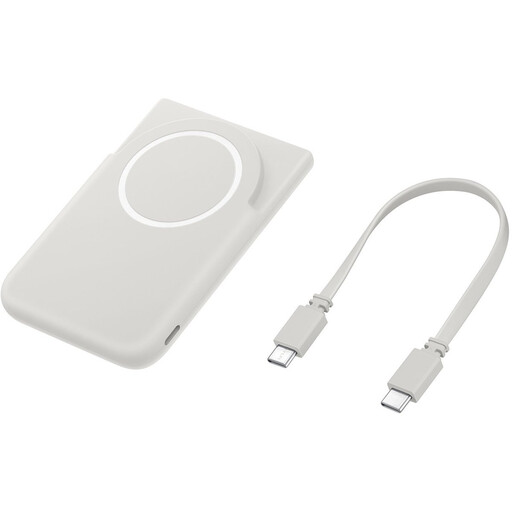 No image available
Consider this model for an action camera only after checking that its charging function and connection are suitable. The magnetic wireless feature described is intended for compatible Galaxy smartphones.
The product name lists 5,000 mAh and USB-C.
 No image available
Could be suitable if you’re looking for a higher stated capacity and multiple connections. Check the power available from each output when connecting more than one device.
The product name lists 20,000 mAh, three USB-C ports and 45 W. According to the product information, the maximum output of 45 W applies when one device is connected.
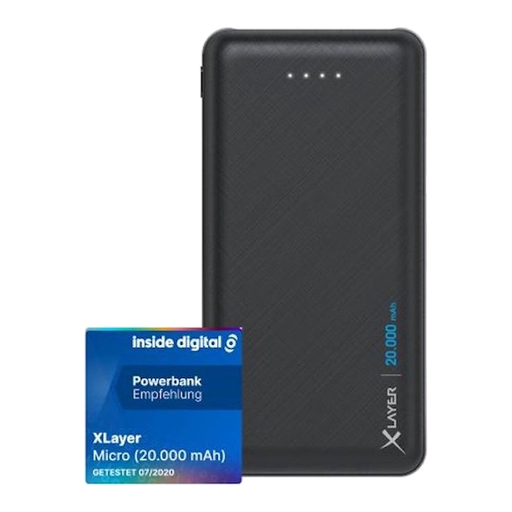 No image available
Consider this model if your camera can charge via USB-A. Compare the output with the charging instructions for your exact camera model.
The product name lists 20,000 mAh and two USB outputs. The USB-C connection is an input; the two device outputs are USB-A.
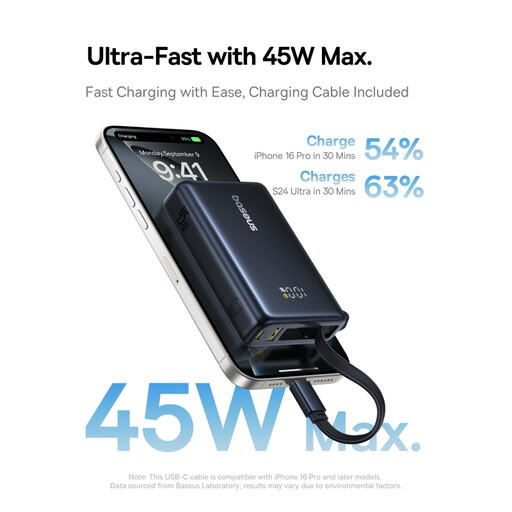 No image available
Could be suitable if you’re looking for a compact power reserve. For your camera, check that the output and charging protocol match the model-specific instructions.
The product name lists 10,000 mAh and 45 W. Don’t rely on wattage alone to determine camera compatibility or charging speed.
 No image available
Could be worth considering if you want to travel light and connect a second device too. Check how the power is distributed when charging multiple devices at once.
The product name lists 10,000 mAh, 25 W and USB-C. The product information mentions Power Delivery 3.0 and charging two devices simultaneously.
No, not necessarily. GoPro lists 5 V and 2 A for several HERO models; DJI recommends a USB-C charger with PD or PPS for the Osmo Action 5 Pro. For the X5, Insta360 lists PD3.0 PPS fast charging with the X5 Utility Fast Charge Hub and 9 V/3 A adapters. Check the instructions for your exact camera, and don’t look only at the power bank’s maximum wattage.
Use a cable and output that match the instructions for your camera model. For the Osmo Action 5 Pro, DJI describes connecting it with a USB-C-to-USB-C PD cable. For the HERO models mentioned, GoPro recommends switching off the camera and its connections before plugging it in to charge.
Not without information about your journey and seat. FlixBus describes power sockets and USB connections on its own coaches, and advises passengers to check the markings or ask the driver. This doesn’t confirm that there’ll be a suitable connection with another operator or at every seat.
If you buy in the Netherlands, you’re entitled to a product that works properly, and the retailer is your point of contact if it’s faulty. According to the Dutch government, there’s no fixed legal two-year warranty period in the Netherlands; what you can expect depends, among other things, on the product and the information provided.
According to the Dutch government, don’t put batteries in your general waste. Take them to a suitable collection point instead. Ask there how to dispose of a complete power bank with a built-in battery.