
Workshop leader who needs the lights on
You want participants to be able to follow the film while the lights stay on for working with clay. BenQ Netherlands and Epson describe brightness as an important consideration when there is ambient light.


If you can darken the room and need to move your setup regularly, a compact battery-powered projector could suit your needs. If the work lights will stay on, prioritise the stated brightness and access to a convenient mains socket. XGIMI states that the MoGo 4 offers up to 2.5 hours of video in Eco mode; Epson lists 3000 lumens for both white and colour light output on the CO-FH02. These are manufacturer specifications, not measurements of the image in your workshop. You should also measure the projection distance and test your video source and audio beforehand.
You want participants to be able to follow the film while the lights stay on for working with clay. BenQ Netherlands and Epson describe brightness as an important consideration when there is ambient light.
You take your setup with you and don't always have a convenient mains socket. Battery life and weight can help you decide what will work best. XGIMI states that the MoGo 4 offers up to 2.5 hours of video in Eco mode, while BenQ gives the GV50's net weight as 2.1 kg.
You have limited distance from the projection surface or little space for the projector. Measure the distance and desired image width, then check the projection ratio of your chosen model, as BenQ recommends.
Suitable if: you move between locations, don't have a convenient mains socket and can darken the room for the film.
Trade-off: XGIMI states that the MoGo 4 offers up to 2.5 hours of battery life in Eco mode. This doesn't tell you how long the battery will last in a different picture mode.
Suitable if: participants need the work lights on and there's a mains socket available. Epson lists 3000 lumens for both white and colour light output and an HDMI input for the CO-FH02.
Trade-off: you'll need mains power, and the image you see will also depend on ambient light, image size and positioning.
Suitable if: it's difficult to position the projector directly in front of the projection surface and you can darken the room. BenQ lists an adjustable setup, HDMI, a built-in battery and 500 ANSI lumens for the GV50.
Trade-off: BenQ gives the net weight as 2.1 kg. You should also measure the projection distance, as an adjustable setup doesn't remove the need to check it.
| What to consider | What should you check? | Who is this most important for? |
|---|---|---|
| Image visibility with the work lights on | Check the brightness and unit of measurement. Test your preferred image size with the lights on as they will be during the workshop. | If participants need the lights on to work with clay, I want them to be able to follow the film too. Around 33% of consumers give visibility with the work lights on top priority. |
| Taking it with you and showing films without a mains socket | Check the weight, access to power and stated battery life in the picture mode you want to use. | When I move the projector between locations, I don't want to rely on having a convenient mains socket. Around 27% of consumers prioritise portability and showing films without a mains socket. |
| A suitable image at a short distance | Measure the distance from the lens to the projection surface and check the projection ratio for your preferred image width. | In a small workshop, I want an image size that fits the available distance. Around 20% of consumers consider positioning space their most important factor. |
| Connecting a video source and hearing the audio | Check that the connection or playback method works with your video source. Test the audio and decide whether you need an external speaker. | If participants need to follow my own film, I want to know in advance that it plays and can be heard clearly. Around 20% of consumers give playback and clear audio top priority. |
Ambient light can make the projected image harder to see. A compact battery-powered projector and a model chosen for its brightness won't necessarily suit the same conditions.
Work out how much light participants need and test the image at your intended size in the workshop. Don't compare ISO and ANSI figures as if they were directly comparable measurements.
The maximum video playback time XGIMI states for the MoGo 4 applies in Eco mode. It doesn't guarantee the same battery life in another picture mode.
Test the entire film in advance, using the brightness and audio settings you'll need during the workshop.
A built-in app and a connection for an external video source are different features. Having an app doesn't confirm that it will play your video file.
Check the source and connection, then test the actual video file and audio before the event.
The CO-FH02 is an option for a portable, mains-powered setup with HDMI and a high stated brightness.
The MoGo 4 is designed for a compact setup, with a built-in battery and speakers, in a room that can be darkened.
The GV50 is a portable option if you need flexible positioning and HDMI.
The NeoPix 230 Smart is a home projector with a rotating stand for flexible positioning in a room that can be darkened.
These Joybuy projectors suit different aspects of a compact film setup, including mobile use, connecting a video source and projecting in a limited space. Check that each model's features suit the lighting, distance and film you plan to use.
 Image unavailable
A good fit for a portable film setup if a built-in battery is important to you.
XGIMI lists Full HD 1080p, 450 ISO lumens and up to 2.5 hours of battery-powered video in Eco mode. This battery life doesn't automatically apply to other picture modes.
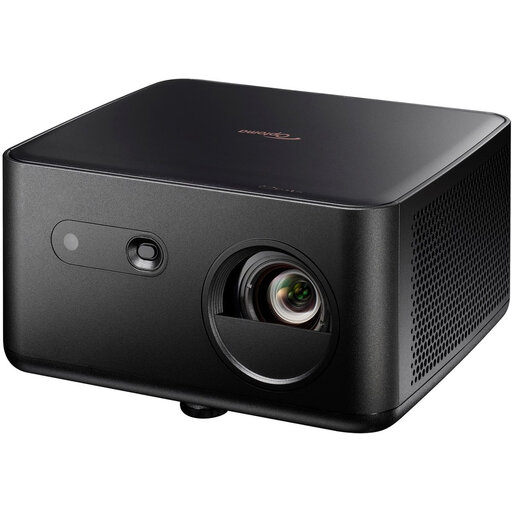 Image unavailable
This projector could suit you if you connect your video source using one of the connections listed in the product title.
The title lists 4K UHD, 1100 ISO lumens, HDMI 2.0 and USB-C. Check that the connection works with your video source and test the image in your workshop's lighting.
 Image unavailable
The short-throw design could be useful if the projector needs to be close to the projection surface. Check the distance required for your image size.
The product title lists 3600 ANSI lumens and XGA resolution of 1024 × 768. BenQ describes XGA as a 4:3 resolution.
 Image unavailable
This 4K projector could be useful if flexible positioning is part of your setup. Check in advance how you can position it in the space available.
The product title lists 4K Triple Laser UHD. Test your preferred image size and visibility in your workshop's lighting.
 Image unavailable
A built-in battery and the listed connections could suit a mobile film setup. Check that they work with your video source.
The product title lists 800 ANSI lumens, HDMI 2.1 and USB-C. The stated maximum battery life is 2 hours; test your film in the picture mode you plan to use.
Measure the distance from the lens to the projection surface and the image width you want, then check the projection ratio of the exact model. BenQ lists a ratio of 1.2 and a fixed zoom ratio for the GV50. Don't rely solely on the maximum stated image size.
Only once you've tested playback time in the picture mode you need. XGIMI states that the MoGo 4 offers up to 2.5 hours of video in Eco mode. Test your film in advance, using the brightness and audio settings you'll need during the workshop.
Follow the cleaning and positioning instructions for your chosen model. Leave enough space around the projector for ventilation, and check the model-specific maintenance instructions, especially if you use it in a dusty workspace.
No. In the Netherlands, consumer purchases are covered by a legal guarantee even if you don't buy an extended warranty. According to ACM ConsuWijzer, the seller is responsible for offering an appropriate solution if a product breaks sooner than you could reasonably expect under normal use. There isn't one fixed legal guarantee period for every projector.
For copyright-protected films, the Dutch Government says you need the creator's permission to use the film; you can't make a home copy available to the public. Before the workshop, check that you have the rights and permissions needed for your specific film and screening.