What should you look for when choosing?
Compact flatbed scanner
Choose this option if: you mainly want to place individual cards on the glass, one side at a time.
Bear in mind: the space needed for the scanner and its open lid; a stand doesn’t automatically mean every card can be scanned vertically.
Foldable overhead scanner
Choose this option if: cards need to stay in an album or you’d rather capture a card without feeding it through a scanner.
Bear in mind: the clear space needed beneath the camera for the card or album, as well as the lighting; folding it away doesn’t mean it takes up no room while you work.
Photo sheet-fed scanner
Choose this option if: you have lots of loose cards that are sturdy enough to check individually for feed suitability.
Bear in mind: the card passes through a mechanism, and the scanner needs space for both the input and output.
| What to consider |
What to look for when buying |
Who should consider this? |
| Workspace and storage |
Measure the space needed both in use and in storage; allow for the lid, card or album, and working setup. |
Do you want to put the scanner away after use, but have little room to operate it? Around 31% of consumers give top priority to space and storage. |
| Careful handling |
Check for tears, creases, loose parts and any album binding before choosing a scanning method. |
If your card is brittle or fixed in an album, you won’t want to move or feed it unnecessarily. Around 31% of consumers prioritise preserving delicate originals. |
| Images, edges and text |
If possible, scan both sides as a test and check small lettering, card edges and any glossy areas. |
Do you want to be able to make out both the image and any handwriting or postmarks? Around 25% of consumers give top priority to legibility and image capture. |
| Feeding cards through |
Check the cards’ suitability and dimensions, and leave clear space around the input and output. |
Do you have lots of sturdy loose cards and want to process them one after another? Around 13% of consumers prioritise feeding suitable cards through. |
When comparing resolution figures, make sure you take the type of specification into account: camera resolution in megapixels and optical flatbed resolution in dpi aren’t directly comparable. For a postcard, also check how well the scanner actually captures the image, edges and text.
Joybuy product picks
These product picks include flatbed scanners for individual cards, an overhead scanner for flat material and a sheet-fed scanner for cards suitable for feeding. Whichever type you choose, measure the space needed while scanning.
 No image available
Canon imageFORMULA DR-F120, flatbed and ADF scanner, A4, 600 × 600 dpi
The flatbed option is useful when an individual card can lie flat on the glass; the product name also mentions an ADF feeder.
The product name lists A4 and 600 × 600 dpi.
Joybuy
 No image available
Epson WorkForce DS-6500 Power PDF
This option is for anyone who wants to be able to lay an individual card flat; before buying, check that the setup and required software suit the way you’ll use it.
Joybuy
 No image available
Epson WorkForce DS-1660W, flatbed scanner, A4, 1200 × 1200 dpi
A flatbed is an option for individual cards that can be laid flat on the glass; measure the space available for both the scanner and the scanning process.
The product name lists A4 and 1200 × 1200 dpi.
Joybuy
 No image available
CZUR Shine 800 A3 Pro
The overhead setup is an option for flat cards that don’t need feeding; leave space beneath the camera while you use it.
CZUR lists an 8-megapixel sensor and a maximum sheet size of A3. The model folds away; the product description advises against scanning highly glossy material.
Joybuy
 No image available
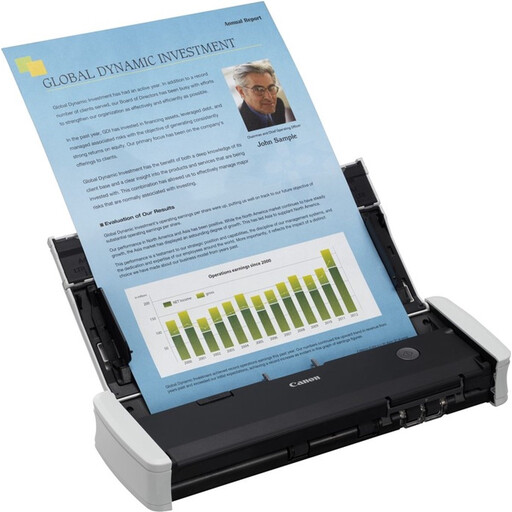
Canon imageFORMULA R10, sheet-fed scanner, A4, 600 × 600 dpi
This sheet-fed scanner may suit individual cards that are suitable for feeding; check the condition of each old card before putting it through the mechanism.
The product name lists A4 and 600 × 600 dpi.
Joybuy
Frequently asked questions
Should an old postcard always be scanned with a book scanner?
No. A flatbed scanner is one option for an individual card; an overhead scanner is most useful when the card is staying in an album or you want to avoid feeding it through. First check that the original can be handled safely.
What should I do with a damaged card or one fixed in an album?
First check whether the card can be handled safely, and don’t pull out a card that’s stuck just so you can scan it. The Library of Congress advises consulting a conservator about valuable or badly damaged photographs.
What should I check before buying a scanner?
Check that the scanner suits the condition and size of your cards and that you have enough workspace while using it. Also make sure the computer and software you need are compatible with the exact model, and check the seller’s service and returns terms.
What rights do I have when buying in the Netherlands?
When you buy a product in the Netherlands, you’re entitled to a legal guarantee; according to the Dutch government, the seller must provide a solution if something goes wrong. For online purchases from a business, you generally have 14 days to change your mind, subject to applicable conditions and exceptions.
Can I put scans of old postcards online?
Making a copy at home for personal use doesn’t automatically give you permission to distribute or publish a copyright-protected image. The Dutch government explains this restriction; privacy rules may also apply if the reverse side contains personal data. The Dutch Data Protection Authority notes a limited exception for use intended solely for personal or household purposes.


