
Portrait retoucher working for print
You assess skin tones with print output in mind and want to work with a calibrated, profiled workflow.


For regular print work, a monitor with a suitable colour space, calibration options and a managed colour workflow is worth considering. If you mainly create portraits for online use, detail, adjustability and connectivity may matter more. Also check for reflections, available desk space and any potentially audible noise in your own workspace: a stated colour gamut alone is no guarantee of accurate colour reproduction.
You assess skin tones with print output in mind and want to work with a calibrated, profiled workflow.
You mainly deliver digital work and want to assess detail without automatically opting for features designed for specialist print work.
You spend long sessions at a quiet desk and consider reflections, positioning and potentially audible device noise. Assess noise for the specific model in your own workspace.
A good fit if: you regularly prepare portraits for print and want to manage your colour workflow. BenQ lists hardware calibration and Adobe RGB coverage for the SW272U; EIZO does the same for the CS2740.
Bear in mind: these features are not essential if you only publish online. Check which measuring devices, software and accessories your workflow requires; PRAD reported that the hood for the EIZO CS2740 was optional.
A good fit if: you edit portraits and want to use the same screen for other visual work or with a laptop. ASUS lists a 27-inch 4K screen, 99% Adobe RGB and USB-C power delivery up to 96 W for the ProArt PA279CRV.
Bear in mind: PRAD reported that the sRGB mode on the PA279CRV model it tested was limited to 80 cd/m². Consider whether this mode suits the lighting in your room.
A good fit if: you mainly deliver portraits online and value an anti-glare screen or a laptop connection. LG lists a 27-inch 4K IPS screen and USB-C power delivery up to 90 W for the 27U730A-B.
Bear in mind: check the colour space of the exact version if your workflow is print-focused; don’t treat this model as a substitute for an Adobe RGB-focused monitor without checking first.
| What to consider | What should you check? | Who is this important for? |
|---|---|---|
| Colour and calibration | Check the colour space for your output, the calibration method and whether the active profile matches the selected picture mode. | If I retouch portraits for print, I want to assess skin tones within a managed colour workflow. Around 36% of consumers cite colour management as their main reason for buying. |
| Detail and workspace | Compare the screen size and resolution with your viewing distance; also consider the stand and the space available on your desk. | If I want to assess fine details while using my retouching tools, I look for a screen layout that suits my work. Around 29% of consumers prioritise detail and workspace. |
| Laptop connection | Check your laptop’s video output, the required charging power and the cables for the exact monitor version. | If I set up my desk for laptop work and retouching, I want to know whether the connection is compatible with my equipment. Around 21% of consumers prioritise laptop connectivity and everyday use. |
| Quiet setup | Check the position of windows and lamps, the screen coating and whether a hood is available; assess noise from the exact model in your own conditions. | If I work for long periods in a quiet study, I want to minimise distracting reflections and potential noise. Around 14% of consumers cite a quiet workspace as their main reason for buying. |
A stated colour gamut doesn’t guarantee that colours will display correctly in the software you use. Adobe explains that a calibrated monitor will not automatically show accurate colours without the right settings and profile.
Check the monitor mode and its corresponding ICC profile, and match the profile to your intended output.
Depending on the combination, you may need a separate power supply or a compatible cable.
BenQ positions the SW272U as a 27-inch 4K photo monitor with 99% Adobe RGB, hardware calibration and a supplied hood.
EIZO lists a 4K resolution, over 99% Adobe RGB and hardware calibration for the 26.9-inch ColorEdge CS2740. The ColorNavigator workflow is worth considering if you calibrate regularly.
ASUS lists a 27-inch 4K screen, 99% Adobe RGB and USB-C power delivery up to 96 W for the ProArt PA279CRV.
LG describes the 27U730A-B as a general-purpose 27-inch 4K IPS monitor with an anti-glare surface and USB-C power delivery up to 90 W.
These Joybuy monitors offer a range of screen sizes and resolutions to compare for detailed work and your desk setup. Check the features of each model to see how they suit your colour workflow and equipment.
 No image available
The 27-inch 4K resolution is one option for assessing fine detail on an IPS screen.
3840 × 2160; 60 Hz; 4 ms; HDMI and DisplayPort; height-adjustable stand.
 No image available
The 31.5-inch screen gives you a larger size to compare with the space and viewing distance at your desk.
3840 × 2160 pixels; 4K UHD.
 No image available
This ProArt version has a QHD resolution; compare it with the 4K screens if resolution is a priority for your retouching work.
2560 × 1440 pixels; 31.5 inches.
 No image available
The 27-inch QHD version is worth comparing if the screen size and resolution need to suit your desk and viewing distance.
2560 × 1440 pixels; 27 inches.
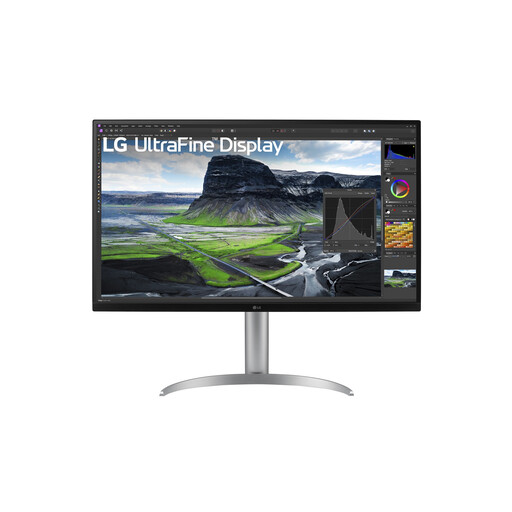 No image available
The 31.5-inch 4K screen is an option if you want to compare a larger display for detailed work.
3840 × 2160 pixels; 4K UHD.
Not necessarily. First identify the colour space of your files and output, then check that the monitor mode and computer profile work together. A stated colour gamut alone is no guarantee of accurate colour reproduction.
Choose your preferred monitor mode and use an ICC profile that matches the active monitor configuration. Check the profile again if you change the monitor mode; for print work, you can soft-proof in suitable software using the profile for your intended output.
For a consumer purchase in the Netherlands, the seller must resolve problems with a faulty product; this is covered by the statutory guarantee. Online purchases generally also come with a cooling-off period of up to 14 days after delivery. Check the applicable terms and exceptions.
The European Commission states that energy labelling and ecodesign rules also apply to computer monitors, subject to applicable exceptions. Compare the label or product information for the specific model; you can’t infer an individual monitor’s energy class from its product category alone.