
Portrait editor with limited desk space
You want a compact computer setup, but still need room for a usable monitor and its cables. Configurations from Apple Netherlands and Lenovo Netherlands show why it’s helpful to consider the whole setup.


If you already have a suitable monitor, start by looking for a mini PC that meets the needs of your editing software and has the right connections for your screen. If you want your computer and screen in one setup, compare an all-in-one with the space available on your desk. For both options, check the exact memory and storage configuration, and remember that a small case or sharp display alone does not guarantee accurate colour management.
You want a compact computer setup, but still need room for a usable monitor and its cables. Configurations from Apple Netherlands and Lenovo Netherlands show why it’s helpful to consider the whole setup.
You assess skin tones or a final print, so you’ll want to consider screen profiling and consistent lighting as well as the computer itself. Adobe explains how screen calibration, ambient light and paper quality all play a part in colour management for printing.
You edit or store lots of photos locally and want to plan storage for your working files and separate backups. Adobe makes it clear that a Lightroom Classic catalogue backup does not automatically include your photos.
First measure your entire workspace, then work out what you need for software, colour assessment and storage. This way, you’re comparing not just computer cases, but everything else you’ll need to edit portraits.
| What to consider | What should you check? | Who is this important for? |
|---|---|---|
| Space for the whole setup | Measure your desk, monitor stand and available screen space. Also check where the computer and cables will go. | If I have limited desk space, I want to know whether the monitor, stand and computer will all fit. Around 31% of consumers say finding room for the complete setup is their main concern when buying. |
| Software and configuration | Compare the requirements for your own programme and version with the exact configuration. For Photoshop 27.x, Adobe lists 8 GB RAM as the minimum and 16 GB or more as recommended; other programmes may have different requirements. | If I want my editing software to run smoothly, I need to be able to check that my computer meets the requirements for my programme. Around 25% of consumers say compatibility with their software is their main concern when buying. |
| Colour assessment | Check the screen and connection, and plan for screen calibration and profiling. Keep the lighting as consistent as possible when assessing colours; Adobe explains why this matters for print work. | If I want to assess skin tones or a print carefully, I need to know how to profile the screen and what lighting conditions I’ll be working in. Around 25% of consumers say reliable colour assessment is their main concern when buying. |
| Storage and file protection | Compare the SSD capacity of the model you’ve chosen with your files, and plan for a separate backup. Adobe notes that a Lightroom Classic catalogue backup contains only the catalogue file. | If I store lots of photos locally, I need to make room for my files and arrange a separate backup. Around 19% of consumers say storage and file protection are their main concern when buying. |
A mini PC and an all-in-one save space in different ways. A small computer case doesn’t tell you whether the screen, stand, cables and peripherals will also fit on your desk.
Measure the whole setup and check the screen size, placement and connections before choosing a model.
High resolution or a wide colour gamut doesn’t automatically mean you can assess colours accurately. Adobe describes screen profiling and lighting as part of colour management for printing.
Plan for screen calibration and profiling, and assess colours in lighting that’s as consistent as possible.
The NUC 14 Pro Kit described by ASUS is supplied without a pre-installed operating system, memory or storage.
Check whether the model you’ve chosen is a kit or a complete Mini PC, and work out which components you’ll need to select and install yourself.
With a kit, you’ll also need to arrange memory, an SSD and possibly an operating system.
According to Adobe, a backup from Lightroom Classic contains only the catalogue file. Your photos aren’t automatically backed up.
Make a separate backup plan for the catalogue and for the original, edited and exported files you want to keep.
These brands offer examples of different compact desktop configurations. Always compare the exact model: product family names don’t automatically tell you which components or accessories are included with an order.
The Mac mini M6 is a small macOS computer for use with a separately chosen screen. The iMac M6 combines the computer with a built-in 24-inch screen.
The ThinkCentre M75q Gen 5 Tiny, configuration 12RQ003QEZ, is a compact Windows desktop for use with a separate screen.
The ProDesk 4 Mini G1i configuration BY7A0ET#ABH is a compact, pre-configured Windows desktop.
The Dell Pro Micro QCM1250 is a compact Windows option with configurable ordering and service choices.
The NUC 14 Pro shows the difference between a pre-equipped mini PC and a kit where you choose the components yourself.
This selection includes mini PCs for use with a separate screen and all-in-ones with a built-in screen. Check that each model’s configuration suits your software, screen and workspace.
 No image available
A mini PC for a setup with a screen you choose separately.
M6 chip with 12-core CPU and 12-core GPU; 24 GB memory; 512 GB SSD.
 No image available
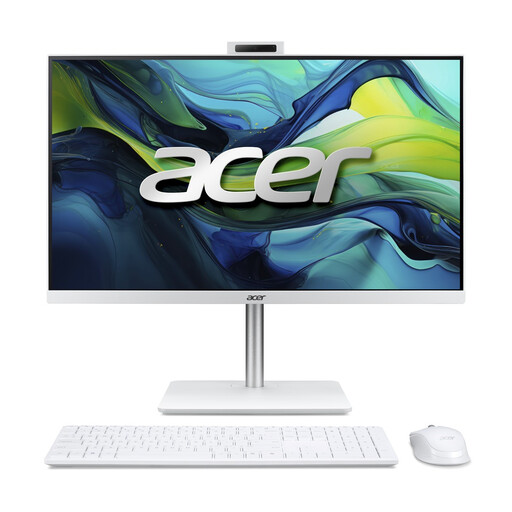
The all-in-one has a built-in screen; check that its size suits your desk.
23.8-inch Full HD IPS screen; Intel Core 5 120U; 16 GB DDR5; 1 TB PCIe NVMe SSD; Windows 11 Home.
 No image available
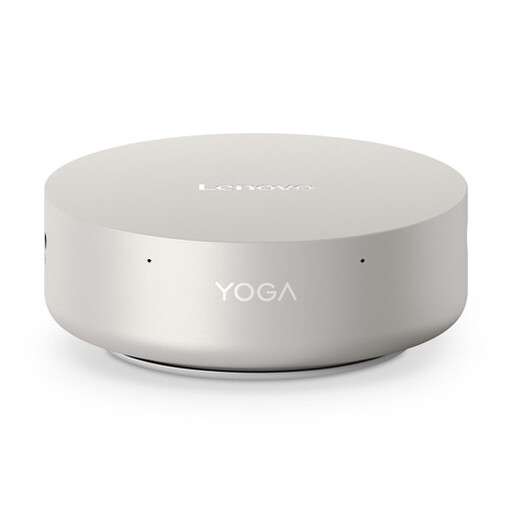
A mini desktop for a setup with a separate screen.
Intel Core Ultra 5 325; 16 GB LPDDR5X; 512 GB PCIe 4.0 SSD; Windows 11 Home.
 No image available
A mini PC for use with a separate screen; check that the connections suit your setup.
Intel Core Ultra 7 155H; 16 GB DDR5; 1 TB SSD; Windows 11 Pro.
 No image available
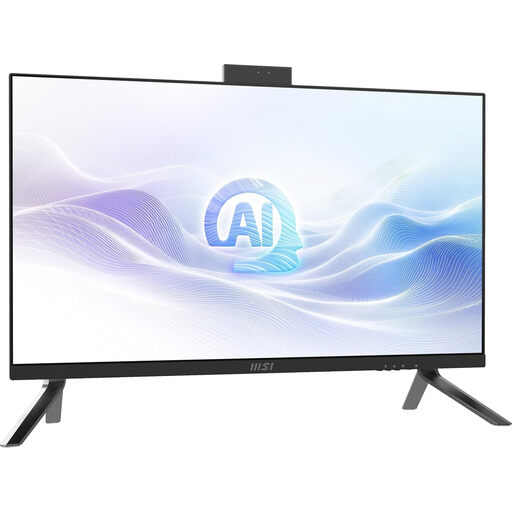
An all-in-one with a built-in screen; check that its size and position will work on your desk.
Intel Core Ultra 7 155H; 27-inch WQHD IPS screen; 32 GB DDR5; 1 TB SSD; Windows 11 Pro.
Not as a general rule. For Photoshop 27.x, Adobe lists 8 GB as the minimum and 16 GB or more as recommended. For other programmes and versions, check their specific requirements and compare them with the exact computer configuration.
Calibrate and profile your screen, and assess the print in lighting that’s as consistent as possible. Adobe explains that screen calibration, ambient light and paper quality all affect assessment as part of colour management.
No. Adobe says that a backup from Lightroom Classic contains only the catalogue file. So make a separate backup of the photos you want to keep, too.
When you buy from a business at a distance, you usually have 14 days to change your mind; check whether an exception applies. If the product is faulty, contact the seller for an appropriate solution, such as a free repair or replacement. This information from the Dutch Government applies to consumer purchases and does not necessarily apply to business orders.
In the Netherlands, the take-back scheme for household equipment means that when you buy a new, similar appliance, the seller must take back your old one free of charge. According to the Dutch Government, this also applies to online purchases; this specific scheme does not apply to business equipment.