Choose an ultrawide screen if you want to view your portfolio and feedback side by side; choose a 27-inch 4K screen if vertical image detail matters more. Philips lists a resolution of 3440 × 1440 pixels for the 34B1U5600CH/00, compared with 3840 × 2160 pixels for the BenQ PD2705U. Also check which colour space your work requires, whether the connections are compatible with your laptop, and whether you can position the screen comfortably in your workspace.
Who is this choice relevant to?
Portfolio reviewer
Wants to view designs, references and feedback side by side on one screen. Philips describes the 21:9 aspect ratio of the 34B1U5600CH/00 as giving you room for side-by-side comparisons; screen width and desk space remain important considerations.
Image and colour reviewer
Reviews photography, illustrations or other colour-sensitive work and matches the screen mode to the task. BenQ and ASUS describe colour modes for their models; EIZO describes hardware calibration for the ColorEdge CS2740.
Laptop user with a dedicated workspace
Wants to connect the screen and possibly power the laptop over the same cable, while being able to position the screen comfortably. USB-C power delivery varies by model; Arboportaal highlights legibility, reflections and screen height as factors to consider when working with a display.
What should you look for when choosing?
27-inch 4K for detailed work
Choose this if: you mainly review individual pages, typography and images, and a 16:9 workspace suits you. BenQ lists 3840 × 2160 pixels and 99% sRGB for the PD2705U.
The trade-off: there is less physical width for viewing portfolios and comments side by side than on a 34-inch ultrawide screen. The stated colour figures are manufacturer data.
34-inch ultrawide for a broader view
Choose this if: you regularly want to place a portfolio alongside references, messages or comments. Philips lists a 21:9 screen with 3440 × 1440 pixels for the 34B1U5600CH/00.
The trade-off: this model has 1440 vertical pixels, compared with 2160 on the 27-inch 4K models mentioned. Philips specifies a VA panel for this model.
Colour-focused 4K for specific workflows
Choose this if: your work requires different colour spaces or a repeatable calibration process. ASUS lists sRGB, Adobe RGB and DCI-P3 modes for the PA279CRV; EIZO describes hardware calibration for the CS2740.
The trade-off: a stated gamut percentage or calibration feature alone cannot tell you how your files, software and final publication will look. Match the features to the task.
| Consideration |
What should you check? |
Who is this important to? |
| A broader view on one screen |
Compare the aspect ratio, resolution and dimensions of the screen and stand. Philips lists 3440 × 1440 pixels for the 34B1U5600CH/00; BenQ lists 3840 × 2160 pixels for the PD2705U. |
I want to read my portfolio, references and feedback at the same time without a second screen. Around 36% of consumers prioritise having a broader view on one screen. |
| Colour suited to the work |
First, establish which colour space the task and publication require. Then check the colour modes and calibration options on the exact model; manufacturer percentages are not independent measurements. |
When reviewing colour-sensitive work, I want to know which colour space my task requires. Around 29% of consumers prioritise colour suited to the work. |
| Connecting and powering a laptop |
Check that the laptop supports video output through the relevant connection and compare the power required with the model specifications. BenQ lists up to 65 W USB-C power delivery for the PD2705U; ASUS lists 96 W for the PA279CRV. |
I want to use one cable for the picture and, ideally, power too, if my laptop supports it. Around 21% of consumers give connection and power the highest priority. |
| Legibility and working posture |
Check the height adjustment, screen and stand dimensions, reflections, and legibility at your intended viewing distance. Arboportaal highlights small text, reflections and ambient light as factors to consider. |
When working for long periods, I want to read text clearly and position the screen comfortably. Around 14% of consumers prioritise legibility and working posture. |
Common buying mistakes
-
Looking only at the screen size
A bigger screen does not automatically have more vertical pixels. The 34-inch Philips ultrawide model mentioned has 1440 vertical pixels; the 27-inch 4K models mentioned have 2160.
Decide whether you mainly want to view windows side by side or review vertical image detail. Compare both the resolution and the physical dimensions.
-
Assuming USB-C guarantees a single cable for video and charging
Your laptop must support the required video output, and the monitor's power delivery must meet its charging needs.
Check your laptop's video support and compare the power it needs with the specifications for the exact monitor model.
-
Treating a category label as proof of the panel type
Philips lists a VA panel for the 34B1U5600CH/00. Other descriptions of its panel technology may therefore cause confusion.
If descriptions conflict, check the full model number and the manufacturer's specifications before choosing based on panel type.
-
Mistaking a two-year manufacturer's warranty for the full statutory guarantee
ACM ConsuWijzer explains that statutory guarantees in the Netherlands depend on what you could reasonably expect from the product; they are not simply always fixed at two years.
Keep your statutory rights with the retailer separate from any additional manufacturer's warranty, and check what applies to the product.
Brands to consider
BenQ
The DesignVue PD2705U is a 27-inch 4K example for reviewing work in sRGB or Rec.709.
- BenQ specifies 99% sRGB and Rec.709, a factory calibration report included in the box, and USB-C power delivery up to 65 W.
- Power delivery needs to suit your laptop. The stated colour figures are manufacturer data, not an independent test.
ASUS
The ProArt PA279CRV is a 27-inch 4K model with a range of colour modes.
- ASUS lists sRGB, Adobe RGB and DCI-P3 modes, along with 96 W USB-C Power Delivery.
- Check which mode your task requires; the stated coverage and colour accuracy are manufacturer specifications.
Philips
The 34B1U5600CH/00 represents the ultrawide option for viewing windows side by side.
- Philips lists a 34-inch, 21:9 screen with 3440 × 1440 pixels, a VA panel and MultiView.
- Its vertical resolution is lower than that of the 4K models mentioned, which is a trade-off when reviewing fine detail.
LG
The UltraFine 27UP850K-W is a 27-inch 4K model with USB-C.
- LG quotes a typical 95% DCI-P3, hardware calibration via LG Calibration Studio and up to 96 W over USB-C.
- LG states that the software is not included. The stated DCI-P3 percentage is a manufacturer figure.
EIZO
The ColorEdge CS2740 is worth considering when a managed colour workflow is central to your work.
- EIZO describes a 27-inch 4K screen with hardware calibration using ColorNavigator.
- The benefit depends on using a suitable colour workflow; this is not an independent performance comparison.
Joybuy monitors for portfolios and feedback
This selection of Joybuy products includes ultrawide screens for side-by-side comparisons and 4K models for detailed and colour-critical work. Check the resolution, connections and features of each model to make sure they suit your workspace and laptop.
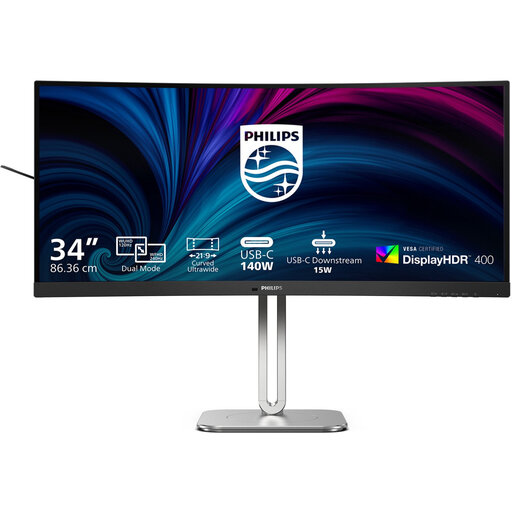 Image unavailable
Philips 34B2U5900C/00 34-inch Curved Dual-Mode Business Monitor
The 34-inch 21:9 format is designed to give you a wide workspace where you can place your portfolio and feedback side by side.
The product description lists WUHD 5120 × 2160 at 120 Hz and WFHD 2560 × 1080 at 240 Hz; the selected mode determines the resolution. Also listed are USB-C power delivery up to 140 W, a KVM switch and an adjustable stand. Check that your laptop's video connection and charging requirements are compatible.
View at Joybuy
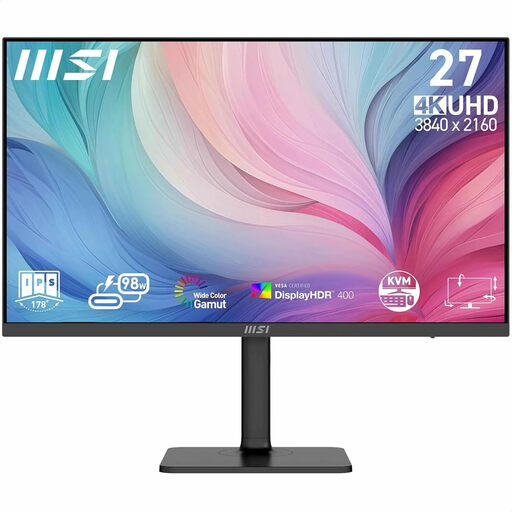 Image unavailable
MSI Modern MD272UPHG 27-inch 4K monitor
This 27-inch model with 3840 × 2160 pixels is suited to reviewing images and high-resolution portfolios.
The product description lists factory calibration, 97% DCI-P3, 94% Adobe RGB, PIP/PBP and an adjustable stand. It also lists USB-C power delivery up to 98 W. The colour figures and calibration details are product information, not independent measurements; check that the power delivery suits your laptop.
View at Joybuy
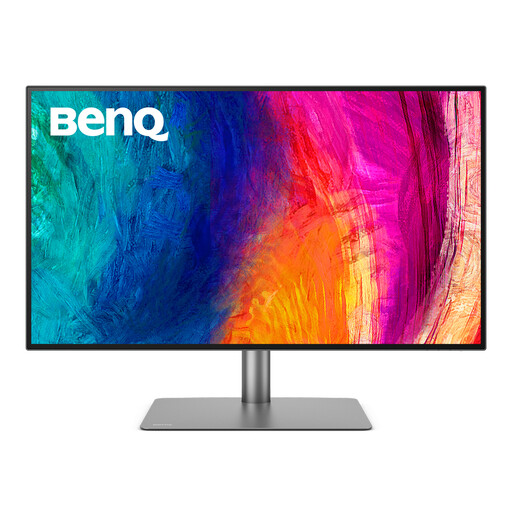 Image unavailable
BenQ PD3225U 32-inch 4K monitor
The 32-inch 4K resolution of 3840 × 2160 pixels is an option if you want to review portfolios and images on a larger screen.
The product description lists Thunderbolt 3 with up to 85 W power delivery, KVM, and Calman and Pantone credentials. Check that 85 W and the video connection suit your laptop; the stated validations are product information, not independent performance measurements.
View at Joybuy
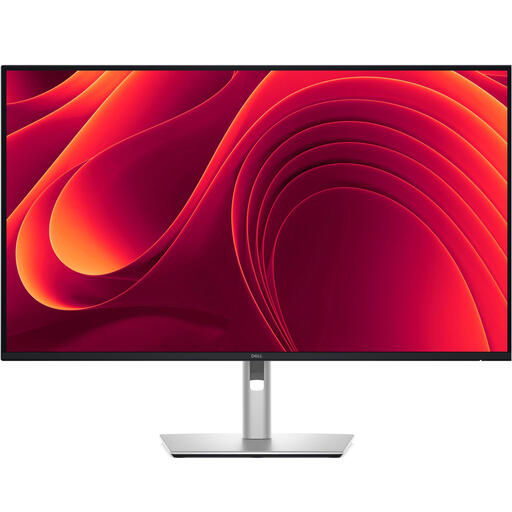 Image unavailable
Dell Pro Plus P3225QE 31.5-inch 4K monitor
The 31.5-inch screen with 3840 × 2160 pixels is an option if you want to view images and portfolios in high resolution.
The product description lists USB-C with 90 W Power Delivery, an RJ45 port and an adjustable stand. Whether the power delivery is sufficient depends on your laptop; also check that the connection supports video.
View at Joybuy
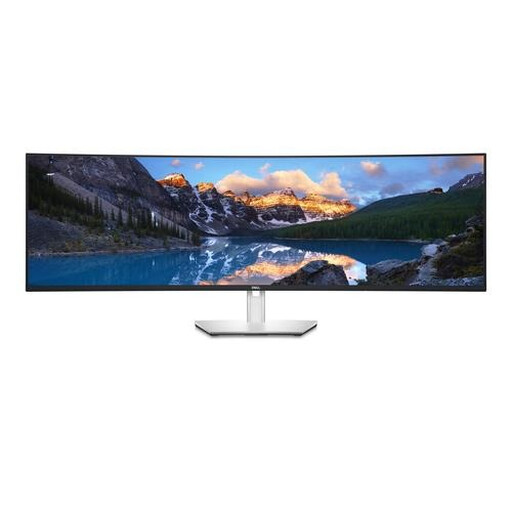 Image unavailable
Dell UltraSharp U4924DW 49-inch ultrawide monitor
The 32:9 aspect ratio and 5120 × 1440 pixels provide plenty of horizontal space for viewing windows side by side; make sure you have enough desk space.
The product description lists an IPS Black panel, KVM and USB-C power delivery up to 90 W. Its 1440 vertical pixels are fewer than the 2160 pixels of the 4K option mentioned. Check that the dimensions and power delivery suit your workspace and laptop.
View at Joybuy
Frequently asked questions
How do you set up one monitor for portfolios and feedback?
First decide which windows need to be readable at the same time, then compare both screen width and vertical resolution. Philips lists a 21:9 screen for side-by-side comparisons on the 34B1U5600CH/00; according to BenQ, the PD2705U has 3840 × 2160 pixels.
Is USB-C enough to connect a laptop with one cable?
Only if the laptop supports the required video output and the monitor provides enough power. BenQ lists DisplayPort Alt Mode and up to 65 W for the PD2705U; ASUS lists DisplayPort Alt Mode and 96 W for the PA279CRV.
What should you look for during long periods of use?
Look for legible text, low reflection, suitable ambient light and a comfortable screen height. Arboportaal highlights poor legibility and unsuitable lighting conditions as factors to consider; what works best depends on your workspace.
What are your rights when buying a monitor online in the Netherlands?
For an online consumer purchase, ACM ConsuWijzer says you will generally have up to 14 days from delivery to change your mind, subject to applicable exceptions. The statutory guarantee is not a fixed two-year period in the Netherlands: it covers what you could reasonably expect from the product, and the retailer is your point of contact.


