
Vandaag of morgen in huis

Kwaliteit gegarandeerd

Welkomstaanbiedingen ontgrendelen: GRATIS bezorging | Tot 80% korting | Gratis 30 dagen JoyPlus-proefperiode
Download de app
A portable monitor can turn your laptop into a mobile workstation, but not every model works seamlessly with every laptop, smartphone or games console. Many screens look similar on paper: USB-C, IPS, Full HD and a slim design are common features. The differences often come down to connectivity, power, aspect ratio and weight.
Here are some common pitfalls to watch out for:
For use as a second screen for your laptop, a fully featured USB-C port is convenient. It may allow video and power to run through a single cable. Always check the specifications for your laptop, tablet or smartphone. With HDMI, you’ll usually need a separate power cable, as HDMI typically only carries the video signal.
Check which cables are included. A USB-C cable may look suitable, but not all cables support video. You may also need different settings or adapters for a laptop, Mac, Android phone, PS5, Xbox or Switch.
An external monitor for a laptop with both USB-C and Mini HDMI offers more flexibility. This is useful if you want to connect different devices or if USB-C video isn’t available.
An IPS monitor generally offers wide viewing angles. This is useful when the screen isn’t directly in front of you, such as on a train, in a library or at a hot-desk space. Resolution determines how many pixels are displayed:
So a higher resolution isn’t automatically the most practical choice. For a compact monitor to take on the go, weight, brightness and text clarity may matter more than the pixel count alone.
For everyday carrying, a weight of around 600 to 850 grams is often a sensible choice, depending on the screen size and casing. A 16-inch screen gives you more workspace, but also takes up more room in your bag.
A refresh rate of 60 Hz is suitable for documents, video and most productivity tasks. For fast-paced games, 120 or 144 Hz may be more appealing. Check that your laptop, console and cable support the required speed. Manufacturer specifications give the maximum value; the speed actually available may vary depending on the connection.
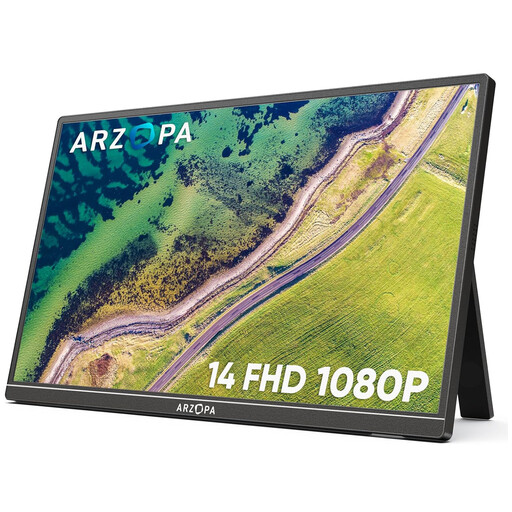
Why it suits this profile: This compact Full HD screen weighs 600 grams and is designed for easy use with laptops, smartphones and consoles. Its built-in stand supports both landscape and portrait viewing.
The product specifications list two USB-C ports, Mini HDMI and a built-in stand. Do check that your USB-C device supports video output.
14-inch IPS panel, 1920 × 1080 resolution, 60 Hz refresh rate and a low weight of 600 grams.
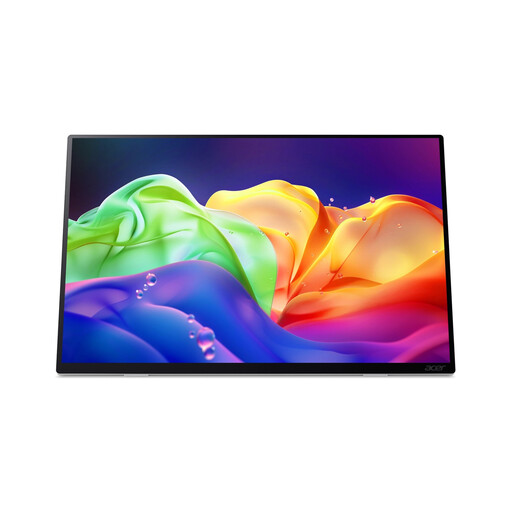
Why it suits this profile: This model combines an OLED touchscreen with 2880 × 1800 resolution, a 120 Hz refresh rate and a 16:10 aspect ratio. It’s well suited to creative work, presentations and mobile working with plenty of screen space.
According to the product information, the maximum 120 Hz refresh rate requires a compatible USB-C video connection. HDMI supports different maximum refresh rates, so check this before buying.
OLED panel, touchscreen, HDR10, 100% DCI-P3 according to the product specifications and a weight of around 750 grams.
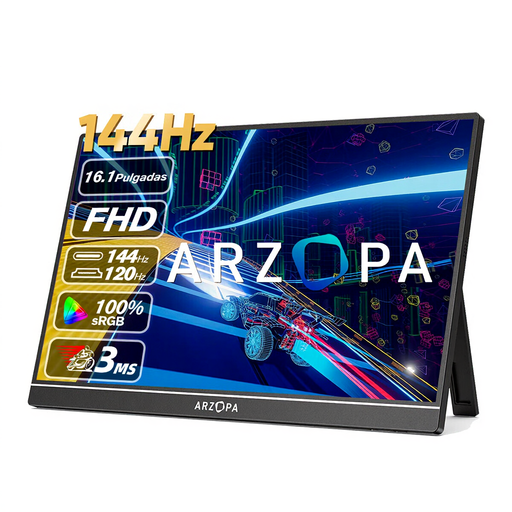
Why it suits this profile: For gamers who want to take a lightweight second screen with them for a laptop, PC, PS5, Xbox or Mac, this model offers a 144 Hz refresh rate and a 16.1-inch IPS display.
Connections include two USB-C ports and HDMI. The specified 144 Hz refresh rate still needs to be supported by the source device, cable and input.
Full HD resolution, 144 Hz refresh rate, 13 ms response time, 106% sRGB according to the product information and built-in speakers.
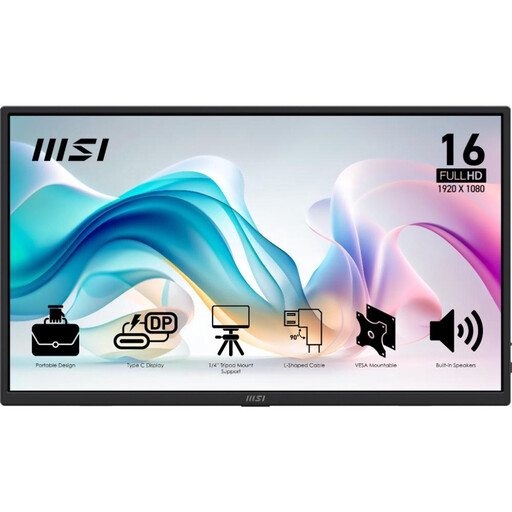
Why it suits this profile: This 15.6-inch screen is designed for productivity on the go. It offers USB-C, HDMI, speakers, an adjustable stand and a protective cover.
The specifications list two USB-C ports with DisplayPort Alt Mode, HDMI 2.0b and included cables. You should still check what your laptop’s port supports.
Full HD IPS panel, 60 Hz refresh rate, 4 ms GtG, 90° adjustable stand, VESA mount and tripod socket.
Check the following before placing your order:
We’ve put together a complete, up-to-date list of products that meet these strict selection criteria and the applicable European safety regulations.
No. Your laptop needs the right video output. For USB-C, DisplayPort Alt Mode or a similar function is required. The picture will usually work over HDMI, but a separate power cable is often needed.
It depends on the brightness, resolution and connection. A model without a built-in battery usually draws power through USB-C or an adapter. Check the stated power consumption and your laptop’s charging capacity if you want to use a single cable.
Its lifespan depends on how it’s carried, heat, cable use and storage. Use a protective cover, avoid putting pressure on the panel and store cables loosely. Place the screen on a stable surface while in use and follow the manufacturer’s safety instructions.
