
Programme listener
Wants to tune in to a particular station while enjoying their hobby, so checks reception where they usually listen.


Start by checking how your station currently broadcasts, then test reception where you enjoy your hobby. Only then decide between FM, DAB+ and internet radio. If you want to move the radio around, check the power options the model actually offers and make sure they suit how you plan to use it. Extra features are only worthwhile if you’ll use them.
Wants to tune in to a particular station while enjoying their hobby, so checks reception where they usually listen.
Takes the radio to different spots around the room and considers mains power, disposable batteries or a rechargeable battery.
Wants features such as Bluetooth or internet radio as well as live programmes, and checks that their chosen model includes them.
| What to consider | What should you check? | Who should pay extra attention? |
|---|---|---|
| Reception for your programme | Check how the station currently broadcasts and test reception where you plan to listen. | If I want to follow one particular programme while enjoying my hobby, I need to be able to receive the station there; around 31% of consumers say reception is their top priority. |
| Power and portability | Check whether the radio uses mains power, disposable batteries or a rechargeable battery, and what’s included. | If you regularly move the radio while enjoying your hobby, you’ll want to know whether it can keep playing away from a socket; around 25% of consumers prioritise cordless portability. |
| Listening to music and speech | Check the speaker setup and, if you want to listen privately, whether it has a headphone socket. | If you want to hear music and spoken content clearly from your usual listening distance, listening comfort comes first; around 19% of consumers say this is their main concern. |
| Using the radio while enjoying your hobby | Check that presets, the display and the controls suit the way you use the radio from your workspace. | When my hands are busy, I want to start a programme or change station without having to search for ages; around 19% of consumers mainly choose a radio for ease of use. |
| Online programme choice | Check that the programme you want is available online and that the internet radio can connect where you listen. | If you want to listen to a programme that’s only available online, a proper internet radio feature is more useful than Bluetooth alone; around 6% of consumers put online content first. |
The radio needs to support the broadcast method used by the programme you want, and reception somewhere else doesn’t necessarily tell you how well it will work in your hobby room.
Check with the station how the programme is currently broadcast, then try the radio where you plan to listen. Only count FM as an alternative if the same station broadcasts on it too.
Power options vary by model. According to Denver, the Denver DAB-42 comes with an adapter and can optionally run on AA batteries; Pure says the ChargePAK for the Pure Evoke Play is sold separately.
Compare the power options and what’s included in the box with the way you want to use the radio.
Depending on the model, using it without a cable may mean buying your own batteries or a separate battery pack.
Bluetooth can play audio from another device, but it doesn’t mean the radio can independently access an online station over Wi-Fi.
If you want to start an online programme without using your phone, check that the exact model has an internet radio feature.
According to Denver, the DAB-42 is a portable DAB/FM radio with an adapter and optional AA battery power.
According to Philips, the TAR5600/00 combines FM, DAB+, Bluetooth and a replaceable built-in battery.
According to Sangean, the DPR-26BT is a portable DAB+/FM radio with Bluetooth, AUX and adapter or battery power.
According to Roberts, the compact Revival Petite 2 offers DAB+, FM, Bluetooth and USB-C charging.
According to Pure, the Evoke Play is designed for listeners who want internet radio as well as FM and DAB+.
These product picks are FM radios for anyone who listens to programmes via FM. Some are described as emergency radios and offer additional features; check how your station currently broadcasts and reception in your hobby room.
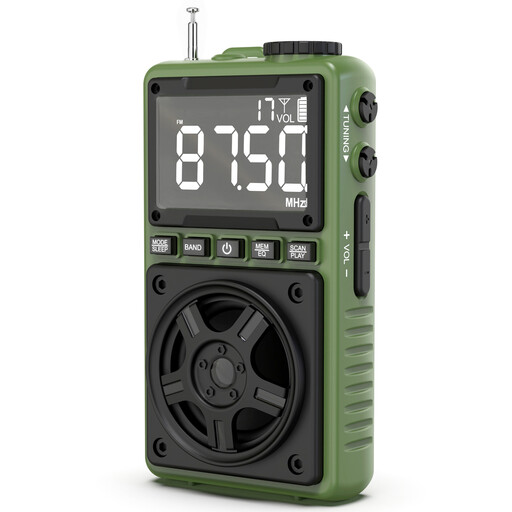 Image unavailable
Could be a good fit if your programme is broadcast on FM and you want to move the radio around while enjoying your hobby.
The product description lists FM/AM/SW, a rechargeable battery and USB-C charging. Bluetooth, TF card playback and a headphone socket are also mentioned.
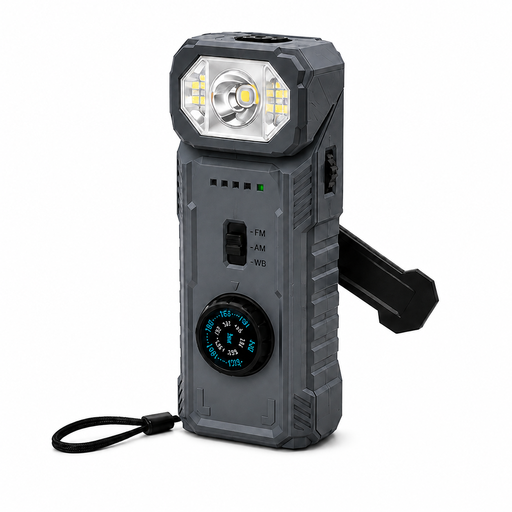 Image unavailable
Could suit an FM listener who also wants the extra features of an emergency radio; check reception where you plan to listen.
The product name lists a 2000 mAh battery, hand crank, USB power, power bank function, SOS alarm and magnetic base. The description mentions charging via USB or the hand crank.
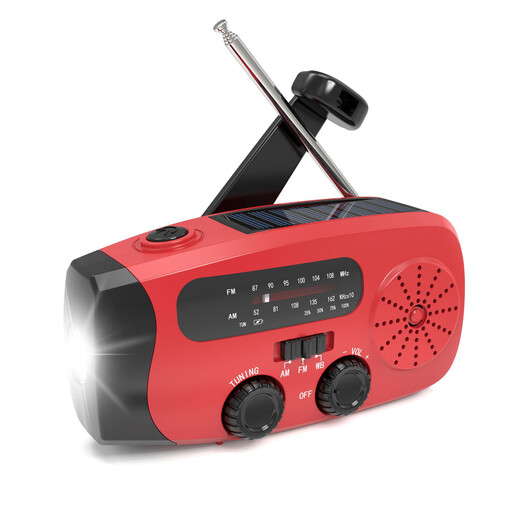 Image unavailable
Could be a good fit if you want FM reception alongside the extra features listed for this model.
The product name lists a battery, LED torch, power bank function and IPX-3 rating. The description mentions USB-C, solar and hand-crank charging, as well as a telescopic aerial.
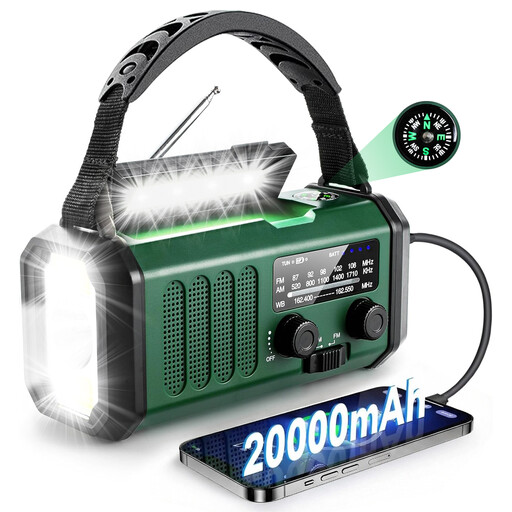 Image unavailable
Could suit anyone looking for an FM radio with extra features for outdoor use; check how well it receives your programme in your hobby room.
The product name lists a 20000 mAh battery, AM/FM, power bank, LED reading light, SOS alarm and compass. The description mentions solar, hand-crank and USB-C charging.
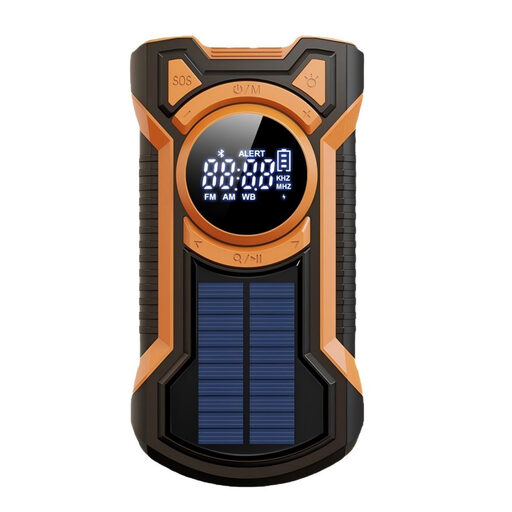 Image unavailable
Could be a good fit if you want FM alongside Bluetooth and several power options; Bluetooth isn’t a substitute for a standalone internet radio feature.
The product name lists a 5000 mAh battery, power bank function, hand crank, solar and USB-C charging, SOS and LED lighting.
Check with the station which channels it currently uses to broadcast the programme. Compare this with the radio’s FM, DAB+ or internet features, then test reception where you plan to listen.
Follow the radio’s aerial and tuning instructions, and try moving it to another spot in the room. If you suspect interference is still an issue, the Dutch Authority for Digital Infrastructure recommends checking the manual or contacting the seller or service provider. It also offers a way to report unresolved interference.
No, it depends on the power options of the exact model. Check what’s included: the manufacturer says the ChargePAK for the Pure Evoke Play is sold separately.
According to the Government of the Netherlands, you’re entitled to a product that works properly. There’s no fixed statutory warranty period covering all products in the Netherlands, and the seller is your point of contact if a product is faulty. For online purchases from a business, you’ll generally have 14 days to change your mind; check the terms and any statutory exceptions.
According to the Dutch Authority for Digital Infrastructure, electrical, electronic and radio equipment sold in Europe must meet the applicable European requirements and carry a CE mark. A declaration for a model doesn’t automatically prove that the item being offered is the same version or carries the same marking.