What should you look for when choosing?
Start with the programme you want to hear and reception where you plan to listen. Then decide how you want to listen and which power options and controls suit you.
| What to consider |
What should you check? |
Who is this important for? |
| Live reception |
Check the station and the broadcast’s reception band, then try the radio where you intend to use it. |
If I want to listen to the programme live, I need to be able to receive the station there; around 36% of consumers say live reception is their main concern. |
| Listening without disturbing others |
Check that the exact model has a headphone socket; Bluetooth alone doesn’t confirm that it can send audio to headphones. |
In a shared room, I want to listen without disturbing others; around 29% of consumers put this need first. |
| Power and portability |
Compare the power options for the version you’re considering: mains, batteries or a rechargeable battery, and check what’s included. |
If I want to use the radio in different places, I need to know how I’ll power it; around 21% of consumers cite portability and power as their main concern. |
| Simple controls |
Check how to tune in and adjust the volume, and whether you need preset buttons or extra features. |
If you mainly want to follow one programme, straightforward tuning and volume controls may be enough; around 14% of consumers make ease of use their top priority. |
Relevant brands to consider
The models mentioned differ in reception, power options and private listening features, so always compare the specific version you’re considering.
Philips
Philips offers both straightforward FM/AM models and portable DAB+/FM radios with extra features.
- Philips says the TAR2509/10 can be powered by mains or batteries and has a headphone socket. The TAV2000DB/00 is listed with DAB+/FM, Bluetooth and a headphone socket.
- DAB+ reception isn’t listed for the TAR2509/10. Philips’ stated battery life of around 15 hours for the TAV2000DB/00 is a manufacturer claim, not a measurement taken in your living room.
JBL
JBL describes the Tuner 3 as a portable DAB+/FM radio and Bluetooth speaker.
- JBL lists six preset buttons and up to 15 hours of playback: 12 hours after charging, plus up to three more hours with Playtime Boost, according to the product information.
- The product information provided doesn’t confirm a headphone output. Don’t assume you can listen privately through headphones without checking the connections on the exact version.
Denver
Denver describes the DAB-18 as a portable DAB+/FM radio with Bluetooth, a clock and preset stations.
- Denver lists two 2 W speakers and power from four C batteries or the mains adapter supplied.
- The stated speaker power alone doesn’t tell you how clear speech will sound from where you plan to listen. A headphone output hasn’t been confirmed.
Joybuy products for portable FM listening
This selection focuses on portable FM listening and includes AM/FM radios, headphones with an FM function, and portable players or speakers.
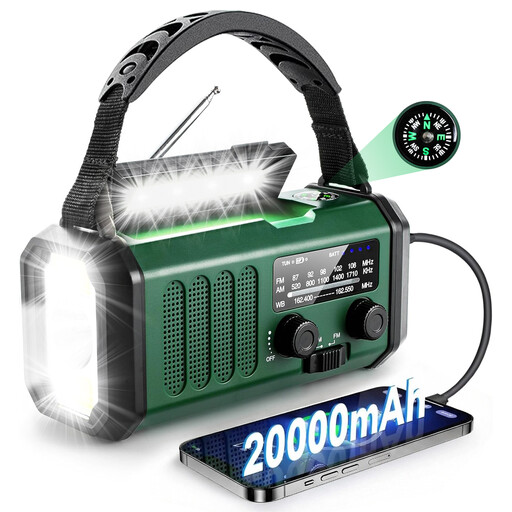 Image unavailable
Portable AM/FM emergency radio, 20,000 mAh
An option to consider if your preferred live broadcast is available via AM or FM.
The product information lists solar power, a hand crank and USB-C as power options.
View at Joybuy
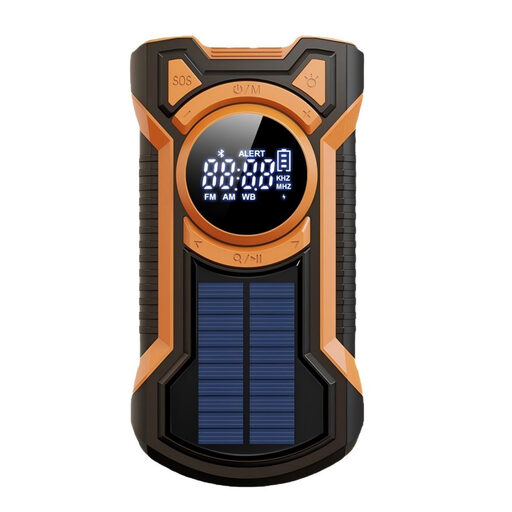 Image unavailable
AM/FM/SW emergency radio with Bluetooth, 5,000 mAh
The AM/FM function makes this an option for live listening when your preferred station is available on a supported band.
The product name also mentions Bluetooth, a 5,000 mAh power bank, a hand crank, solar power and USB-C.
View at Joybuy
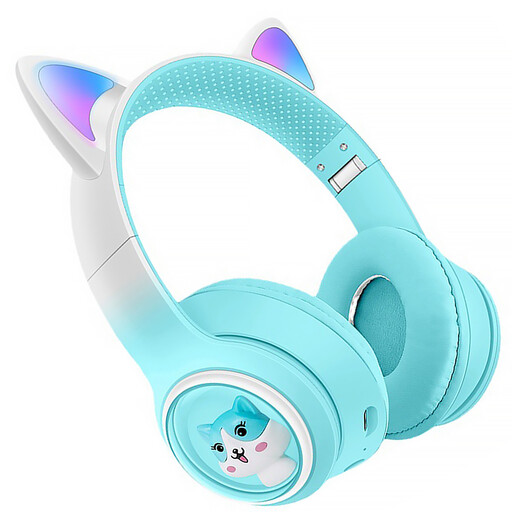 Image unavailable
KINSI Bluetooth headphones with FM radio
The built-in FM radio may suit listening on your own to programmes that are available via FM.
The product name also mentions RGB LED lighting, a microphone, a TF card slot and USB-C.
View at Joybuy
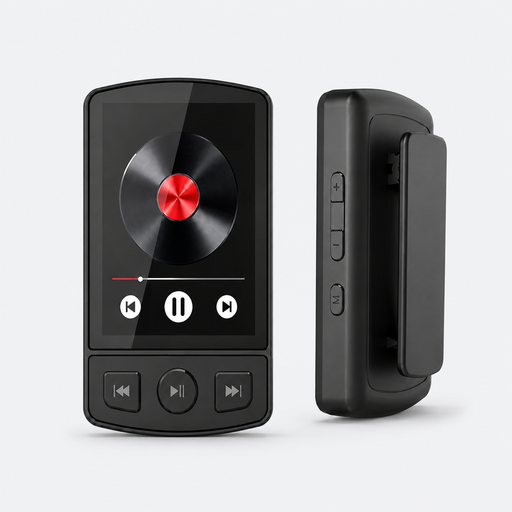 Image unavailable
MP3 player with FM radio, Bluetooth 5.2, 64 GB and clip
The FM radio function is useful if your preferred broadcast is transmitted on an FM station.
The product name lists 64 GB of storage, a built-in speaker, a clip, Bluetooth 5.2, a pedometer and voice recording.
View at Joybuy
 Image unavailable
Mlove BV800 Bluetooth speaker with FM radio
A speaker option for FM listening when sharing audio in the living room suits you.
The product information lists a 3.5 mm headphone output, a rechargeable battery, physical buttons, an LCD screen and an external aerial.
View at Joybuy
Frequently asked questions
Can I listen to my preferred science programme on any DAB+ radio?
No. First check which station broadcasts the programme and when it’s on. NPO Radio 1 has broadcast science programmes, but that doesn’t confirm that every programme you want will be available when you plan to listen or that you’ll be able to receive it clearly where you are.
What can I do if DAB+ reception drops out in the living room?
If you have reception problems, Digital Radio NL recommends first running a new automatic station scan. The organisation also notes that indoor reception depends on local buildings and construction. Try the radio where you intend to use it and, if necessary, check whether the station is also available via FM.
Do I need a broadcasting licence to listen to FM or DAB+?
The frequency licences described by the Dutch Authority for Digital Infrastructure apply to broadcasters, not to people receiving radio on a device. Digital Radio NL says that listening via DAB+ doesn’t require a subscription or registration.
What costs and consumer rights should I consider when buying online in the Netherlands?
Digital Radio NL says there are no subscription fees for receiving FM and DAB+ over the air, but remember to consider how you’ll power your chosen radio. When you buy from a business online, you’ll usually have 14 days to change your mind. You’re also entitled to a product that’s fit for purpose. In the Netherlands, there’s no fixed statutory warranty period, and the retailer is your point of contact if a product is faulty.
Can I catch up on a missed broadcast directly through any Bluetooth radio?
No. A Bluetooth radio can play audio sent from a phone, but that doesn’t mean the radio itself stores broadcasts or has an internet connection. NPO Radio 1 makes broadcasts available to catch up on; check that the radio can play Bluetooth audio from your phone.


