
Vandaag of morgen in huis

Kwaliteit gegarandeerd

Welkomstaanbiedingen ontgrendelen: GRATIS bezorging | Tot 80% korting | Gratis 30 dagen JoyPlus-proefperiode
Download de app
A movie night in the garden, a major sports match on your living room wall, or a hassle-free presentation on location. The desire for a large, flexible screen is universal, but a big TV isn't always the answer. A portable projector offers the freedom to enjoy a massive picture anytime, anywhere.
As a Joybuy Product Recommendation Officer, I'm here to help you navigate the options. In this article, I'll provide practical information and concrete recommendations, free of marketing jargon, so you can make a choice that fits your needs.
Projector specifications can be overwhelming. Let's focus on three key aspects that make all the difference to your viewing experience.
The sharpness of the image is determined by its native resolution. For a clear and detailed picture, a 1080p projector (Full HD, 1920x1080 pixels) is a solid baseline. This ensures that movies, shows, and games look crisp, even on a large surface. Also, pay attention to brightness, often expressed in lumens. Higher brightness is especially important if you're not using the projector in a completely dark room.
A modern smart projector streamlines your experience. Models with built-in Wi-Fi and Bluetooth connect effortlessly to your home network and wireless speakers or headphones. An integrated operating system, like a Google TV projector, gives you direct access to thousands of apps like Netflix, YouTube, and Prime Video, without needing to connect a laptop or another device. Features like auto-focus and keystone correction ensure the image automatically straightens and sharpens itself, significantly speeding up setup.
For true portability, a projector with a battery is essential. This frees you from being tied to a power outlet, which is ideal for an outdoor projector in the garden or on a camping trip. Check the battery life to ensure you can watch a full movie. The size and weight, often indicated by the term mini projector, and a clever design with features like a built-in stand or handle, add to its overall flexibility.
Based on the criteria above, we've highlighted a few popular choices for you.
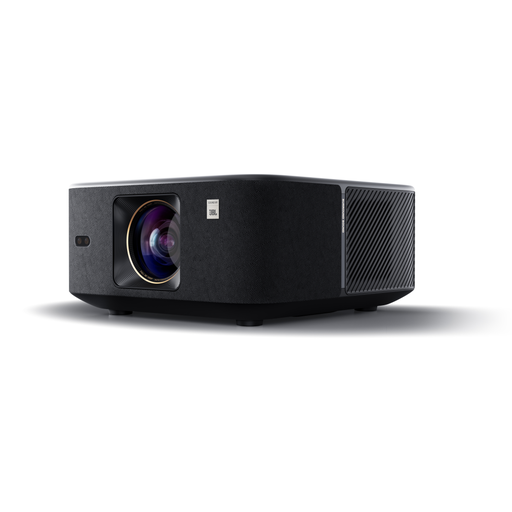
Why it stands out The Yaber K3 is designed as an all-in-one entertainment hub. The combination of high brightness, powerful sound, and smart setup features makes it suitable for use in various lighting conditions. According to the manufacturer, its NovaGlow and CoolSwift technologies ensure a bright picture and stable performance.
Key Features
Who is it for? For those seeking a high-quality, user-friendly projector for home cinema nights that is also easy to move around. The automatic image correction makes setup effortless.
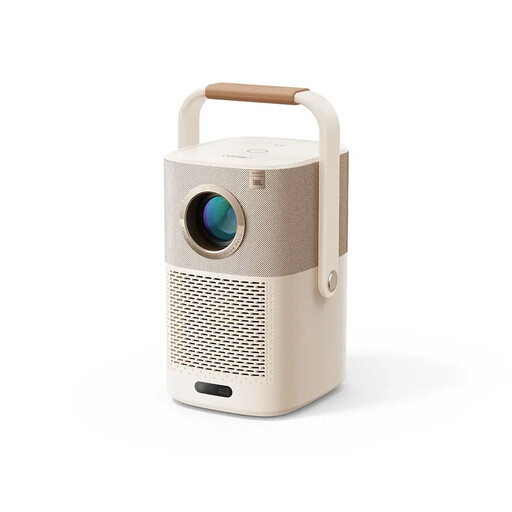
Why it stands out This mini projector is specifically designed with mobility in mind. The built-in battery and clever handle, which doubles as a stand, make it an excellent choice as an outdoor projector.
Key Features
Who is it for? Ideal for users who want maximum flexibility. Perfect for movie nights in the garden, on the balcony, or to take with you on holiday.
While the built-in speakers on many projectors are adequate, an external Bluetooth speaker can elevate the audio experience, especially outdoors.
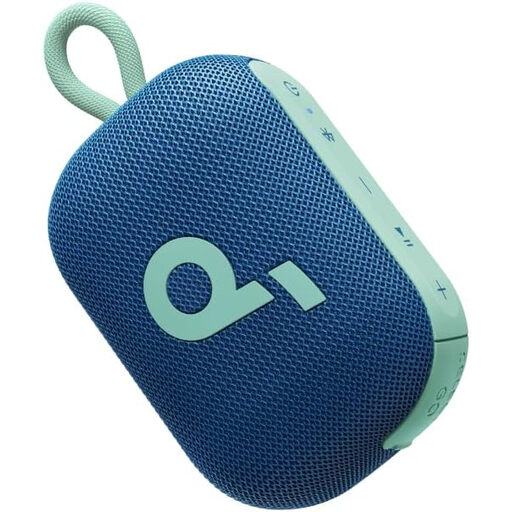
Why it stands out This speaker from Anker is built for adventure. It's fully waterproof (IP67) and can even float, making it a rugged companion for an outdoor session with your projector.
Key Features
Who is it for? For anyone looking for a durable, powerful, and portable audio solution that can withstand the elements, as a complement to an outdoor projector.
Looking for a speaker in a specific colour or with different features? Check out our selection of audio solutions. You might just find the perfect purple speaker to match your style.
1. Can I use a portable projector outside? Yes, you certainly can. It's best to choose a model specifically designed as an outdoor projector, with a built-in projector with a battery. However, keep in mind that image quality is best after sunset, as daylight can wash out the picture. Also, ensure the projector is protected from moisture and rain.
2. Do I need a special screen for a mini projector? A dedicated projector screen isn't strictly necessary. A smooth, white or light-grey wall can produce a perfectly good result. However, a screen improves contrast and brightness because it's designed to reflect light optimally. Some smart projectors have features that automatically adjust the image to fit your screen size.
3. How do I connect my phone to a projector with Wi-Fi and Bluetooth? There are typically two ways. Using Wi-Fi, you can mirror your phone's screen with technologies like Chromecast (for Android) or AirPlay (for Apple). A smart projector with a built-in system like Google TV often has this functionality integrated. Via Bluetooth, you can connect the projector to an external speaker or headphones, or in some cases, use the projector itself as a Bluetooth speaker.
