
Anyone who needs to examine floor plan details
You want to assess lines, labels and different sections of a digital floor plan side by side.


For viewing small labels and several parts of a floor plan at once, comparing a larger screen with a higher stated resolution is a sensible place to start. If you often move between workspaces, a smaller size and a practical stand may matter more. ViewSonic, Arzopa, Lenovo and Dell list different screen sizes, resolutions and touch features for their models. Also check that your laptop can provide both a video signal and sufficient power through the connection you choose.
You want to assess lines, labels and different sections of a digital floor plan side by side.
You take your laptop and screen to another table and want a setup that’s easy to position and connect.
You want to zoom in or navigate on the second screen using touch, so you also check whether your laptop and software support it.
A good fit if: you have room at your desk and a clear overview or small details are important to you. For the TD1656-2K and Z1RC respectively, ViewSonic and Arzopa specify a 16-inch screen with 2560 × 1600 pixels.
Consider: also check the size of your bag, how you’ll set up the screen and how legible your own floor plan is at the scale you choose.
A good fit if: you often move between workspaces or have limited desk space. Lenovo lists 2240 × 1400 pixels for the ThinkVision M14t Gen 2; Dell specifies 1920 × 1200 pixels for the P1425.
Consider: a smaller screen offers less physical display area for a large floor plan.
| What to consider | What should you check? | Who is this important for? |
|---|---|---|
| Detail and overview | Compare screen size, native resolution and aspect ratio; view your own file at a suitable scale. | If I want to assess labels and several sections of a floor plan at once, I prioritise an overview. Around 33% of consumers say detail is their top priority. |
| Video and power connections | Check that your laptop port outputs video and find out which video input and power supply the exact monitor requires. | If I want to get started on site without connection problems, I check the entire cable setup in advance. Around 27% of consumers prioritise reliable video and power connections. |
| Carrying and setting up | Compare the stated weight with what you’ll actually carry, and consider the case, stand and desk space. | When I often move between tables, portability and setup matter alongside screen size. Around 20% of consumers say portability is their top priority. |
| Touch control | Check the touch functionality of the exact model, and whether your laptop and floor plan software support it. | If I want to zoom or navigate on the second screen, touch control needs to work with my setup. Around 20% of consumers prioritise direct interaction. |
The fact that your laptop has a USB-C port doesn’t tell you whether it can also send a video signal to the screen. ASUS says USB-C video on the ZenScreen MB16AHV requires a compatible laptop port; the HDMI connection requires a suitable port and a power supply.
Check what your laptop port supports and work out the complete connection setup for the exact monitor before you buy.
The physical screen size and the scale of your file also affect how a floor plan appears on screen. A higher stated resolution doesn’t guarantee that the labels in your file will be legible.
Compare screen size and resolution together, and view your own floor plan at a suitable scale.
ACM ConsuWijzer distinguishes between your statutory rights and the warranty terms offered by the seller or manufacturer. The cooling-off period for online purchases is a separate matter too.
Read the terms of sale and consider your legal rights separately from any voluntary warranty or returns promise.
The TD1656-2K is a 16-inch model with a high stated resolution and touch control.
The Z1RC is a 16-inch option to compare if touch functionality isn’t a requirement.
The ThinkVision M14t Gen 2 is a more compact 14-inch model with touch control.
The ZenScreen MB16QHG is a 16-inch option with a higher stated resolution; the MB16AHV is a separate example of its connection requirements.
The Pro 14 Plus P1425 is a compact 14-inch model without a touchscreen.
The models below are portable screens measuring 16 or 16.1 inches, with both 2560 × 1600 and Full HD resolutions. Compare the stated resolution with the floor plan you want to view, and check the connections for your laptop.
 No image available
A 16-inch screen with 2560 × 1600 pixels and a 16:10 aspect ratio to consider if a clear view of your floor plan is your priority.
The title lists two USB-C ports, Mini HDMI and a built-in stand.
 No image available
The stated 2560 × 1600 pixels and 16:10 aspect ratio are worth considering when comparing monitors for floor plan details.
The title lists Mini HDMI and Type-C connections; the product description mentions an anti-glare screen.
 No image available
A model to consider if you’re looking to compare a 16-inch screen with 2560 × 1600 pixels for viewing floor plans.
The product information lists a 16:10 aspect ratio, USB-C, HDMI, a built-in stand and a weight of 810 g.
 No image available
A 16-inch Full HD screen for anyone looking for a portable second display and wanting to compare its stated resolution with the details in their floor plan.
The title lists a 16:10 aspect ratio, two USB-C ports, Mini HDMI and a built-in stand.
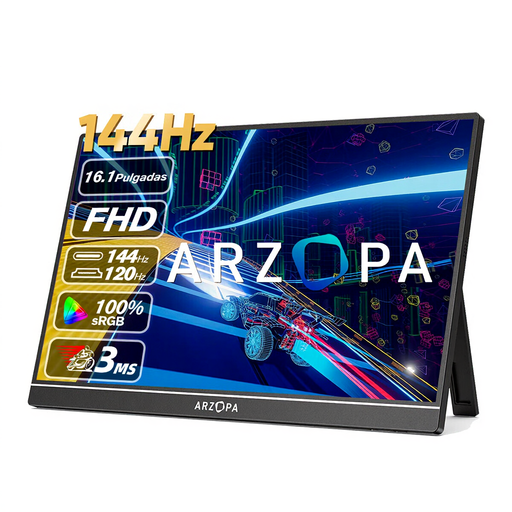 No image available
The stated 1080P Full HD resolution is worth weighing against the details you want to see on your floor plan.
The title lists a built-in stand; the product description mentions dual USB-C and Mini HDMI ports.
No. ASUS says the laptop port must support video over USB-C for the ZenScreen MB16AHV; otherwise, ASUS describes an HDMI connection with a separate USB-C power supply. Check your laptop’s capabilities and the exact monitor.
No. Lenovo and ViewSonic list 10-point touch for the ThinkVision M14t Gen 2 and TD1656-2K respectively; Dell doesn’t list a touchscreen for the P1425. Also check that your laptop and floor plan software support touch control.
According to ACM ConsuWijzer, online purchases generally come with a statutory cooling-off period of up to 14 days after delivery, although exceptions may apply. If a product doesn’t perform as you could reasonably expect during normal use, ACM ConsuWijzer says the seller is responsible for providing a solution under the statutory guarantee. A manufacturer’s warranty doesn’t replace your statutory rights.
The European Commission describes energy labelling requirements for electronic displays, including computer monitors. EUR-Lex describes conformity assessment and CE marking for equipment covered by the EU Electromagnetic Compatibility Directive. These general rules don’t show that a specific offer complies with them, so check the information for the exact model.