
Daylight event host
You want to be able to read brief event notes outdoors or during a light-filled stop. Glare, brightness and finding a sheltered spot are important considerations.


Choose a portable monitor for excursion notes based on where you’ll read them, the power available and the video connection on your source device. In daylight, consider glare and the stated brightness, but always plan to use the monitor outdoors in a dry, sheltered spot. For USB-C, your source device’s port must support the required video function. A model with its own battery means you rely less on your laptop for power, while a larger or dual-screen monitor takes up more space and isn’t necessarily easier to carry.
You want to be able to read brief event notes outdoors or during a light-filled stop. Glare, brightness and finding a sheltered spot are important considerations.
You show notes on the go where there’s no mains power. Consider whether your source device can power the screen or whether you need a model with its own battery.
You carry the screen between locations and want to open or interact with your notes without a cumbersome set-up.
First, check whether you’ll be able to read your notes where you plan to use the screen. Then match the power supply, connection and portability to your excursion.
| Consideration | What should you check? | Who is this important for? |
|---|---|---|
| Readability in daylight | Check the brightness of the exact model, the screen surface and the viewing angle. Assess the set-up in similar lighting conditions. | I want to read notes outdoors, so I consider both glare and where I’ll position the screen. Around 29% of consumers say daylight readability is their top buying priority. |
| Power during the excursion | Compare your planned usage time with the stated battery life and available power sources. Check that your chosen set-up provides both picture and power. | I show notes in places without a socket and want to know how long the screen and source device will run. Around 29% of consumers prioritise power on the go. |
| Video connection | Check your source device’s video output, the required USB-C video function or other supported connection, and the cables you’ll need. | I want to connect my existing device without relying on the USB-C connector alone; its video output must be compatible with the monitor. Around 24% of consumers say a working connection is their top buying priority. |
| Portability and use | Compare the screen size, including its case and stand. Decide whether you’ll just display text or also want to interact with your notes on screen. | I carry the screen between locations and want to read or interact with my notes easily. Around 18% of consumers prioritise compact portability and ease of use. |
Your source device’s USB-C port must support the video function required by the monitor. Having the same connector shape doesn’t guarantee a working video connection.
Before choosing a monitor, check your device’s port capabilities, its power requirements and which cables are included.
A connection mismatch may also mean you need an extra cable, adapter or separate power set-up, so check before you buy.
A statement about outdoor visibility doesn’t mean a monitor is resistant to moisture.
Check the manual for the exact model. Unless weather resistance is specified, use it in a dry, sheltered spot and protect the screen and connections from rain.
A stated maximum doesn’t guarantee that the battery will last for the whole excursion. The device displaying your notes also needs power.
Plan usage around stops and connections, and check your source device’s battery life too.
ZenScreen models offer a range of set-ups, from wired connections to a model with a battery and one with two screens.
The ThinkVision M14t Gen 2 is a compact option to consider if you want to interact with notes on the second screen.
The E14 G4 is worth considering if daylight visibility is an important requirement.
The VG1656N is worth considering if you’re looking for a monitor with its own power supply or wireless display for a short stop.
The A1 is a 15.6-inch option for anyone looking for a stand and several connection options in a portable second-screen set-up.
These portable screens are designed to provide an extra display alongside or from a mobile source device. Before buying, check that the connection and size suit your device and excursion.
 No image available
Could be a good fit if you want to display notes alongside other laptop content in a dual-screen set-up.
The product information lists compatibility with 13–17.3-inch laptops, Full HD 1920 × 1080 and USB-C.
 No image available
The built-in stand could be useful if you want to set the monitor down on a surface during a stop.
The title lists a 16-inch FHD IPS screen with a 16:10 aspect ratio, two USB-C ports and mini-HDMI.
 No image available
Worth considering if you want to display notes on a portable second screen and its connections suit your source device.
The title lists an IPS screen with a 16:10 aspect ratio, USB-C, mini-HDMI and a built-in stand.
 No image available
Could be a good fit if you also want to interact with your notes on screen while you’re out and about.
The product information lists Full HD 1920 × 1080, USB-C and mini-HDMI connections. The case can be used as a stand.
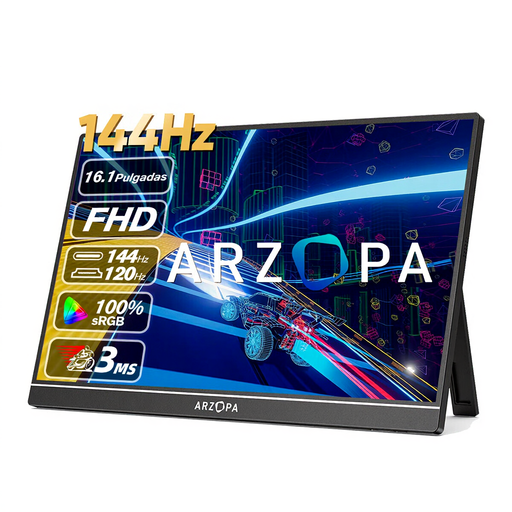 No image available
The built-in stand could come in handy if you want to set the monitor down during an excursion stop.
The title lists an FHD IPS screen and USB-C and HDMI connections.
No. To send video over USB-C, the source device’s port must support the video function the monitor requires, such as DisplayPort Alternate Mode. Check how the monitor is powered too; having the right connector shape isn’t enough.
Don’t assume a monitor is water-resistant just because it claims to be visible outdoors. Check the manual for the exact model and use it in a dry, sheltered spot if moisture protection isn’t explicitly stated.
Disconnect the monitor before cleaning it and follow the manual for the exact model. Acer recommends using a soft cloth for the monitor in its manual; don’t automatically apply that advice to another model.
Many online purchases in the Netherlands come with a 14-day cooling-off period, subject to possible conditions and exceptions. This is separate from your rights if a product is faulty: as a general rule, contact the seller if there’s a defect. The Dutch government states that the Netherlands does not have a fixed statutory two-year guarantee period for all products.
The European Commission states that energy labelling and ecodesign rules apply to electronic displays, with exceptions for certain screen types and sizes. Check the information for the exact model; a product listing alone doesn’t prove that all applicable rules have been met.