What should you look for when choosing?
Start with where you’ll be viewing the screen and the ambient light around the table. Then decide whether colour assessment, detail or a simple connection matters most for your sessions.
| What to consider |
What should you check? |
Who is this important for? |
| Viewing together and reflections |
Check the panel, screen finish, size and adjustability in relation to where everyone will sit and how the light falls. ASUS lists an anti-glare finish for the PA148CTV; Lenovo lists an adjustable stand for the M14d. |
If I’m discussing photos with others around the same table, I want us to be able to see the image from different positions. Around 31% of consumers say being able to share the view is their main purchase concern. |
| Visibility in changing light |
Compare the screen finish and stated typical brightness; also check whether the stand or hood suits your location. Acer lists 250 cd/m² for the PM161Q B. A peak HDR value is not the same as typical brightness, and does not prove that a screen will be visible in sunlight. |
When the light on the table changes, I want to be able to position the monitor without reflections getting in the way of our discussion. For around 25% of consumers, managing light is the top priority. |
| Assessing colour |
Compare colour specifications only when they refer to the same colour space, and check the calibration information and software settings. ASUS lists 100% sRGB for the PA148CTV; ViewSonic lists 100% DCI-P3 for the VP16-OLED. These are manufacturer specifications for different colour spaces. |
If we’re discussing colour choices on the spot, I want to know which colour space and settings suit my photography. Around 25% of consumers give colour assessment their highest priority. |
| Detail and connections |
Compare resolutions and check the video and power requirements of your source device. Lenovo lists 2240 × 1400 pixels for the M14d and ASUS lists 1920 × 1080 for the PA148CTV; this compares stated resolutions, not measured photo quality. For a single USB-C cable, ASUS requires DisplayPort Alt Mode and at least 10 W output from the source device. |
If I’m comparing feathers or crops, I want enough screen pixels and a connection that works with my laptop or camera. Around 19% of consumers focus mainly on detail and having a working connection. |
Portable monitors at Joybuy
This selection features portable monitors for viewing and comparing photos around a table. Check the stated connections, positioning options and colour specifications for each model against your own setup.
 No image available
Blackview DCM6 PRO, 14-inch Full HD dual-screen laptop extender
The product description presents this model as a portable laptop extender for viewing images alongside a compatible laptop.
The title lists a 14-inch Full HD screen. The description says it is compatible with laptops measuring 13–17.3 inches; check that your laptop and connections are suitable.
View at Joybuy
 No image available
TECLAST V16H, 16-inch FHD IPS, 16:10, 144 Hz
The product information lists an IPS panel and built-in stand for a portable setup on a table.
The title lists Full HD, a 16:10 aspect ratio and 144 Hz. The description lists USB-C and mini-HDMI; check which connection and power supply your source device requires.
View at Joybuy
 No image available
TECLAST V16Q, 2.5K IPS, 100% sRGB, 144 Hz
The product information lists an IPS panel and built-in stand, features to consider when viewing photos together.
The title and product description list 2.5K, 100% sRGB and 144 Hz. These are product specifications, not independent measurements; also check that the USB-C and mini-HDMI connections suit your setup.
View at Joybuy
 No image available
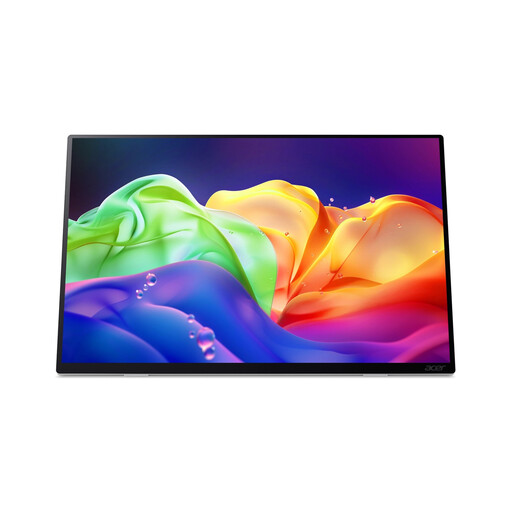
Acer ProDesigner PE160WUT, 16-inch OLED touchscreen monitor
The product information lists an anti-glare screen and a tilt range of 0° to 90°, both worth considering when positioning it on a table.
The title lists 2880 × 1800 pixels and 120 Hz; the product description lists 100% DCI-P3 and ΔE < 2. These specifications apply to this model and are not independent measurements. USB-C Power Delivery charging is not supported; check what power supply your setup needs.
View at Joybuy
 No image available
MSI PRO MP165 E6, 15.6-inch Full HD IPS monitor
The product information lists an IPS panel with wide viewing angles and an integrated stand that tilts up to 90° for positioning on a table.
The description lists two USB-C ports with DP Alt Mode and HDMI 2.0b. Check your source device’s video and power requirements before choosing a cable setup.
View at Joybuy
Frequently asked questions
Can I connect a portable monitor to my laptop with a single USB-C cable?
That depends on the capabilities of both devices. For a single-cable connection, ASUS requires a USB-C source with DisplayPort Alt Mode and at least 10 W output for the PA148CTV. Check the requirements for the exact screen and your laptop’s specifications; a USB-C port alone does not prove that video and power will work through one cable.
Is factory calibration enough to make final colour decisions on the spot?
Also check the settings across the rest of your display chain. ASUS lists factory calibration for the PA148CTV; for Lightroom Classic, Adobe recommends calibrating your monitor and choosing suitable colour settings or output profiles. Your viewing environment and software settings still matter.
How should I care for a portable monitor after using it on the coast?
Follow the cleaning and storage instructions for the exact model, and only put the screen away once it is clean and dry. Don’t assume that a monitor is resistant to salt water or splashes; check the information for your specific model.
What are my rights if an online purchase doesn’t suit me or the monitor develops a fault too soon?
For an online consumer purchase in the Netherlands, there is generally a 14-day cooling-off period that ends 14 days after delivery; check the applicable exceptions and returns policy. This is separate from your statutory rights if a product does not meet what you could reasonably expect. The ACM states that statutory rights in the Netherlands have no fixed time limit and that the seller is your point of contact.
Which EU product rules and take-back rules apply to a monitor?
According to the European Commission, EU ecodesign rules for electronic displays apply to manufacturers and importers wishing to sell such products in the EU. CE marking is required only when applicable harmonised rules say it is. In the Netherlands, when you buy a similar new electrical appliance, you can return an old one to the shop under the like-for-like take-back scheme; this does not confirm the compliance of any individual model.


