
Photographers assessing colour
You use photo samples to discuss colour choices, so you pay attention to the stated colour gamut, colour accuracy and the lighting around the kitchen table.


When you’re choosing photos together, plenty of screen space and a stable table setup are important. For colour decisions, the stated colour specifications and a consistent lighting environment matter more. Also check that your laptop or camera can provide both an image and sufficient power: USB-C alone doesn’t automatically mean one cable will do the job.
You use photo samples to discuss colour choices, so you pay attention to the stated colour gamut, colour accuracy and the lighting around the kitchen table.
You want several people to be able to view the screen at once, so you’re looking for enough screen space, a useful viewing angle and a setup that works on your table.
You want to connect the screen quickly and put it away when you’re finished. The ports, power requirements and dimensions need to suit your laptop or camera.
First decide whether you’ll only be selecting photos or making colour decisions too. Then check the video and power connections, and choose a size that works with the space available at the table.
| What to consider | What to look for | Who is this important for? |
|---|---|---|
| Colour appearance | Check the colour gamut and stated colour error separately; assess photos in lighting that’s as consistent as possible. | If I’m also making colour choices, I want to know what the colour appearance is based on. Around 26% of consumers put colour assessment first. |
| Connection and power | Check that the source and monitor support the required video signals and that the available power is sufficient. If you’re using a camera, check the video cable too. | I want to connect my laptop or camera without discovering at the table that there’s no picture or power. Around 26% of consumers put a working connection first. |
| Viewing photos together | Compare the screen size, aspect ratio, resolution and stand with the space available and the viewing angle you want. | If we’re looking at photos and selection tools together, I want a clear overview without losing sight of the table setup. Around 21% of consumers give a shared overview top priority. |
| Setting up and storing away | Consider the dimensions, the cables you’ll need and where you’ll store the screen when you’re finished. | I want to set the screen up on the table temporarily and put it away easily afterwards. Around 16% of consumers prioritise a compact, practical table setup. |
| Total purchase cost | Check which cables and power supply your setup needs, and whether the colour features suit the way you’ll use the screen. | If I’m mainly selecting samples, I don’t want to pay for features I won’t use. Around 11% of consumers put keeping total costs low first. |
For a single USB-C cable, ASUS specifies that the ProArt PA148CTV requires both a video signal and sufficient output power from the connected device.
Check your laptop’s video mode and available power against the specifications for the exact screen model.
You may need a separate USB-C power supply and a suitable camera cable.
The ProArt PA148CTV is a compact screen for anyone who wants to assess colour-sensitive samples as well as select photos.
The ThinkVision M14d is designed as a compact second screen for photos and on-screen controls.
The VP16-OLED is an option for table-based previews where shielding the screen from ambient light or connecting a camera matters.
The Z1RC is worth considering if you’re mainly looking for a larger screen with a 16:10 aspect ratio.
The P1424H is an example of a compact portable monitor for general second-screen tasks.
This Joybuy selection includes portable monitors for temporary table setups. Compare their stated connections, screen features and practical limitations with the way you view photos.
 No image available
Could be a good fit if you’re looking for a table setup with a stand and USB-C or Mini HDMI connection.
The product name lists 2.5K, 16:10, 100% sRGB, 10-bit, 144Hz and a kickstand.
 No image available
Could be a good fit if you’re looking for a larger portable screen with a built-in stand for viewing photos at the table.
The product name lists 16 inches, 2560 × 1600, 16:10, IPS, USB-C and HDMI. Check the specifications for the exact version before using colour figures as a reference.
 No image available
Could be a good fit if you need a 16:10 screen and a Mini HDMI or Type-C connection for viewing photos.
The product name lists 2560 × 1600, 16:10, QLED, 1200:1 and 450 nits.
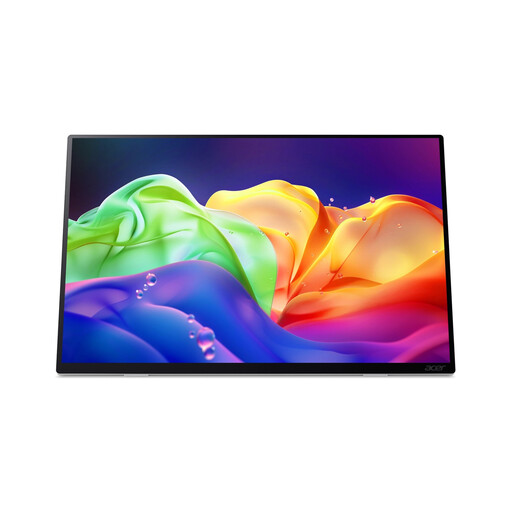 No image available
Could be a good fit if you want to view colour-sensitive samples and an adjustable angle is important to you.
The product name lists OLED, touchscreen, 2880 × 1800 and 120Hz. According to the product information, this model has no internal battery and doesn’t support USB-C Power Delivery charging; factor in the stated European power cable.
 No image available
Could be a good fit for viewing photos together if a built-in kickstand and USB-C and Mini HDMI connections suit your setup.
The product name lists 16 inches, Full HD, IPS, 16:10 and 144Hz.
Not necessarily. First decide whether you’re selecting photos based only on subject and composition, or making colour choices too. For the latter, colour specifications and a consistent viewing environment are more relevant; a manufacturer’s stated figures don’t replace checking your individual unit.
That depends on both the monitor and the laptop. ASUS states that the ProArt PA148CTV needs DisplayPort Alt Mode and at least 10 W of output power from the connected device to work with a single USB-C cable. Check that both devices meet these requirements.
Assess photos in lighting that’s as consistent as possible, and calibrate or profile the screen if you’re making colour-critical decisions. Adobe describes calibration as a first step for colour-critical work; the lighting conditions at the table matter too.
When you buy as a consumer in the Netherlands, you’re entitled to a product that meets the required standards; according to the Dutch government, the seller must provide a solution if something goes wrong. For distance sales, you’ll also usually have a 14-day cooling-off period, subject to applicable exceptions. Check the terms and conditions for your purchase.
It may be, if the monitor falls under EU rules that require CE marking. The European Union emphasises that this requirement depends on the rules applicable to the product; a general product description doesn’t confirm that every individual item on offer complies.