What should you look for when buying?
Start with the colour workflow for your photo examples. Then consider viewing images together, connectivity and power, and finally portability and the space available on your desk.
| What matters when buying |
What to look for |
Who is this important for? |
| Colour and detail |
Compare the colour space, native resolution, colour mode and calibration information for the exact model. A gamut percentage alone doesn’t prove colour accuracy. |
If I want to discuss the colour and fine detail in photo examples, I look for specifications that suit my files. Colour and detail are the top priority for around 33% of consumers. |
| Viewing images together |
Consider the viewing angle, stand and where the screen can sit on the desk. Also decide who should be able to see the images. |
If I want to review previews with someone beside me, the screen needs to work well for both of us without showing the images unnecessarily to others. Viewing together is the top priority for around 27% of consumers. |
| Video and power |
Check whether the laptop port supports video and provides enough power; also compare the alternative connections on the model you’ve chosen. |
If I want to connect the screen to my existing laptop, I want to know in advance whether the connection can provide both video and power. Connection reliability is the top priority for around 20% of consumers. |
| Carrying and setup |
Compare the dimensions, weight and adjustability of the stand with your bag and workspace. |
If I move between shared desks, the screen needs to be easy to carry and fit on the available desk space. Portability and setup are the top priority for around 20% of consumers. |
Portable monitors on Joybuy
These are portable screens designed to be used alongside a laptop. When comparing monitors for photo examples, focus on their stated colour features, connections, screen space and setup options.
 Image unavailable
Blackview DCM6 PRO, 14 inch, Full HD
For anyone looking for a portable second screen to extend their laptop display.
14 inch; Full HD resolution of 1920 × 1080; USB-C and HDMI; the product information lists compatibility with 13–17.3-inch laptops.
View on Joybuy
 Image unavailable
TECLAST V16Q, 2.5K, 144Hz, IPS
For anyone considering a portable monitor with a built-in stand and stated sRGB coverage.
2.5K resolution; 16:10; IPS; stated 100% sRGB, which alone doesn’t prove colour accuracy; built-in stand; USB-C and Mini HDMI.
View on Joybuy
 Image unavailable
Lenovo L16, 16 inch, WUXGA IPS
For anyone looking for a larger IPS screen with an adjustable stand for changing workspaces.
16 inch; WUXGA resolution of 1920 × 1200; 16:10; two USB-C ports with DisplayPort Alt Mode and Power Delivery up to 65 W; anti-glare treatment and a stated 178° viewing angle.
View on Joybuy
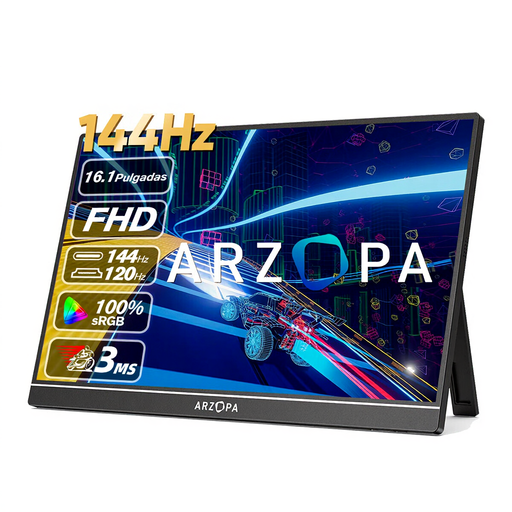 Image unavailable
ARZOPA Z1FC, 16.1 inch, Full HD
For anyone looking to compare an IPS screen with a built-in stand and several connection options.
16.1 inch; Full HD; IPS; stated 106% sRGB, which doesn’t prove colour accuracy; built-in stand; USB-C and Mini HDMI; stated weight 780 g.
View on Joybuy
 Image unavailable
ARZOPA Z1RC, 16 inch, 2.5K IPS
For anyone who values extra screen space for photo details and a built-in stand.
16 inch; resolution of 2560 × 1600; IPS; stated 123% sRGB, which alone doesn’t demonstrate colour accuracy; built-in stand; USB-C and HDMI; stated weight 810 g.
View on Joybuy
Frequently asked questions
Is 100% sRGB enough to make a final assessment of a print?
No. Stated sRGB coverage alone doesn’t tell you how accurately the screen is set up or what a print will look like. Lenovo Netherlands points out that colour accuracy is especially important when work is printed or viewed on other devices. So also check the colour mode and calibration in your workflow.
Will a portable monitor work with every laptop using a single USB-C cable?
No. Check the capabilities of the specific port and the screen’s requirements. For the PA148CTV, ASUS requires DisplayPort Alt Mode and a minimum output power of 10 W from the connected device when using a single USB-C cable.
Can you show identifiable people in photo examples in a shared workspace?
It depends on the images, their purpose and the arrangements for access; being in a shared workspace doesn’t automatically make the answer yes or no. The Dutch Data Protection Authority points out that people in photos are often identifiable. For business use, check which privacy rules and access arrangements apply to the specific images.
What rights do you have when buying online as a consumer in the Netherlands?
According to the Dutch government, in many cases you have a 14-day cooling-off period; check whether these rules apply to your purchase. When you buy as a consumer, you’re also entitled to a product that is of satisfactory quality. The cooling-off period and consumer rights don’t necessarily apply in the same way to business purchases.
What can you do with an old portable monitor in the Netherlands?
According to Milieu Centraal, you can hand in an old electrical appliance free of charge at a shop when you buy a new, similar appliance there, including when you buy online. You can also reuse a working screen or pass it on to someone else.


