
Travelling photo selector
You want to compare photos side by side in a hotel room and take the screen with you regularly. Lenovo describes the ThinkVision M14d as weighing 600 g; Adobe explains how to use Lightroom Classic with a second monitor.


For quickly selecting photos, a lightweight second screen with a connection that is confirmed to work with your laptop is often the practical choice. For colour-critical reviewing, documented colour data and a suitable monitor profile matter more. ASUS lists 100% sRGB and ΔE < 2 for the PA148CTV, while Adobe recommends calibrating your display for Lightroom Classic. A factory specification is no substitute for a suitable profile or a controlled viewing environment.
You want to compare photos side by side in a hotel room and take the screen with you regularly. Lenovo describes the ThinkVision M14d as weighing 600 g; Adobe explains how to use Lightroom Classic with a second monitor.
You also want to assess colours while travelling, so verifiable colour data and a suitable monitor profile are more useful than simply having a larger screen. ASUS lists colour data for the ProArt models reviewed; Adobe recommends calibration for Lightroom Classic.
Your choice depends mainly on whether you can connect the monitor to your laptop or whether you need enough screen detail for previews. ASUS sets specific requirements for a USB-C connection to the PA148CTV; Lenovo and ASUS publish resolution details for the M14d and PA169CDV.
First decide whether you mainly want to select photos or also make colour-critical decisions. Then compare the connection, the weight you’ll need to carry and the screen space you actually need.
| What to consider | What should you check? | Who should prioritise this? |
|---|---|---|
| Colour reproduction | Check both the stated colour gamut and the precise calibration claim. For colour-critical work in Lightroom Classic, use a suitable monitor profile. | If you also assess colours while travelling, colour should be your first priority; around 33% of consumers prioritise it. |
| Connection and power | Check the video mode and power output of your laptop’s port, as well as the monitor’s connection requirements. For a single USB-C cable with the ASUS PA148CTV, ASUS specifies DisplayPort Alt Mode and at least 10 W of output power. | If you want to be sure that both the picture and power will work through your chosen connection in your hotel room, connection comes first; around 25% of consumers have this as their main requirement. |
| Weight and set-up | Compare the monitor’s weight with the case, cables and adapters you’ll be taking with you. Also check how you can position the screen on the desk available to you. | If you pack the screen often and use it while travelling, ease of carrying it matters more than a larger display area; around 25% of consumers prioritise portability. |
| Detail and screen space | Compare screen size and resolution alongside weight. Resolution alone tells you nothing about colour reproduction. | If you want more room for previews or to inspect details, screen space is your most important choice criterion; around 17% of consumers prioritise it. |
A USB-C connection alone doesn’t confirm that your laptop can provide the required video signal and power. For a single USB-C cable with the PA148CTV, ASUS specifies DisplayPort Alt Mode and at least 10 W of output power.
Before buying, check the port capabilities of your exact laptop model and the monitor’s connection requirements.
You may need a different cable, adapter or power solution. Check in advance which connection route you can actually use.
Colour gamut and a usable monitor profile answer different questions. ASUS lists 100% sRGB and factory calibration to ΔE < 2 for the PA148CTV; Adobe recommends calibrating your monitor for Lightroom Classic.
Check the exact claim for the model and set up a suitable monitor profile for colour-critical work.
A larger screen can give you more room to view previews, but it can also mean more weight. ASUS lists the PA169CDV’s net weight as approximately 1,07 kg; Lenovo lists the ThinkVision M14d at 600 g.
Balance the level of detail you need against the complete kit you’ll be carrying, including the case, cables and adapters.
A case or extra cables can add to the kit you need to carry. ASUS also notes that accessories may vary by region.
The ProArt models reviewed offer different screen sizes for creative work.
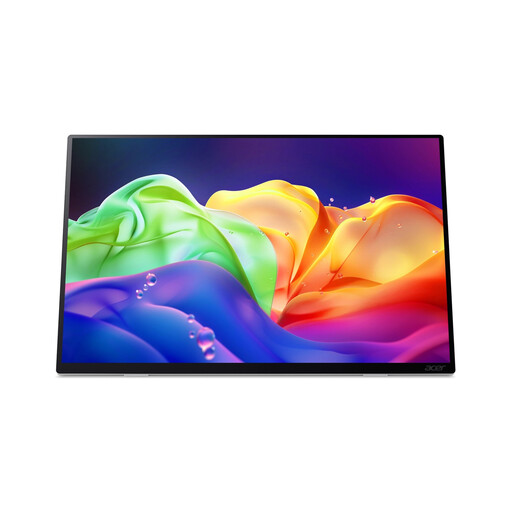
The ThinkVision M14d is a compact option for an extra screen while travelling.
The E14 G4 is a portable FHD option with an anti-glare screen.
The gram +view 16MQ70 offers a larger 16:10 screen option.
These models are portable second screens for viewing photos and previews alongside your laptop. Compare the connections and screen sizes listed with your own set-up; colour coverage or a calibration claim is no substitute for a suitable monitor profile.
 No image available
The 16:10 aspect ratio could suit you if you want extra vertical screen space for photo previews alongside your laptop.
The product name lists 16 inches, FHD and 144 Hz, with two USB-C ports, mini-HDMI and a built-in stand.
 No image available
This version could suit you if you want to compare options with more screen space for previews as well as photos.
The product name lists a 16:10 IPS screen, 2.5K, 144 Hz, 100% sRGB and 10-bit colour, plus two USB-C ports, mini-HDMI and a stand.
 No image available
A portable OLED screen could suit you if you want to compare a different screen technology for creative work on the move.
The product name lists 2880 × 1800 pixels and 120 Hz. According to the product information, this model has no internal battery and doesn’t charge via USB-C Power Delivery.
 No image available
This option could suit you if you want to view photos alongside your laptop on a larger, higher-resolution screen.
The product name lists 2560 × 1600 pixels, an IPS screen, 123% sRGB, HDMI, USB-C and a built-in stand.
 No image available
This portable second screen could suit you if you want to view photos alongside your laptop on a hotel desk.
The product name lists 1920 × 1080 pixels and an LCD screen. The product information lists USB-C, an anti-glare surface and an adjustable kickstand.
Only if both the laptop and the monitor support that connection. For a single cable with the ASUS PA148CTV, ASUS specifies DisplayPort Alt Mode and at least 10 W of output power from the connected device. For other models, check their own requirements and your laptop’s specifications.
According to Adobe, Lightroom Classic can show the Library in a second window on a connected monitor. For assessing colour, Adobe recommends calibrating your monitor; stated colour coverage alone isn’t enough.
According to ACM ConsuWijzer, online purchases generally come with a statutory cooling-off period of up to 14 days after delivery, subject to legal exceptions. This is separate from your statutory rights if a product develops a fault sooner than expected during normal use; ACM ConsuWijzer explains that the seller must resolve this. There is no fixed statutory warranty period that applies to all products.
That depends on the rules that apply to the specific product. According to the European Union, CE marking is only required when applicable harmonised EU rules prescribe it, so check the model’s conformity information. CE marking says nothing about colour quality by itself.