What should you look for when choosing one?
First, check the video connection and power requirements of your own device. Then compare colour data, screen space and the size of your complete kit. The product specifications mentioned here come from manufacturers and product listings; they are not independent measurements of every individual screen.
| What to consider |
What to look for when buying |
Who is this important for? |
| Colour for previews |
Check the stated colour gamut and the basis for any calibration claim. sRGB and DCI-P3 are different colour spaces; don’t treat manufacturer data as a measurement of your individual unit. |
If I’m discussing colours with a client, I want to know which colour data applies to this exact model. Around 33% of consumers put colour first. |
| Connection and power |
Check video support on both the source device and monitor, the cable type and the power required. The presence of a USB-C port alone doesn’t mean it can output video. |
If I want to show a preview from my camera or laptop, the whole connection chain needs to work. Around 27% of consumers prioritise connection and power. |
| Space for detail |
Compare the physical screen size, resolution and stand with the space where you’ll look at photos together. More pixels don’t prove colour accuracy. |
If I want to look at details with a client, I’m after a screen we can both see clearly. Around 20% of consumers prioritise screen space. |
| Portability |
Consider more than just the screen’s weight. Factor in the cables, power supply, protection and stand you’ll need to carry as part of your complete kit. |
If I’m travelling between appointments, I want to be able to carry my complete monitor setup easily. Around 20% of consumers prioritise portability. |
Joybuy products for photo previews
These portable monitors are designed for photo previews on the go, with options for extra screen space, laptop connectivity and colour-focused discussions. Check your own equipment’s connection and power requirements before choosing a model.
 No image available
TECLAST V16Q portable monitor, 2.5K, 144Hz
An option for anyone who wants to view photo details on a larger portable screen.
16 inches; 2560 × 1600; IPS; 100% sRGB; two USB-C ports, Mini HDMI and built-in stand according to the product listing.
Joybuy
 No image available
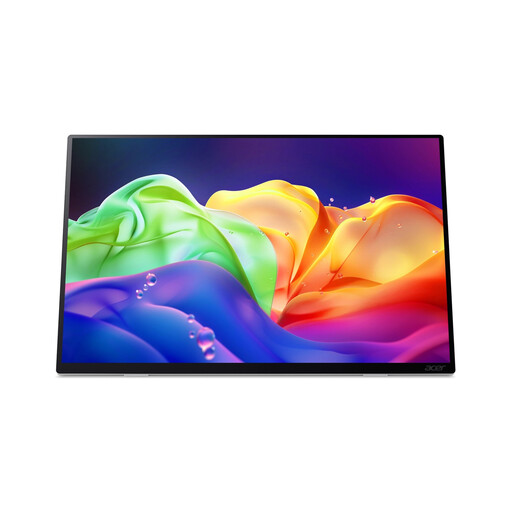
Acer ProDesigner PE160WUT 16-inch OLED touchscreen monitor
An option for colour-focused previews and viewing details on location.
2880 × 1800; 120Hz; the product description lists 100% DCI-P3 and Delta E < 2. There’s no internal battery and the monitor doesn’t support charging via USB-C Power Delivery, so you’ll need a separate power supply.
Joybuy
 No image available
UPERFECT 16-inch portable monitor, 2560 × 1600
An option if you want more room to view details in a preview with a client.
16 inches; 2560 × 1600; 16:10; QLED; 450 nits according to the product title. The title lists Mini HDMI, Type-C and VESA compatibility.
Joybuy
 No image available
ARZOPA Z1RC 16-inch 2.5K IPS monitor
An option for a larger preview; a stated colour gamut on its own is not proof of colour accuracy.
2560 × 1600; IPS; built-in stand; USB-C and HDMI according to the product title. The product description lists a weight of 810 g.
Joybuy
 No image available
ASUS ProArt PA16USV 15.6-inch 4K monitor
An option for colour-focused previews if you have a suitable camera or laptop connection.
3840 × 2160; 4K UHD; the product description lists factory calibration with Calman verification, Delta E < 2, and 100% sRGB and Rec.709. For use with a camera, you’ll need a suitable video output and cable; the listed connections don’t guarantee universal camera compatibility.
Joybuy
Frequently asked questions
Can every USB-C connection carry video over a single cable?
No. Check that both the monitor and source device support video over USB-C. ASUS also specifies at least 10 W of output power from the source device when using the PA148CTV with a single USB-C cable.
Can I connect a portable monitor directly to my camera?
Only if the camera has a suitable video output and you use the right cable and power supply. ViewSonic lists Micro HDMI as an input for the VP16-OLED; this doesn’t confirm compatibility with every camera.
How can I keep photo previews useful in different locations?
Set the monitor up securely and, where possible, limit distracting ambient light. ViewSonic lists a hood for the VP16-OLED. This may be useful in some situations, but it doesn’t automatically make a preview equivalent to a final print.
What rights apply to an online purchase in the Netherlands?
For qualifying distance sales to consumers, you generally have 14 days to change your mind, as explained by the Dutch government (Rijksoverheid). Your statutory guarantee is separate from any manufacturer’s warranty and depends on what you can reasonably expect from the product under normal use, according to ACM ConsuWijzer.
Which product rules apply to a monitor sold in the Netherlands?
Electronic equipment is subject to applicable European product rules, including requirements relating to conformity assessment, CE marking and an EU declaration of conformity, as explained by Business.gov.nl. The European Commission also sets out ecodesign and energy labelling requirements for electronic displays. A product listing alone doesn’t confirm that an individual model meets all applicable requirements.


