What should you look for?
First check that your source device can provide a video signal and enough power. Then decide whether colour information, viewing together or portability matters most for your presentation.
| What to consider |
What should you check? |
Who should prioritise this? |
| Colour reproduction |
Compare the stated colour gamut and any accuracy claim for the exact model; coverage is not an independent colour measurement. |
If you’re discussing colour choices with a client, you’ll want to know what the colour claims are based on. Around 36% of consumers put colour reproduction first. |
| Connection and power |
Check the video output, monitor connection, power requirements and which cables are included. For a single USB-C cable with the PA148CTV, ASUS requires DisplayPort Alt Mode and at least 10 W from the source device. |
If you’re switching between a laptop or camera and monitor on location, you’ll want to know in advance whether the combination supplies both video and power. Around 29% of consumers prioritise connection reliability. |
| Viewing together and set-up |
Compare screen diagonal, resolution, stand and available table space. ARZOPA lists the Z1RC as 16 inches with 2560 × 1600 pixels; Lenovo lists the M14t Gen 2 as 14 inches with 2240 × 1400 pixels. |
If two people are looking at photos at the same time, you’ll benefit from a size and set-up that fit on the table. Around 21% of consumers prioritise viewing together. |
| Portability |
Compare the weight of the exact model and check which case, cables and power supply are included. Lenovo lists the ThinkVision M14t Gen 2 as weighing 700 g. |
If you’re carrying the screen between your hotel room and appointments, you’ll want to know how the complete set will fit in your luggage. Around 14% of consumers put portability first. |
Portable monitors at Joybuy
This selection includes compact laptop extensions and larger portable screens for showing photos from a compatible source device.
 No image available
Blackview DCM6 PRO, 14-inch Full HD laptop extension
For presentations from a compatible laptop; the product name lists laptops from 13–17,3 inches.
14 inches; Full HD (1920 × 1080 pixels); laptop compatibility according to the product information: 13–17,3 inches.
Joybuy
 No image available
TECLAST V16H, 16-inch Full HD IPS monitor
For viewing together on a larger screen; the product name lists a built-in stand and connections for a compatible source device.
16 inches; Full HD IPS; 16:10; two USB-C ports and Mini HDMI.
The product information advises against placing it on soft surfaces or near water or heat sources; use a stable, flat surface.
Joybuy
 No image available
TECLAST V16Q, 16-inch 2.5K IPS monitor
For a portable photo presentation; the product name lists 2560 × 1600 pixels and a built-in stand.
16 inches; 2.5K (2560 × 1600 pixels); IPS; 16:10; two USB-C ports and Mini HDMI. The product name lists 100% sRGB and 10-bit; colour gamut coverage is not a measurement of colour accuracy.
The product information advises against placing it on soft surfaces or near water or heat sources; use a stable, flat surface.
Joybuy
 No image available
UPERFECT, 16-inch QLED monitor with 2560 × 1600 pixels
For anyone looking for a portable screen with a stated resolution of 2560 × 1600 pixels for a compatible source device.
16 inches; QLED; 2560 × 1600 pixels; Mini HDMI and Type-C.
Joybuy
 No image available
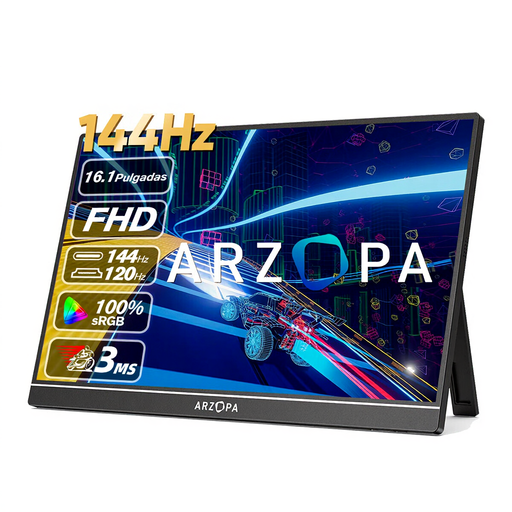
ARZOPA Z1FC, 16.1-inch Full HD IPS monitor
For viewing together on a larger portable screen; the product name lists a built-in stand and USB-C and HDMI connections.
16.1 inches; Full HD; IPS; built-in stand; USB-C and HDMI. The stated 106% sRGB is not a measurement of colour accuracy.
The product information advises against placing it on soft surfaces or near water or heat sources; use a stable, flat surface.
Joybuy
Frequently asked questions
Can every USB-C port provide video and power through a single cable?
No. For a single USB-C cable to the ASUS PA148CTV, ASUS specifies DisplayPort Alt Mode and at least 10 W of output power from the connected device. For another monitor model, check both the monitor and laptop specifications.
Can I connect a camera directly to a portable monitor?
That depends on the connections on your camera and monitor. ViewSonic lists Micro-HDMI for the VP16-OLED; check whether your camera has a compatible video output and how you’ll power the monitor.
How can I set up a portable monitor safely in a hotel room?
Use a stable, flat surface and follow the instructions for the exact model. For example, the product information for the TECLAST V16H and V16Q advises against placing them on soft surfaces or near water or heat sources.
Who can help if a product is faulty, and can I cancel an online purchase?
According to the Dutch government, the seller must provide a solution if a product is faulty; a manufacturer’s guarantee does not replace your statutory rights. For eligible distance purchases, you generally have 14 days to change your mind. Check the terms and exceptions that apply to your purchase.
What product safety rules apply to a monitor sold in the Netherlands?
Electrical and electronic equipment sold in the Netherlands must comply with the applicable European safety and conformity rules. Dutch government information describes CE marking and the EU declaration of conformity as manufacturer obligations when the relevant technical and administrative requirements apply and have been met. This does not confirm that a specific monitor has been checked individually.


