
Photographer discussing colour
You’re showing a selection of photos to one person and want to take colour settings into account. ASUS and Lenovo publish model specifications that can serve as a basis for comparison.


For a discussion about colour and photo detail, a compact screen with documented colour settings is a good fit; for viewing together, a larger screen can give everyone more room to see. The right option also depends on your table setup and your laptop’s or other source device’s video and power capabilities. sRGB coverage alone is no proof of colour accuracy.
You’re showing a selection of photos to one person and want to take colour settings into account. ASUS and Lenovo publish model specifications that can serve as a basis for comparison.
You want several people to be able to view the images around a library table. Screen size and an adjustable stand can both affect your setup.
You’re bringing the screen and a source device with you, and want to check in advance that video, power and cables are compatible.
| Consideration | What should you check? | Who should consider this? |
|---|---|---|
| Colour reproduction | Check the colour specifications and any colour settings for the exact model. Don’t treat a stated sRGB range as proof of the accuracy of your screen. | When I discuss photos with one person, I want to be able to take colour settings into account. Around 26% of consumers put colour reproduction first. |
| Connection and power | Check that the source device supports video through the required connection and provides enough power. For a single USB-C cable, ASUS lists DisplayPort Alt Mode and at least 10 W for the PA148CTV; Philips requires DP Alt Mode for video over USB-C on the 16B1P3302D/00. | If I want to connect my own laptop or tablet, both video and power need to work. Around 26% of consumers prioritise connection and power. |
| Viewing together | Compare the screen size with the space available on the table, and check whether the stand allows the viewing angle you need. | For a presentation to a small group, I want to show images to people from several seats. Around 21% of consumers make viewing together their top priority. |
| Carrying and setting up | Compare the weight and check which protective case, stand and cables are included with the exact model. | If I’m taking the screen to the library, I want to know what else I’ll need to carry besides the monitor. Around 16% of consumers prioritise portability. |
| Cost and aftercare | Work out which connection accessories you’ll need, and find out what any commercial warranty adds to your statutory rights. | When I’m weighing up the complete setup and support if anything goes wrong, I want to understand the terms in advance. Around 11% of consumers prioritise cost and aftercare. |
Your source device’s USB-C port must support video output and meet the power requirements. If you don’t check this, your planned setup may need extra connections or a separate power supply.
Check the video and power specifications for both your device and the exact monitor. Allow for an extra cable or power supply if your chosen combination requires one.
A stated colour gamut doesn’t automatically describe the colour reproduction of every individual screen in your own usage conditions.
Compare the specifications and any colour settings for the exact model. Treat information from ASUS, Lenovo and ARZOPA as manufacturer data, not as a measurement of your particular unit.
A presentation to one person may need a different amount of screen space from viewing photos together. The available table space and viewing angle also matter.
Decide how many people will be viewing and how much space you have; then compare the screen size and stand.
ACM ConsuWijzer explains that statutory rights exist alongside a seller’s warranty, and that the seller must resolve issues with a faulty product under the applicable terms.
Before paying, check what additional protection a warranty service offers and compare it with your statutory rights.
The ProArt PA148CTV is a compact option if you want to take colour settings into account during a discussion about photos.
The ThinkVision M14t Gen 2 combines a 14-inch screen with a stated resolution of 2240 × 1400 pixels.
The Business Monitor 16B1P3302D/00 is worth comparing if a 15.6-inch screen and adjustable stand would suit your presentation.
The Z1C and Z1RC are larger portable screens; according to the manufacturer, the Z1RC has a resolution of 2560 × 1600 pixels.
These Joybuy products are suited to showing a photo portfolio from a laptop or viewing images together around a table. Compare the connections for each model, and check the colour information if colour assessment is important.
 No image available
A portable laptop extender to consider if you want to show your portfolio from a laptop.
14 inch; Full HD; designed for 13–17.3-inch laptops.
 No image available
The 16-inch screen and built-in stand are well suited to a presentation with several people viewing.
16 inch; FHD IPS; 16:10; 144 Hz; two USB-C ports and Mini HDMI.
 No image available
An option to compare if you want to discuss fine image detail; the stated colour information isn’t an independent accuracy measurement.
16 inch; 2560 × 1600; 16:10 IPS; 144 Hz; 100% sRGB according to the product title; two USB-C ports and Mini HDMI.
 No image available
Worth comparing if you’re looking for a portable screen with a stated resolution of 2560 × 1600 for showing images.
16 inch; 2560 × 1600; 16:10 QLED; 144 Hz; Mini HDMI and Type-C.
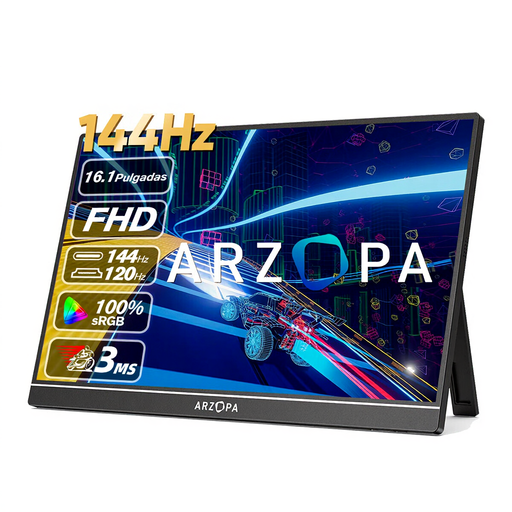 No image available
The larger screen and built-in stand suit a presentation around a table; the stated colour gamut doesn’t prove colour accuracy.
16.1 inch; Full HD; IPS; 106% sRGB according to the product title; two USB-C ports and HDMI.
Only if the port and power supply meet the requirements of your chosen monitor. For the PA148CTV, ASUS lists DisplayPort Alt Mode and at least 10 W output from the connected device; Philips also requires DP Alt Mode on the source device for video over USB-C on the 16B1P3302D/00.
Check that the stand fits on the available table space and set the viewing angle before your discussion. Philips specifies a tilt range of 0 to 90 degrees for the 16B1P3302D/00; this doesn’t automatically apply to other models.
According to ACM ConsuWijzer, when you buy online you often have up to 14 days after delivery to change your mind, with some exceptions. Statutory rights are separate from a manufacturer’s or seller’s warranty: if a product doesn’t perform as you could reasonably expect under normal use, the seller must offer a solution under the applicable terms.
That depends on the photos, the context and who will see them. The Dutch Data Protection Authority considers identifiable people in photos to be personal data, and distinguishes private use from sharing beyond a limited circle. Before your presentation, check that you’re allowed to use the images in that context and what legal basis applies.